


How to Create Your Website with TYPO3 (Brand Examples)
TYPO3 may not be the best-known name among content management systems, but it is one of the strongest open-source CMS platforms for serious, large-scale website projects. It is widely used by organizations that need secure content management, multilingual publishing, structured workflows, high performance, and long-term scalability.
Summary: Yes, build your website with TYPO3 if you need scalability, multilingual content, structured workflows and strong security. For small information websites it is not the fastest option. This guide by NITSAN GmbH walks you from planning through installation and design to launch.
TYPO3 is best for organizations that need a secure, scalable, multilingual, and highly customizable website, especially enterprises, public sector bodies, universities, agencies, and large content teams. It may not be the fastest option for beginners or small brochure websites, but it is a powerful choice when your website needs to handle complex content, multiple languages, custom features, and high traffic without losing stability.
This guide explains how to create a TYPO3 website from planning to launch. We will cover TYPO3 website planning, installation, design, backend setup, content management, extensions, SEO, performance, maintenance, and real TYPO3 website examples from well-known brands and organizations.
In this blog, we will also show why TYPO3 is trusted for enterprise websites, government portals, education platforms, healthcare websites, and multilingual corporate websites. By the end, you will understand whether TYPO3 is the right CMS for your next website project and what steps are needed to build it properly.
Quick Answer: Should You Build Your Website with TYPO3?
Yes, you should build your website with TYPO3 if your project needs long-term scalability, multilingual content, structured workflows, strong security, and flexible customization. TYPO3 is especially useful for enterprises, public sector organizations, universities, agencies, and large content teams that need more control than a basic website builder can offer.
Choose TYPO3 if… | Avoid TYPO3 if… |
You need multilingual content management | You only need a small brochure website |
You need multisite management from one system | You want drag-and-drop simplicity only |
You need enterprise-level editorial workflows | You do not have technical support |
You need custom integrations with CRM, ERP, analytics, or marketing tools | You need a fully no-code website builder |
You need long-term scalability and structured content governance | You want the fastest DIY website setup |
TYPO3 is not always the quickest CMS to set up, but it is a strong choice when your website needs to grow over time. It works best when long-term control, security, scalability, accessibility, and structured content management matter more than speed of initial setup.
For simple websites, a lighter CMS or website builder may be enough, but for complex digital platforms, TYPO3 is built to handle more demanding requirements.
What Is TYPO3 and Who Uses It?
TYPO3 is an open-source content management system built for scalable and long-term web projects. A TYPO3 website can manage complex content, multiple languages, user permissions, custom workflows, and large website structures.
TYPO3 CMS is especially useful for organizations that need multilingual websites, multisite management, enterprise-level security, and custom integrations.
What TYPO3 Is Best Known For
TYPO3 is best known for:
- Open-source CMS flexibility
- Enterprise scalability
- Native multilingual features
- TYPO3 multisite management
- Role-based backend permissions
- Structured editorial workflows
- Strong security and long-term support
- Custom extensions and integrations
Who Should Use TYPO3?
TYPO3 is a good choice for:
- Government and public sector websites
- Universities and education platforms
- Healthcare organizations
- Manufacturing and industrial brands
- Multilingual corporate websites
- Agencies managing multiple websites
- Large editorial teams
- Enterprises needing CRM, ERP, analytics, or marketing integrations
Who Should Not Use TYPO3?
TYPO3 may not be ideal for:
- Solo bloggers
- Very small business websites
- Basic landing pages
- Users wanting only drag-and-drop editing
- Teams without developer or agency support
- Projects needing the fastest possible launch
For simple websites, a lighter CMS may be enough. For scalable, multilingual, secure, and highly structured websites, TYPO3 is a strong CMS option.
TYPO3 Version Choice in 2026: TYPO3 13 or TYPO3 14?
In 2026, TYPO3 13 LTS is the safer stable choice for most existing websites, while TYPO3 14 can be considered for new projects planned around the upcoming LTS path.
Best TYPO3 Version for New Websites
Use TYPO3 14 if the project roadmap supports the latest TYPO3 ecosystem and future LTS direction. Choose TYPO3 13 LTS if you need a stable, production-proven version with lower upgrade risk.
Best TYPO3 Version for Existing Websites
Do not upgrade blindly. First check extensions, templates, hosting, PHP version, custom code, and integrations. Sites with legacy templates or custom extensions should run a compatibility audit first.
Quick Decision Table
Situation | Recommended path |
New enterprise website | TYPO3 14 roadmap or TYPO3 13 LTS |
Existing TYPO3 13 site | Maintain and prepare for future upgrade |
Existing TYPO3 12 site | Upgrade to TYPO3 13 first |
Old TYPO3 10/11 site | Upgrade or relaunch |
Heavy custom extensions | Compatibility audit first |
Planning Your TYPO3 Website
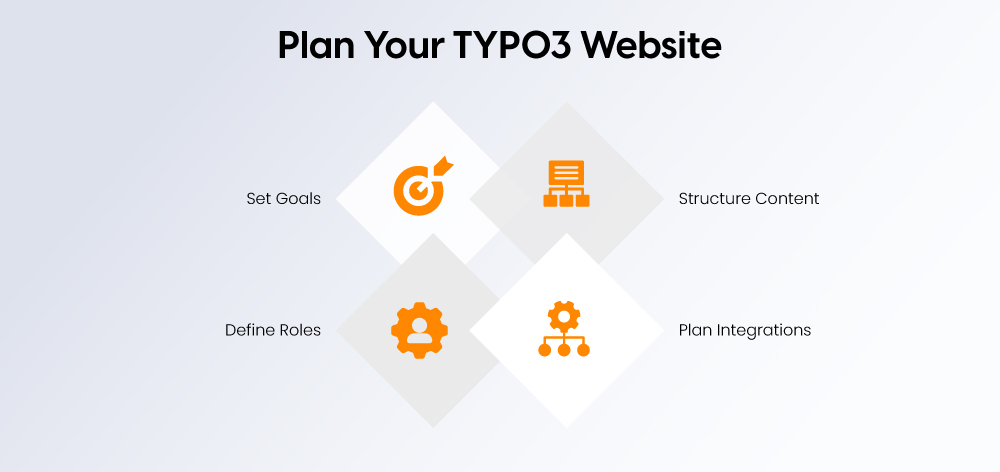
Planning is essential before building a TYPO3 website. Define your goals, audience, content structure, languages, integrations, SEO needs, and maintenance plan before development starts.
Define Website Goals Before Development
Start by identifying what your website should achieve. Common TYPO3 website goals include:
- Lead generation
- Public information delivery
- Multilingual publishing
- Product catalog management
- Partner or dealer portals
- Intranet or knowledge base
- Compliance-focused public sector websites
Clear goals help you choose the right TYPO3 setup, features, and extensions.
Map Your Content Structure
Plan how users will navigate the site and how editors will manage content in the TYPO3 Backend.
Include:
- Main navigation
- Page hierarchy
- Landing pages
- Blog or resources
- Service pages
- Contact pages
- Language versions
- Media library
A clear structure improves usability, SEO, and content management.
Plan User Roles and Workflow
TYPO3 supports role-based permissions, so define who can create, review, translate, approve, and publish content.
Common roles include admin, editor, reviewer, publisher, translator, agency/developer, and compliance reviewer.
Plan Integrations Early
List required integrations before development begins, such as CRM, ERP, PIM, analytics, consent management, marketing automation, search, DAM, or newsletter tools.
TYPO3 Website Planning Checklist
Before development, confirm:
- Goals are defined
- Audience is mapped
- Content structure is ready
- Languages are selected
- Hosting is checked
- TYPO3 Version is selected
- Required extensions are listed
- SEO and accessibility needs are confirmed
- Launch timeline is clear
TYPO3 Website Architecture: How a TYPO3 Site Is Structured
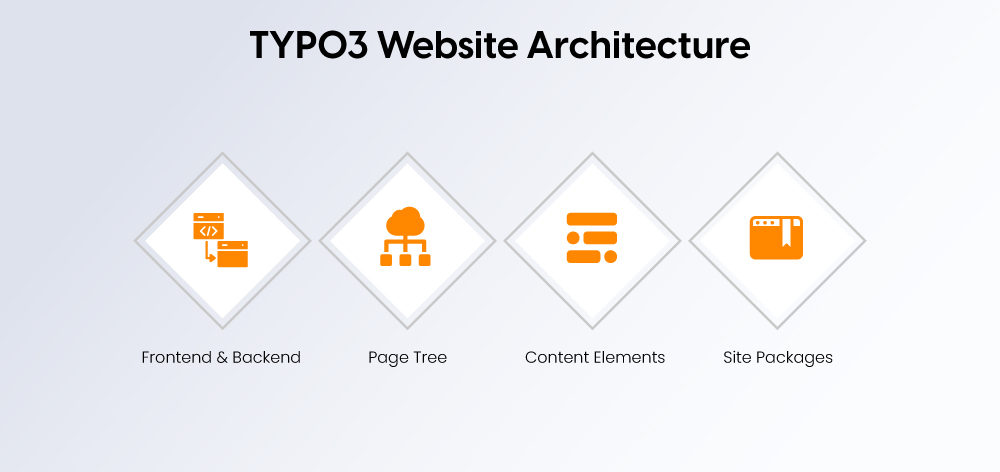
Before installation, understand the basic TYPO3 structure:
TYPO3 Frontend vs Backend
- Frontend: The website visitors see
- Includes pages, menus, images, forms, and content
- Backend: The admin area for editors and developers
- Used to manage pages, content, files, users, and settings
Page Tree
- TYPO3 organizes pages in a clear page tree
- Supports pages, subpages, landing pages, and language versions
- Useful for large, multilingual, or multisite websites
Content Elements
- TYPO3 pages are built with content elements
- Common elements include text, images, videos, forms, teasers, and downloads
- Custom content blocks can be added for special layouts or features
Templates and Site Packages
- TYPO3 design is managed through templates and site packages
- A site package includes theme, layout, assets, configuration, and functionality
- This keeps the website design organized and easier to maintain
Installing TYPO3
Before installing TYPO3, make sure your server meets the latest requirements. For TYPO3 13 and TYPO3 14, use PHP 8.2 or higher.
TYPO3 System Requirements in 2026
Requirement | Recommended setup |
PHP | PHP 8.2+ |
Composer | Composer 2.1+ |
Database | MySQL, MariaDB, PostgreSQL, or SQLite |
Web server | Apache, Nginx, IIS, or Caddy |
Local setup | DDEV + Composer |
Recommended Installation Method
Use DDEV with Composer for local development. For production projects, Composer is usually the best option. Manual download should only be used for special cases.
TYPO3 Installation Steps
- Choose the right TYPO3 version.
- Prepare hosting or a local DDEV environment.
- Install TYPO3 using Composer.
- Configure the database.
- Run the TYPO3 setup.
- Create the first backend admin user.
- Configure the site package.
- Create the root page and site configuration.
- Set up languages if needed.
- Test backend login and frontend output.
Common TYPO3 Installation Mistakes
Avoid these common issues:
- Using the wrong PHP version
- Missing Composer dependencies
- Incorrect document root
- Database connection errors
- File permission problems
- Missing site configuration
- Extension compatibility issues
After these steps, your TYPO3 website is ready for design, content setup, and customization.
First Project Setup After Installation
After installing TYPO3, the next step is to set up the basic website structure, domain settings, pages, and backend users.
Create the Root Page
- The root page is the base of your TYPO3 website.
- It connects the frontend URL with the TYPO3 page tree.
- All main pages and subpages are usually created under this root page.
Configure Site Management
Set up the main site settings, including:
- Domain
- Base URL
- Language setup
- Error handling
- Route enhancers
- XML sitemap settings
This helps TYPO3 understand how the website should load, display URLs, and manage languages.
Add Initial Pages
Create the basic pages needed for the website, such as:
- Home
- About
- Services
- Blog or resources
- Contact
- Legal pages
- Language versions
Set Up Backend Users
Create proper user groups so the website stays secure and easy to manage.
Common user types include:
- Admin user
- Editor group
- Publisher group
- Translator group
- Restricted agency or developer access
Designing Your Website With TYPO3
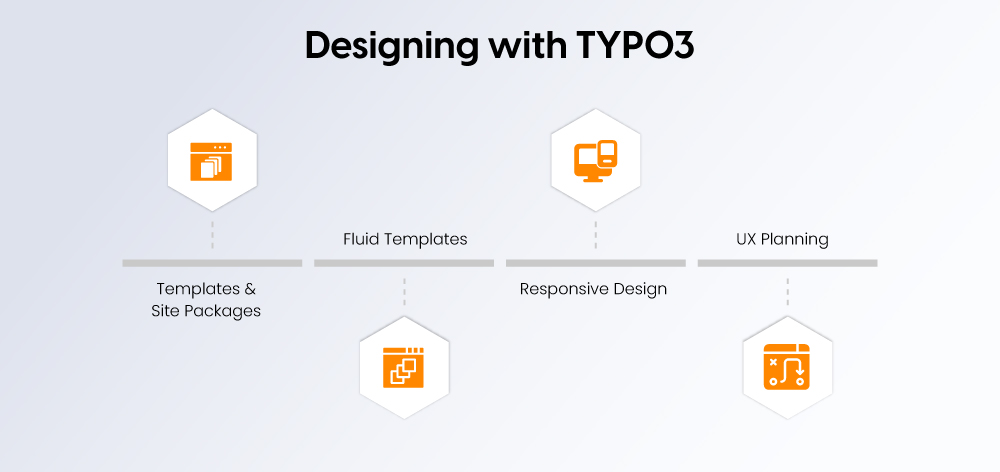
TYPO3 helps you design a professional, responsive, and easy-to-manage website using templates, site packages, and Fluid templating.
TYPO3 Templates vs Site Packages
- Templates control the page layout and design.
- Site packages are the modern way to manage themes, layouts, assets, configuration, and reusable components.
Fluid Templating
TYPO3 uses Fluid to separate design from content. It supports layouts, templates, partials, ViewHelpers, content rendering, and reusable components.
Responsive and Accessible Design
Your TYPO3 website should work well on all devices and be accessible to all users. Focus on mobile-first design, keyboard navigation, color contrast, semantic headings, accessible forms, alt text, and ARIA only where needed.
UX Elements to Plan
Include key UX elements such as header navigation, breadcrumbs, footer links, search, CTA blocks, related content, contact forms, download areas, and a language switcher.
Managing Content in TYPO3 Backend
The TYPO3 backend helps editors manage pages, content, files, languages, and publishing workflows from one structured admin area. It is useful for both small teams and large editorial teams managing complex websites.
TYPO3 Backend Overview for Editors
Editors can use key backend modules such as the Page module, List module, Filelist, Forms, Redirects, Site Management, and User Settings to manage daily website tasks.
Creating and Organizing Pages
TYPO3 uses a page tree to organize pages and subpages. Editors can manage page types, visibility settings, scheduled publishing, navigation titles, SEO titles, and URL slugs from the backend.
Working With Content Elements
Pages are built with flexible content elements such as text/media, images, downloads, forms, cards, teasers, accordions, and custom content blocks.
Multilingual Content Workflow
TYPO3 supports multilingual content with one-tree or multi-tree language setups, translation workflows, fallback languages, localized metadata, and hreflang basics for SEO.
Editorial Governance
For larger teams, TYPO3 supports permissions, approval processes, versioning, workspaces, and publishing checks. This keeps content secure, consistent, and easier to manage.
Extending Functionality With TYPO3 Extensions
TYPO3 is flexible because you can extend it with plugins, integrations, and custom extensions. These add new features without rebuilding the full website.
Essential TYPO3 Extensions by Use Case
Use case | Extension type |
SEO | Metadata, sitemap, redirects |
Forms | Contact forms, lead forms |
News/blog | News publishing extension |
Search | Site search or Solr |
Accessibility | Testing or helper tools |
Analytics | Tracking integrations |
Consent | Cookie/banner tools |
E-commerce | Shop or catalog extensions |
How to Choose TYPO3 Extensions
Before installing an extension, check:
- TYPO3 13/14 compatibility
- Last update date
- Active maintainer
- Security history
- Documentation quality
- Composer support
- Performance impact
Choosing the right extensions keeps the TYPO3 website secure, fast, and easier to maintain.
When to Build a Custom TYPO3 Extension
A custom extension may be needed when ready-made options cannot support your workflow. This is common for ERP or CRM integrations, custom data models, complex forms, advanced search/filtering, or multi-step application processes.
Custom TYPO3 extensions make the CMS more powerful for websites with specific business or technical requirements.
SEO and Performance Optimization in TYPO3 Website
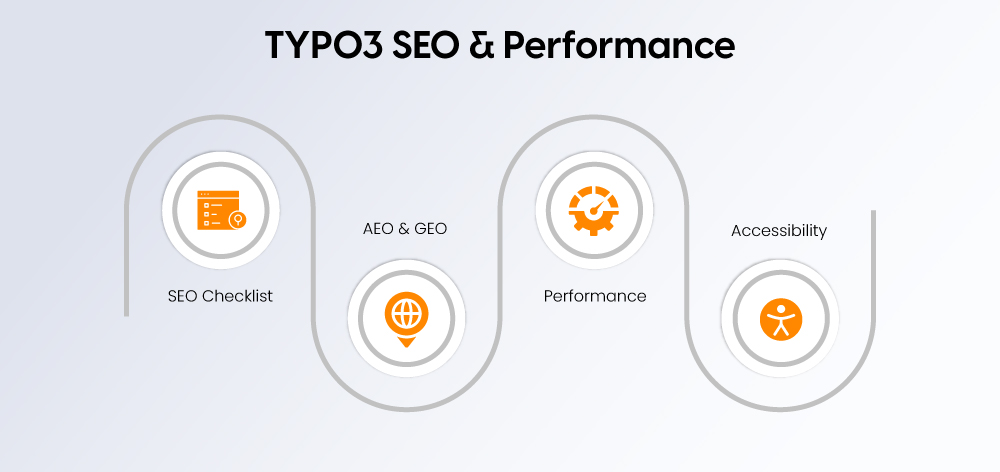
A TYPO3 website should be easy to find, fast to load, and accessible for all users. Focus on SEO setup, answer-friendly content, performance, and compliance.
TYPO3 SEO Checklist
Configure SEO-friendly URLs, meta titles, meta descriptions, canonical tags, XML sitemap, robots.txt, structured data, redirects, Open Graph tags, image alt text, internal links, breadcrumbs, and hreflang.
TYPO3 AEO and GEO Optimization
Use direct answers, definition boxes, FAQs, step-by-step lists, comparison tables, and checklist summaries. Clearly explain key entities such as TYPO3, CMS, site package, Fluid, TypoScript, backend, and extensions.
TYPO3 Performance Checklist
Improve speed with caching, image optimization, lazy loading, CDN setup, database optimization, PHP OPcache, server tuning, extension audits, Core Web Vitals checks, and frontend asset optimization.
Accessibility and Compliance
Check WCAG, BITV 2.0, BFSG / European Accessibility Act relevance, keyboard navigation, screen reader support, form labels, color contrast, alt text, and accessible documents.
Releasing Your TYPO3 Website
Before going live, test your TYPO3 website carefully to avoid SEO, performance, security, and content issues after launch.
TYPO3 Pre-Launch Checklist
Check the following before release:
- Final content review
- SEO metadata review
- URL slug check
- Redirect mapping
- XML sitemap
- Robots.txt
- Forms testing
- Search testing
- Accessibility test
- Performance test
- Mobile test
- Cookie consent check
- Analytics events
- Backup
- Security scan
- DNS launch plan
TYPO3 Launch Mistakes to Avoid
Avoid common launch issues such as missing redirects, no canonical tags, broken language links, unoptimized images, no backup, wrong environment context, editors using admin permissions, and no rollback plan.
A careful launch process helps your TYPO3 website go live smoothly and stay stable from day one.
Maintaining and Updating Your TYPO3 Website
Regular TYPO3 maintenance keeps your website secure, fast, and stable.
Monthly TYPO3 Maintenance Checklist
Check core updates, extension updates, security patches, broken links, backups, forms, performance, error logs, user access, SEO rankings, and accessibility issues.
Quarterly TYPO3 Review
Review content, technical SEO, Core Web Vitals, extension compatibility, redirects, user roles, analytics, and conversions.
When to Update, Upgrade, or Relaunch
Situation | Best action |
Bug or security fix | Update |
Old TYPO3 version | Upgrade |
Old design and poor UX | Relaunch |
Broken extensions | Audit first |
Major custom code issues | Upgrade plan or rebuild |
Consistent maintenance reduces risks and avoids costly future fixes.
TYPO3 Website Examples: Brands and Organizations Using TYPO3
Here are some real-world TYPO3 website examples that show how flexible the CMS can be for large, multilingual, and content-heavy websites. These examples show how TYPO3 supports corporate websites, public sector platforms, healthcare brands, logistics companies, and industrial businesses.
Brand / Organization | Industry | Website Type | TYPO3 Strength Shown | What Businesses Can Learn |
Philips Dictation | Healthcare Technology | Product information website | Handles complex product content clearly | TYPO3 works well for regulated industries with detailed technical content |
Körber AG | Technology Group | Corporate website | Organizes multiple business areas under one structure | TYPO3 supports large enterprise websites with diverse content |
Saxony-Anhalt | Public Sector | Government portal | Structured content, accessibility, public information delivery | TYPO3 fits complex government and public service websites |
Pearson | Education | Educational publishing platform | Manages large and frequently updated content | TYPO3 is useful for education platforms and knowledge-heavy websites |
Hitachi Medical Systems | Medical Equipment | Technical product website | Presents specialized content for professional users | TYPO3 supports clear communication for complex B2B products |
Lufthansa Group | Aviation | International corporate website | Supports global brand communication and structured content | TYPO3 can handle large corporate and multilingual websites |
Thomas Cook | Travel Services | Internal or service platform | Supports secure access and organized content management | TYPO3 can be used for intranet and internal content systems |
Logwin Logistics | Logistics | Global business website | Manages changing service information across regions | TYPO3 works well for logistics and international service companies |
United Internet | Internet Services | Service platform | Handles multiple services and complex information flow | TYPO3 supports scalable digital service platforms |
Minebea Intec | Industrial Manufacturing | Industrial product website | Organizes specialized technical and product content | TYPO3 fits manufacturing brands with detailed product information |
What These TYPO3 Examples Prove
These examples show that TYPO3 is not only for simple websites. It is designed for organizations that need structure, scalability, security, and long-term content control.
Key takeaways:
- TYPO3 works well for large and complex content structures.
- TYPO3 is strong for multilingual and multi-department websites.
- TYPO3 supports editorial governance for large teams.
- TYPO3 is useful for government, healthcare, education, logistics, and enterprise websites.
- TYPO3 is better suited to long-term digital platforms than basic brochure websites.
TYPO3 Website Cost Factors
TYPO3 website cost depends on project size, complexity, and long-term requirements. It is usually chosen for structured, scalable, and enterprise-level websites.
What Affects TYPO3 Website Cost?
Main cost factors include:
- Website size
- Design complexity
- Number of languages
- Custom extensions
- CRM, ERP, or marketing integrations
- Content migration needs
- Accessibility requirements
- SEO requirements
- Hosting and maintenance
- Agency, freelancer, or internal team setup
TYPO3 Cost Compared With WordPress
TYPO3 usually costs more upfront than WordPress because it often needs more planning, development, and technical setup.
WordPress is usually faster and cheaper for small websites, blogs, and simple business websites. TYPO3 is stronger for complex long-term projects, especially multilingual, multisite, enterprise, government, and large content platforms.
For small websites, WordPress may be more cost-effective. For large structured websites, TYPO3 can reduce long-term complexity.
TYPO3 for Developers and Marketers: What These Sites Teach Us
TYPO3 supports developers, marketers, and business teams when the website needs structure, scalability, and long-term control.
What Developers Should Learn
Developers can build scalable TYPO3 websites using site packages, Fluid templates, TypoScript, Composer, custom extensions, APIs, deployment workflows, and version compatibility checks.
What Marketers Should Learn
Marketers can manage landing pages, SEO metadata, redirects, multilingual campaigns, content workflows, analytics, forms, and reusable content blocks.
What Business Leaders Should Learn
TYPO3 is a long-term platform decision. It works best with planning, governance, and technical ownership, especially for multi-brand, multi-country, and multi-department websites.
TYPO3 vs Other CMS: Where It Excels
Here is a simple comparison between TYPO3 vs WordPress, and TYPO3 vs Drupal. This will help you see where each CMS stands.
CMS Feature | TYPO3 | WordPress | Drupal |
Best for | Large, complex, multilingual websites | Blogs, small to medium-sized corporate websites | Complex, customized applications |
Scalability | Strongly geared towards the needs of companies | Moderate need for plugins for scaling | High scalability geared towards developers |
Multisite support | Integrated and robust | Available with plugins | Strong, but more complex to set up |
Multilingual | Native support, excellent for global use | Requires plugins, not always seamless | Good multilingual support |
Editor experience | Structured and secure for teams | Very user-friendly for individuals | More technically demanding, steeper learning curve |
Security | Strongly ideal for governments and businesses | Varies depending on plugins and themes | Strong, but depends on implementation |
Custom features | Easily extendable with powerful modules | Heavy reliance on plugins, mixed quality | Strong developer tools |
Performance | High performance with caching and tuning | Can slow down with too many plugins | Depends on hosting and setup |
Learning curve | Steep at the beginning, but rewarding in the long term | Easy to learn and set up | Requires technical knowledge |
Community & support | Strong European base, active contributors | Massive global community | Active developer community |
Common TYPO3 Website Problems and Fixes
TYPO3 issues are usually related to cache, permissions, configuration, extensions, or server setup.
Problem | Likely cause | Fix direction |
TYPO3 backend not loading | Cache, permissions, PHP issue | Check logs, clear cache, verify PHP version |
Website is slow | Cache, assets, extensions | Optimize caching, images, server, and extensions |
404 errors | Slugs or redirects | Check redirects, route settings, and page URLs |
Extension not working | Version conflict | Check TYPO3 compatibility and update dependencies |
Multilingual pages broken | Site configuration issue | Review language setup and fallback settings |
Editors cannot publish | Permission issue | Review user roles and publishing rights |
TYPO3 Website Checklist: From Planning to Launch
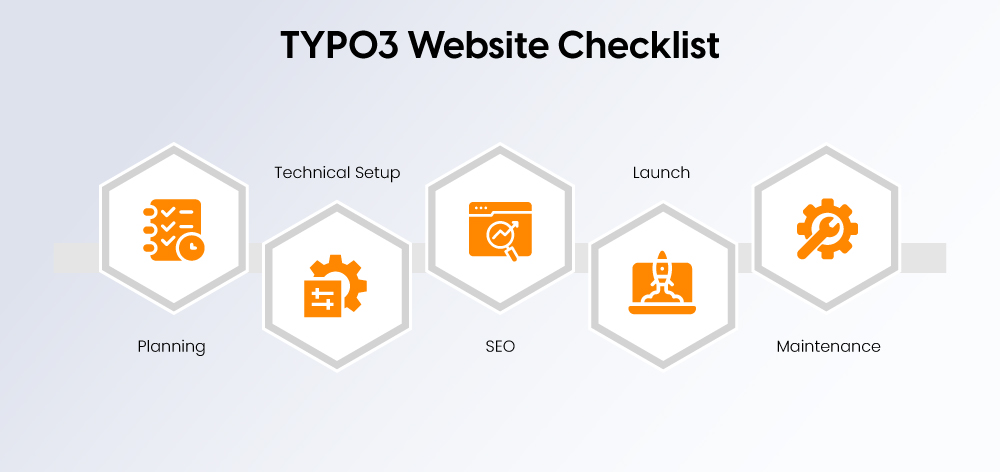
Use this checklist to plan, build, launch, and maintain a TYPO3 website.
Planning Checklist
Goals, audience, sitemap, languages, content model, and integrations.
Technical Checklist
TYPO3 version, hosting, PHP version, Composer, database, site package, and extensions.
SEO Checklist
URLs, metadata, XML sitemap, redirects, schema, internal links, and image optimization.
Launch Checklist
QA, backup, security, speed, accessibility, analytics, and DNS setup.
Maintenance Checklist
Updates, backups, monitoring, logs, SEO review, and content refresh.
Conclusion
TYPO3 is a strong CMS choice for organizations that need more than a basic website. It works best for complex, multilingual, scalable, and long-term digital platforms.
It is especially useful for enterprise websites, government portals, education platforms, healthcare websites, manufacturing brands, and large content teams that need structure, security, and editorial control.
TYPO3 may require more planning and technical support than simpler CMS options, but it can provide better long-term stability for large websites with multiple languages, departments, integrations, and workflows.
If your project needs more than a simple CMS, TYPO3 is worth considering.
Before starting, audit your current TYPO3 version, plan your website structure carefully, and check whether TYPO3 13 or TYPO3 14 is the right fit for your project.
FAQs
A TYPO3 website is a website built with the TYPO3 open-source CMS. It is used to manage pages, content, media, languages, users, and workflows.
Yes. TYPO3 is good for business websites that need scalability, multilingual content, security, custom features, and long-term content management.
TYPO3 is better for complex enterprise, multilingual, and multisite projects. WordPress is usually better for small websites, blogs, and faster low-cost builds.
Yes. TYPO3 CMS is open source and free to use. Costs usually come from design, development, hosting, maintenance, extensions, and agency support.
Yes. TYPO3 is strong for multilingual websites and supports language versions, translations, fallback languages, localized metadata, and hreflang setup.
A TYPO3 site package is a structured extension that contains the website theme, templates, assets, layouts, and configuration.
For most stable projects, TYPO3 13 LTS is a safe choice. For new projects with future planning, TYPO3 14 can also be considered.
Yes. TYPO3 supports SEO-friendly URLs, metadata, sitemaps, redirects, canonical tags, structured data, multilingual SEO, and performance optimization.
Contact for Internet agency and TYPO3 projects
Sven Thelemann
Service Partner - Germany


Sven Thelemann
Client Service LeadSven Thelemann serves as the Client Service Lead at NITSAN, focusing on delivering TYPO3 solutions that meet client goals. With a strong understanding of technology and client expectations, he ensures smooth communication and project execution. Outside of work, Sven enjoys cycling and experimenting with homemade recipes.
Be the First to Comment