


TYPO3 Performance Optimization for Faster TYPO3 Website
Is your TYPO3 website loading too slowly? A sluggish site frustrates visitors, damages your SEO rankings, and drives up bounce rates.
In 2026, mobile traffic leads the way, and Core Web Vitals have become essential for search visibility. Poor PageSpeed scores, weak LCP and INP metrics, and unoptimized content hurt both user experience and Google rankings.
What is TYPO3 performance optimization? It's the process of improving your hosting setup, caching systems, image delivery, frontend assets, database efficiency, CDN configuration, PHP settings, and Core Web Vitals to make your TYPO3 website load faster and respond smoother.
Fix these elements to raise PageSpeed scores, strengthen mobile performance, and boost SEO + user engagement.
Common Performance Pain Points:
Page loads over 3 seconds
- PageSpeed score below 50
- Core Web Vitals failing (LCP >2.5s, INP >200ms)
- SEO rankings dropping
- Bounce rate above 40%
- Poor experience on mobile devices
Optimizing your TYPO3 site isn't optional anymore, it's critical for staying visible, competitive, and user-friendly in 2026.
Quick TYPO3 Performance Optimization Checklist
Follow this actionable checklist to make your TYPO3 website faster in 2026. Designed for both technical users and business owners, it helps improve Core Web Vitals, PageSpeed scores, and overall user experience.
Performance Optimization Table
Area | Action | Impact |
Hosting | Move to TYPO3-optimized VPS or cloud hosting | Improves TTFB |
Cache | Enable TYPO3 default cache + static file cache | Reduces server load |
Images | Convert images to WebP or AVIF + implement lazy loading | Improves LCP |
CSS/JS | Defer, minify, and remove unused code | Improves INP and TBT |
CDN | Use Cloudflare, CloudFront, or KeyCDN | Improves global speed |
Database | Clean logs, optimize queries | Improves response time |
Quick Action Checklist
- Test PageSpeed before starting any optimization
- Enable TYPO3 default cache to reduce server load
- Convert images to modern formats (WebP/AVIF) for faster LCP
- Add a CDN (Cloudflare, CloudFront, or KeyCDN) for global performance
- Clean database logs and optimize queries regularly
- Enable PHP OPcache to reduce server response times
Start with these 6 steps for immediate performance gains. Then dive deeper into each area for advanced optimization.
Measure Your Starting Point with a TYPO3 Speed Test
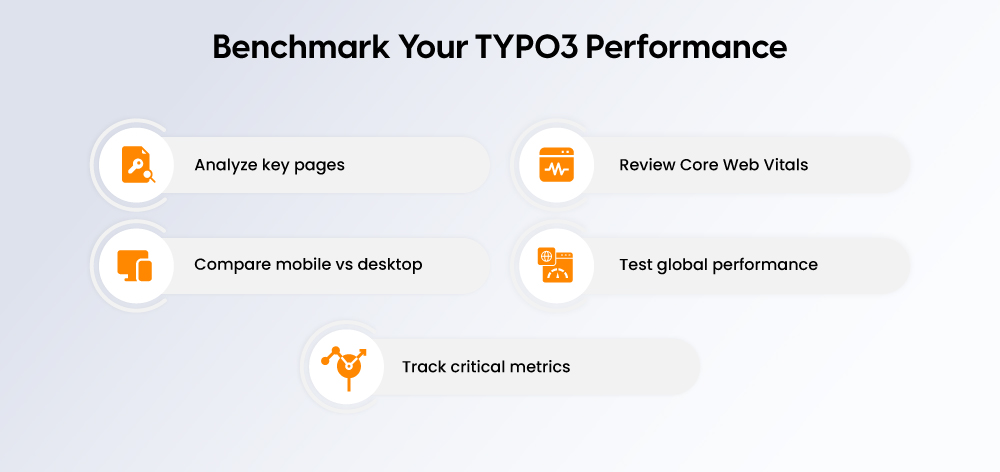
Before optimizing your TYPO3 website, you need to understand how it currently performs. A proper speed test and performance audit will highlight areas that need improvement and set benchmarks for measuring progress.
In 2026, replace FID with INP when testing responsiveness as part of Core Web Vitals.
Before You Optimize Checklist
- Test the homepage, service pages, blog pages, and landing pages
- Test on both mobile and desktop devices
- Check Core Web Vitals using PageSpeed Insights
- Use WebPageTest for location-based testing to understand global performance
- Record key metrics: LCP, INP, CLS, TTFB, page size, and number of requests
Performance Testing Tools
Tool | Purpose | Best For |
PageSpeed Insights | Measure Core Web Vitals | Google's official data |
GTmetrix | Full performance report | Detailed metrics, waterfall |
WebPageTest | Location-based testing | Global performance monitoring |
By systematically testing your TYPO3 site using these tools, you gain a clear baseline for performance. This enables targeted optimizations for faster load times, better Core Web Vitals, and improved SEO.
Understand Core Web Vitals for TYPO3
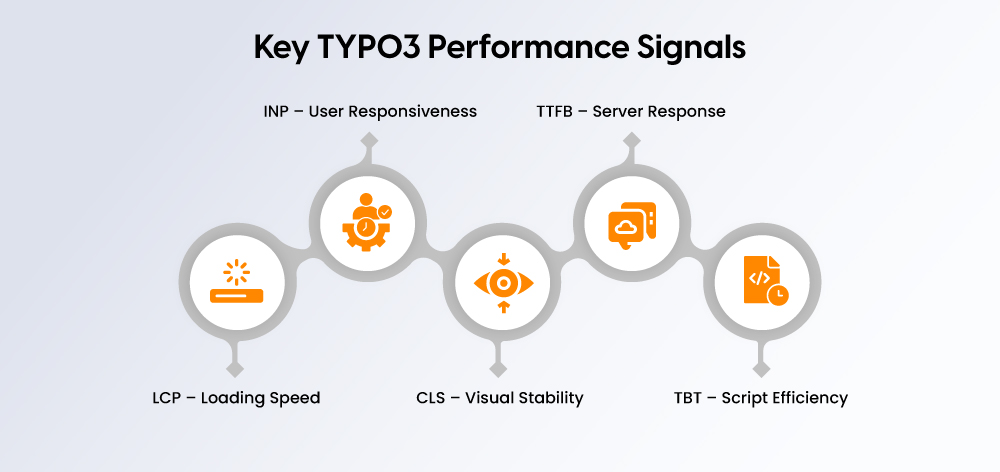
Core Web Vitals are key performance metrics that show how fast, responsive, and stable your TYPO3 website feels to users. In 2026, TYPO3 Core Web Vitals optimization should focus on LCP, INP, CLS, and TTFB because these metrics directly affect user experience, mobile performance, and TYPO3 SEO performance.
For TYPO3 websites, poor Core Web Vitals are often caused by heavy images, slow hosting, weak caching, render-blocking CSS, heavy JavaScript, third-party scripts, and database delays. Also, INP has replaced FID as the main responsiveness metric, so TYPO3 performance audits should now measure INP instead of FID.
Core Web Vitals Metrics for TYPO3
Metric | What It Measures | Good Score | TYPO3 Issue That Affects It |
LCP | Main content loading speed | Under 2.5s | Heavy images, slow server, render-blocking CSS |
INP | Responsiveness after user interaction | Under 200ms | Heavy JavaScript, slow third-party scripts |
CLS | Visual stability during page load | Under 0.1 | Images without dimensions, layout shifts, unstable banners |
TTFB | Server response speed | As low as possible | Poor hosting, no cache, slow database |
TBT | JavaScript blocking time in lab tests | Lower is better | Unoptimized JS, large scripts, unused frontend code |
What to Optimize First
Start with TYPO3 LCP optimization by improving hero images, server response time, caching, and render-blocking CSS. Then focus on TYPO3 INP optimization by reducing JavaScript load, removing unused scripts, and delaying non-critical third-party code.
For better TYPO3 SEO performance, track these metrics in PageSpeed Insights, Lighthouse, WebPageTest, and Google Search Console before and after every optimization.
Choose Better TYPO3 Hosting
Selecting the right hosting is a critical first step to improving TYPO3 performance. The hosting type affects server response time, scalability, Core Web Vitals, and overall user experience. Additionally, server location plays a key role in GEO-targeted performance.
Hosting Decision Table
Hosting Type | Best For | Performance Level |
Shared Hosting | Small, low-traffic sites | Low |
VPS | Growing TYPO3 websites | Medium-High |
Dedicated Server | Enterprise TYPO3 sites | High |
Cloud Hosting | Sites with fluctuating traffic | High |
TYPO3-Optimized Hosting | Businesses needing expert setup | High |
Server Location Guidance
- Germany/EU Audience: Host in Germany or EU to reduce latency
- US Audience: Use US-based servers combined with CDN edge locations
- Global Audience: Deploy a CDN with multiple edge locations for consistent worldwide speed
Tip: Always choose a hosting plan that balances performance, scalability, and support to meet both current and future TYPO3 requirements.
Optimize Images, Size, and Format
Images are often the heaviest elements on a TYPO3 page and have a major impact on LCP and overall performance. Proper image optimization can dramatically improve page load times and Core Web Vitals.
Image Optimization Checklist
- Use modern formats such as WebP and AVIF for better compression without losing quality
- Resize images to the display dimensions before uploading
- Always include width and height attributes to prevent layout shifts
- Implement responsive images using srcset for different screen sizes
- Apply lazy loading for below-the-fold images, but avoid lazy loading hero or LCP-critical images
- Compress images to reduce file size without noticeable quality loss
- Use an image CDN for high-traffic or global TYPO3 websites
Example: Lazy Loading in TYPO3 v14
xml
<img src="example.webp" loading="lazy" width="600" height="400" alt="TYPO3 optimized image">
Pro Tip: Optimized images alone can reduce LCP by 1–2 seconds on mobile, significantly boosting Core Web Vitals scores and user experience.
Improve TYPO3 Caching
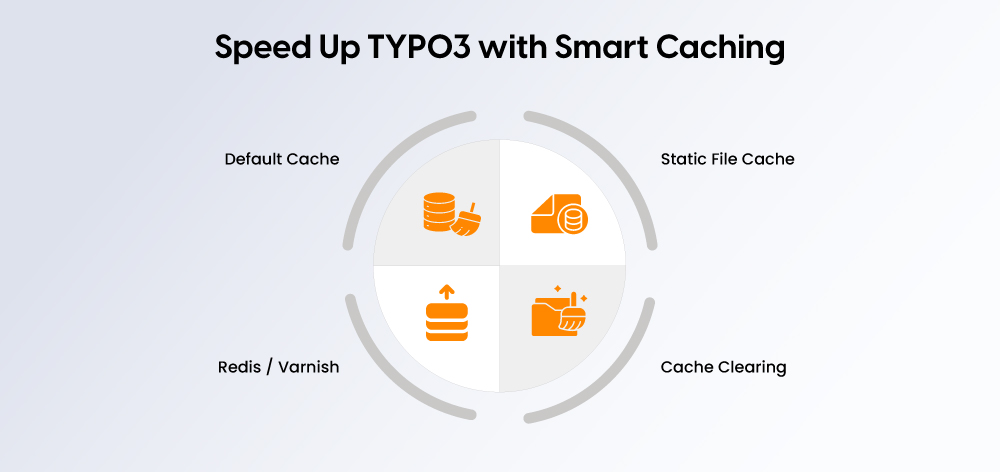
Caching is one of the most effective ways to speed up TYPO3 websites. Correctly configured caches reduce server load, improve TTFB, and enhance Core Web Vitals.
TYPO3 Default Cache
- Keep the default cache enabled to avoid regenerating pages for each visitor
- TYPO3 stores content and data temporarily to deliver pages faster
Static File Cache
- Pre-render HTML pages for faster delivery
- Ideal for high-traffic websites to reduce server processing
Redis / Varnish
- Redis: Memory-based caching for rapid data retrieval
- Varnish: HTTP accelerator for high-traffic sites to serve pre-rendered pages efficiently
Cache Clearing
- Clear frontend cache after content updates
- Clear all caches after system updates or major configuration changes
Pro Tip: Regular cache audits ensure your TYPO3 site remains fast after adding new content, extensions, or design updates.
Optimize CSS and JavaScript for TYPO3 v14
CSS and JavaScript optimization is important for improving TYPO3 frontend speed, Core Web Vitals, and mobile performance.
In TYPO3 v14, asset optimization should be handled through modern build tools or an extension-based asset pipeline instead of relying on old TypoScript concatenation and compression settings.
TYPO3 v14 Asset Optimization Warning
TYPO3 v14 removed frontend asset concatenation and compression from TYPO3 Core. For v14 projects, use a modern build process or extension-based asset pipeline instead of relying on removed TypoScript options.
TYPO3's official documentation confirms that config.concatenateCss, config.concatenateJs, config.compressCss, and config.compressJs no longer work in TYPO3 v14.
CSS and JavaScript Optimization Checklist
- Remove unused CSS from templates, extensions, and old frontend components
- Minify CSS and JavaScript through build tools such as Vite, Webpack, or Rollup
- Use a TYPO3-compatible asset workflow such as Vite AssetCollector where suitable
- Defer non-critical JavaScript so it does not block page rendering
- Load JavaScript in the footer where possible
- Audit third-party scripts such as chat widgets, tracking codes, maps, and embedded tools
- Keep only essential scripts on high-value pages such as service pages, landing pages, and conversion pages
- Test INP and TBT after removing or delaying JavaScript
What to Avoid in TYPO3 v14
Do not rely on old TypoScript settings like:
text
config.compressCss = 1
config.concatenateCss = 1
config.compressJs = 1
config.concatenateJs = 1
These options are outdated for TYPO3 v14 and should be replaced with a modern frontend build process.
Enable Gzip or Brotli Compression
Gzip and Brotli compression reduce the size of HTML, CSS, JavaScript, JSON, and other text-based files before they are delivered to the browser. This helps improve TYPO3 server optimization, page speed, and loading performance, especially for mobile users and slower networks.
In TYPO3 v14, response compression should be handled by the web server or CDN, not by TYPO3 itself. TYPO3 documentation notes that frontend HTTP response compression has been removed and should be applied at the web server layer.
Compression Comparison Table
Compression | Best For | Note |
Gzip | Broad compatibility | Safe default for most TYPO3 websites |
Brotli | Better compression for modern browsers | Best with CDN or server support |
Verification Steps
- Check response headers to confirm compression is active
- Test pages in GTmetrix or WebPageTest
- Confirm HTML, CSS, JS, and JSON files are compressed
- Compare file transfer size before and after compression
- Use Brotli where supported, but keep Gzip as a fallback
Example Server-Level Focus: For TYPO3 v14, configure compression at the Apache, Nginx, CDN, or hosting level. Do not depend on TYPO3 Core response compression for frontend output.
Use a CDN for Faster Global TYPO3 Performance
A CDN helps improve global TYPO3 performance by serving static files from locations closer to the visitor. This is especially useful for international websites, multilingual TYPO3 websites, and businesses targeting users across Germany, Europe, the US, or worldwide markets.
CDN Benefits for TYPO3
- Serves files from locations closer to each visitor
- Reduces load time for international users
- Caches static resources such as images, CSS, JavaScript, fonts, and documents
- Helps handle traffic spikes during campaigns or high-traffic periods
- Improves TYPO3 global performance by reducing latency
- Supports stronger mobile performance for users far from the origin server
- Can improve LCP by delivering images and frontend assets faster
CDN Examples for TYPO3
CDN | Best For |
Cloudflare | Easy setup, DNS-level CDN, security, global caching |
AWS CloudFront | Enterprise sites, advanced AWS infrastructure, global delivery |
KeyCDN | Lightweight CDN setup for static assets and performance-focused websites |
Clean Up TYPO3 Database and Slow Queries
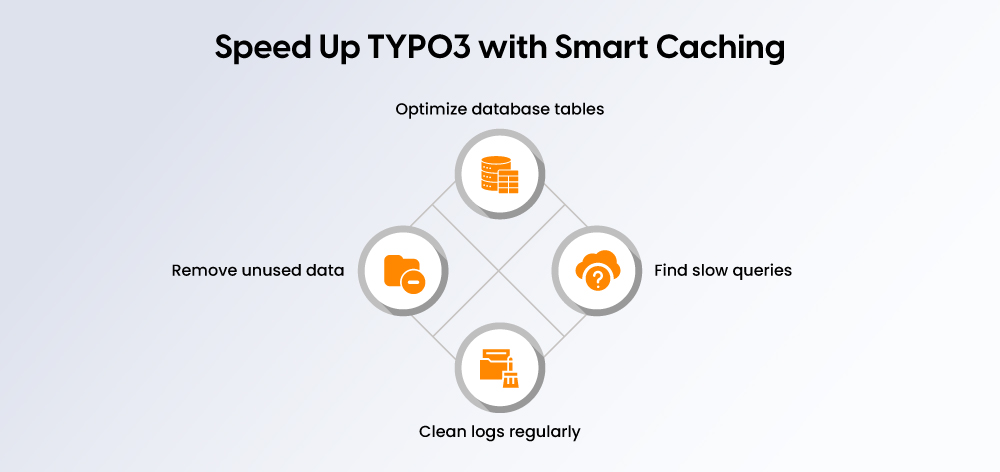
A slow TYPO3 database increases server response time and delays page rendering. Always take a full backup before database changes and test on staging first.
Focus on removing unused data, reducing old logs, optimizing MySQL/MariaDB tables, and identifying slow queries.
Remove Unused Data
Remove outdated records that increase database size:
- Old logs and revisions
- Unused records and expired cache entries
- Deleted records still in database
- Unused extension data
Optimize Tables
Large or fragmented tables slow content retrieval:
- Review large database tables
- Optimize MySQL/MariaDB tables where needed
- Check for missing indexes on frequently queried fields
- Monitor database size after cleanup
- Test frontend/backend performance after optimization
Identify Slow Queries
Slow queries commonly occur when extensions generate complex database calls:
- Use query logs and profiling tools
- Identify queries with long execution time
- Find repeated queries on the same page
- Detect extension-related slow queries
- Fix queries using inefficient filters
Clean Logs Regularly
Create a monthly maintenance schedule:
- Remove old system logs
- Clear outdated records
- Review extension tables
- Check database size
- Monitor slow query logs
- Retest TTFB and backend speed
Configure PHP OPcache for TYPO3
PHP OPcache stores precompiled PHP code in memory, reducing compilation and improving response time. Enable OPcache on your web server for significant performance gains.
OPcache Checklist
- Check if OPcache is enabled using
phpinfo() - Confirm TYPO3-compatible PHP version (8.2, 8.3, 8.4, or 8.5 for v14)
- Review basic OPcache configuration in
php.ini - Restart web server after changes
- Retest TTFB after enabling OPcache
- Ask hosting provider if you lack server access
Basic php.ini Example
text
opcache.enable=1
opcache.memory_consumption=256
opcache.max_accelerated_files=20000
opcache.validate_timestamps=1
opcache.revalidate_freq=30
Note: Server/admin access may be required. On managed hosting, ask your provider to confirm OPcache is enabled.
Optimize TYPO3 Extensions
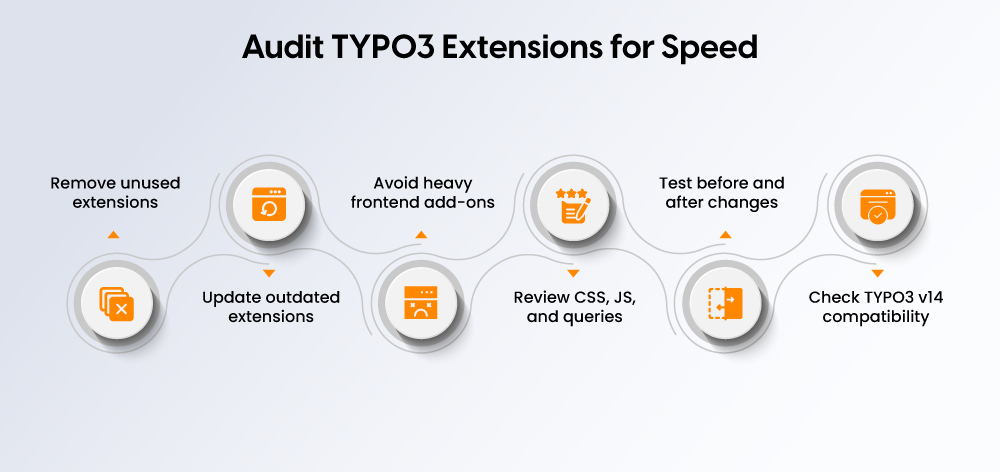
Slow or outdated extensions hurt frontend speed, backend performance, INP, TTFB, and database response. Include extension optimization in every performance audit.
Extension Optimization Checklist
- Remove unused extensions
- Update outdated extensions
- Avoid heavy frontend extensions
- Check for unnecessary CSS/JavaScript
- Review extension-related database queries
- Test performance before/after disabling heavy extensions
- Use Admin Panel and profiling tools to identify issues
- Check v14 compatibility before upgrading
- Keep only business-critical extensions on landing pages
Common Extension Issues
Issue | Performance Impact |
Heavy frontend assets | Poor LCP, INP, TBT |
Unoptimized queries | Higher TTFB |
Outdated extensions | Compatibility/speed issues |
Too many active extensions | Higher server load |
Mobile-First TYPO3 Speed Optimization
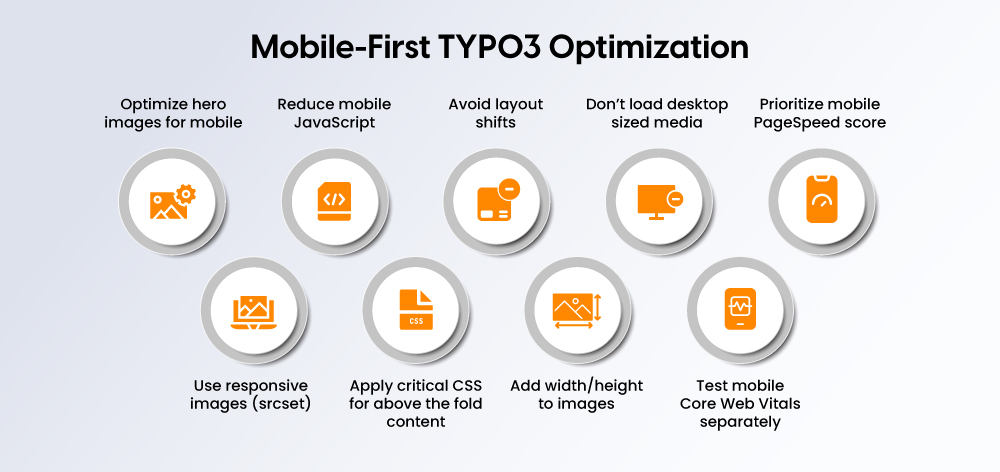
Mobile performance is critical in 2026. Slow mobile pages lead to poor Core Web Vitals and weaker SEO.
Mobile Optimization Checklist
- Optimize hero image for mobile
- Use responsive images with
srcset - Reduce mobile JavaScript
- Use critical CSS for above-the-fold content
- Avoid layout shifts on mobile
- Add width/height attributes to images
- Avoid loading desktop-sized media on mobile
- Test mobile Core Web Vitals separately
- Prioritize mobile PageSpeed score
Mobile Performance Priorities
Area | What to Improve | Why It Matters |
Hero Image | Compressed mobile-sized image | Improves LCP |
JavaScript | Remove/delay non-critical JS | Improves INP/TBT |
Layout | Reserve space for images/banners | Improves CLS |
Server Response | Improve hosting/cache/OPcache | Improves TTFB |
Responsive Images | Correct sizes by screen width | Reduces mobile weight |
TYPO3 SEO and Performance: How Speed Impacts Rankings
TYPO3 site speed directly affects SEO, user experience, and engagement. Faster websites improve crawl efficiency, reduce bounce rates, and boost Core Web Vitals signals.
SEO Impact of Speed
- Better Core Web Vitals → improved UX signals
- Faster pages → improved crawl efficiency
- Reduced bounce → higher engagement
- Monitor Core Web Vitals via Google Search Console
- Track impressions, clicks, CTR, and rankings after optimizations
TYPO3 Performance Monitoring and Retesting
Regular monitoring ensures TYPO3 performance improvements are maintained.
Monitoring Schedule
Frequency | What to Check |
Weekly | PageSpeed, uptime, major slow pages |
Monthly | Core Web Vitals, CDN/cache status, image size |
Quarterly | Hosting, database, extensions, technical SEO |
Monitoring Tools
PageSpeed Insights, Search Console, GTmetrix, WebPageTest, Lighthouse, Server logs, TYPO3 Admin Panel
Common TYPO3 Performance Issues and Fixes
Problem | Likely Cause | Fix |
High TTFB | Poor hosting/no cache | Improve hosting + cache |
Poor LCP | Large hero image | Compress + preload images |
Poor INP | Heavy JS | Reduce/defer JS |
High CLS | Missing image dimensions | Add dimensions/reserved space |
Slow backend | Database bloat/extensions | Clean DB + audit extensions |
Slow global users | Server far away | Use CDN |
TYPO3 v14 Performance Notes
- TYPO3 v14 is current (2026)
- Frontend asset concatenation/compression removed
- Use modern build tools or extension-based workflows
- Recheck old TypoScript before applying to v14
- Audit extensions for v14 compatibility
- Test performance after every v14 upgrade
Real-World TYPO3 Performance Example / Mini Case Study
Metric | Before | After |
Mobile PageSpeed | 42 | 86 |
LCP | 5.1s | 2.2s |
INP | 310ms | 160ms |
TTFB | 1.2s | 280ms |
Page Size | 4.8MB | 1.6MB |
Changes Implemented: Hosting upgrade, cache enabled, image compression, CDN added, JS cleanup, database optimization
Conclusion
Start optimizing your TYPO3 website today by testing first with PageSpeed and Core Web Vitals, then fixing hosting, cache, images, assets, and database in order. Monitor Core Web Vitals regularly and keep improving after every TYPO3 update.
For business-critical sites, get expert TYPO3 performance help. If you need professional assistance, consider our TYPO3 Upgrade Kit or TYPO3 Upgrade Service for seamless version migrations and performance improvements.
With these steps, you can build a faster, more reliable TYPO3 website that delivers better user experience and stronger SEO through effective TYPO3 performance optimization.
FAQs
Improving hosting, caching, images, CDN, database, PHP to make TYPO3 load faster.
Enable cache, optimize images, use CDN, clean database, enable OPcache.
Default cache + static file cache for most sites; Redis/Varnish for high-traffic.
v14 has modern features but removed asset concatenation; use build tools.
Use WebP/AVIF, resize before upload, lazy load, add dimensions.
Heavy JS, large images, poor hosting; optimize mobile-first.
Serves files from closer locations, reduces load time globally.
Recommended for faster TTFB, lower CPU usage.
Weekly (PageSpeed), monthly (Core Web Vitals), quarterly (full audit).
LCP (<2.5s), INP (<200ms), CLS (<0.1).


Sven Thelemann
Client Service LeadSven Thelemann serves as the Client Service Lead at NITSAN, focusing on delivering TYPO3 solutions that meet client goals. With a strong understanding of technology and client expectations, he ensures smooth communication and project execution. Outside of work, Sven enjoys cycling and experimenting with homemade recipes.
Be the First to Comment