


TYPO3 v14 Data Migration & Import Strategies: A Complete Guide for Safe Data Transfers
Migrating to TYPO3 v14 involves more than updating the core version. A successful migration requires careful planning to transfer content, media assets, database records, and custom extensions while maintaining website performance, SEO value, and data integrity.
Whether you are upgrading from an older TYPO3 Version or importing data from external platforms, selecting the right migration strategy helps prevent common issues such as broken references, incompatible extensions, missing content, and unexpected downtime.
This guide explains TYPO3 v14 data migration methods, import strategies, migration tools, challenges, and best practices to help organisations achieve a secure and reliable transition.
Understanding TYPO3 v14 Data Architecture Changes
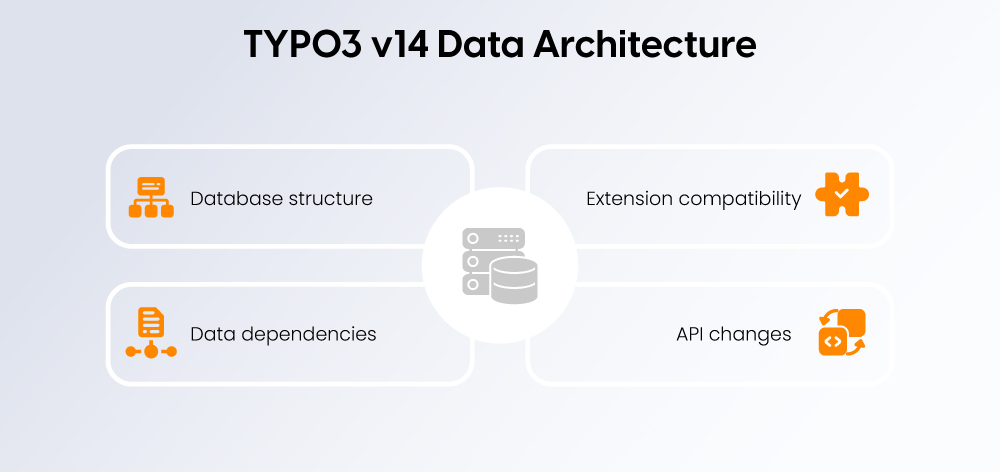
TYPO3 v14 introduces improvements in core architecture, data management, and system compatibility. Before migration, organisations need to evaluate how existing content structures, database records, extensions, and custom developments will work with the updated TYPO3 environment.
During a TYPO3 v14 migration, several technical areas require attention:
Database Structure and Records
TYPO3 database schemas may require updates to support the new version. Migration teams should review:
- Custom database tables
- Changed fields and data types
- Record relationships
- Content element structures
- Database schema differences
Using TYPO3 database analysis and migration tools helps identify required adjustments before deployment.
Extension Compatibility and Custom Development
Extensions are a critical part of TYPO3 websites, and compatibility checks are essential before moving to TYPO3 v14.
Key considerations include:
- TYPO3 v14-compatible extension versions
- Changes in TYPO3 APIs
- Custom extension updates
- Dependency compatibility
- Deprecated functionality replacement
Custom extensions may require code adjustments to work correctly with the latest TYPO3 architecture.
Backend and Frontend Data Dependencies
TYPO3 websites often rely on connections between backend configurations and frontend output. During migration, verify:
- Content elements and backend layouts
- TypoScript configurations
- Fluid templates
- Site Configuration
- Third-party integrations
- User permissions
Maintaining these dependencies ensures editors and website visitors experience a consistent platform after migration.
Deprecated Features and API Changes
Each major TYPO3 version removes or replaces outdated functionality to improve security and maintainability.
Before upgrading to TYPO3 v14, review:
- Deprecated TYPO3 APIs
- Outdated extension code
- Legacy configuration methods
- Unsupported libraries
Replacing deprecated components early reduces migration risks and prevents functionality issues after launch.
TYPO3 v14 Migration vs TYPO3 Upgrade: What Is the Difference?
A TYPO3 Upgrade and TYPO3 data migration are connected but address different parts of the transition.
TYPO3 Upgrade | TYPO3 Data Migration |
Updates the TYPO3 core version | Transfers and transforms existing website data |
Focuses on technical compatibility | Focuses on data accuracy and integrity |
Updates framework, APIs, and system components | Moves content, records, files, and relationships |
Handles extension and configuration updates | Ensures data remains complete and usable |
Prepares the platform for TYPO3 v14 | Ensures migrated data works correctly in the new environment |
Is TYPO3 v14 Migration Different From a TYPO3 Upgrade?
Yes. A TYPO3 upgrade focuses on updating the technical foundation, including the TYPO3 core, extensions, APIs, and configurations. Data migration focuses on moving and adapting website information such as pages, content elements, media files, users, and database records.
For a successful TYPO3 v14 transition, both processes must work together. The upgrade ensures platform compatibility, while data migration ensures that valuable website data remains accurate, accessible, and SEO-friendly.
Preparing Your TYPO3 v14 Data Migration Strategy
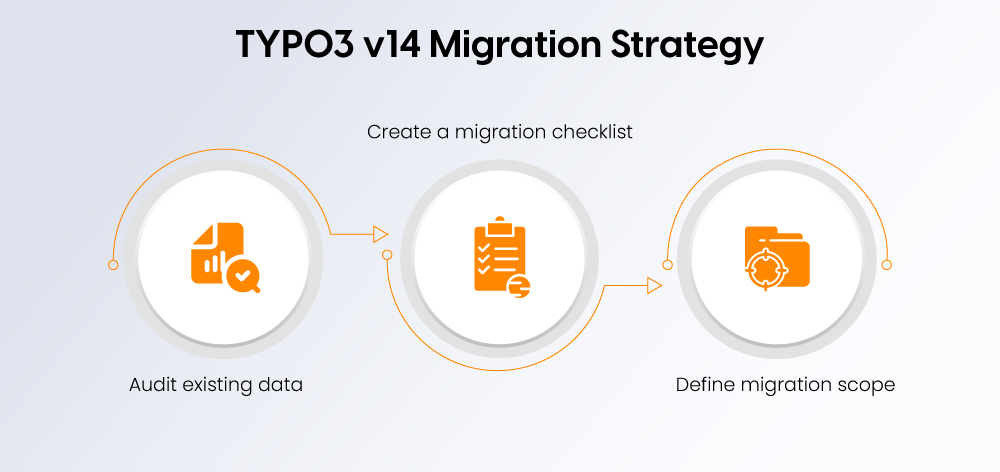
A successful TYPO3 v14 migration begins with proper planning, data assessment, and a clear migration roadmap. Reviewing the existing setup helps identify risks and ensures a smooth transfer of content, files, extensions, and database records.
Perform a Complete TYPO3 Data Audit Before Migration
Before migration, analyse the existing TYPO3 environment to identify required updates and dependencies.
Key areas include:
- Database tables: Review custom tables, schemas, and record relationships.
- Content records: Check pages, content elements, categories, and multilingual content.
- Custom extensions: Verify extension dependencies and TYPO3 v14 compatibility.
- Third-party integrations: Review APIs, ERP/CRM connections, and external services.
- File references: Ensure media assets and FAL references are preserved.
- User accounts: Check users, roles, and permissions.
- Redirect structures: Maintain URLs and SEO redirects.
Create a TYPO3 v14 Migration Checklist
A migration checklist helps avoid missed steps:
- Review current TYPO3 version
- Check extension compatibility
- Backup database and files
- Set up staging environment
- Test migration process
- Validate data and functionality
Define Migration Scope and Objectives
The migration approach depends on project requirements:
- Full migration: Transfers the complete website, including content, files, users, extensions, and configurations.
- Partial migration: Moves selected sections, records, or website areas.
- Content-only migration: Transfers pages, media, and content while rebuilding technical components.
- Database-only migration: Moves structured data without the complete frontend setup.
- Legacy migration: Imports data from older TYPO3 versions or other CMS platforms.
TYPO3 v14 Data Migration Methods and Approaches
TYPO3 v14 migrations can use built-in tools, structured import methods, or custom solutions depending on website complexity.
Database Migration Using TYPO3 Upgrade Wizards
TYPO3 Upgrade Wizards automate required database and system updates during upgrades.
Key areas include:
- Migration tools: Handle TYPO3 core-related changes.
- Database schema updates: Adjust tables and fields for compatibility.
- Upgrade workflow: Analyse, execute, and validate migration steps.
- Best use case: Standard TYPO3 upgrades following core structures.
TCA-Based Data Migration
The TYPO3 Table Configuration Array (TCA) controls database tables and records.
It helps with:
- Field transformations
- Custom record migration
- Data mapping
- Record validation
Custom Migration Scripts for Complex Projects
Large TYPO3 projects may require custom scripts for:
- Enterprise websites
- Custom extensions
- Legacy databases
- External integrations
Common solutions include:
- PHP migration scripts
- TYPO3 APIs
- Automated data transformations
Using TYPO3 Import/Export Tools
TYPO3 Import/Export tools help transfer selected datasets between environments.
They support:
- Exporting records
- Importing content
- Moving selected data
- Maintaining record references
These tools are useful for controlled migrations, staging transfers, and selective content movement.
TYPO3 v14 Content Import Strategies
Content migration is a key part of a TYPO3 v14 transition. A structured import strategy ensures that pages, media assets, and external data are transferred correctly while preserving content relationships and usability.
Migrating Pages and Content Elements
During migration, TYPO3 content structures should be transferred while maintaining their hierarchy and configuration.
Key areas include:
- Page trees: Preserve page hierarchy, navigation, and page settings.
- Text elements: Maintain formatting, links, and content relationships.
- Media elements: Ensure images, files, and videos remain connected.
- Content collections: Transfer grouped content structures correctly.
- Backend layouts: Preserve editor workflows and custom layouts.
Migrating Images and Media Assets
Media migration requires careful handling to prevent broken references and missing files.
Important considerations include:
- File references (FAL): Maintain connections between content records and media assets.
- Metadata preservation: Keep titles, descriptions, and copyright information.
- Folder structures: Replicate storage structures for organised asset management.
- DAM migration: Ensure Digital Asset Management integrations continue working with TYPO3 v14.
Importing External Content into TYPO3 v14
TYPO3 v14 can import data from external systems using different formats and integrations.
Common sources include:
- CSV imports: For structured datasets such as products or user records.
- XML imports: For complex and hierarchical data.
- JSON/API imports: For automated data exchange with external applications.
- ERP/CRM imports: For synchronising business data.
Successful imports require:
- Field mapping: Match external data fields with TYPO3 structures.
- Data cleaning: Remove duplicates and correct inconsistent information.
- Validation rules: Verify imported data accuracy and completeness.
A well-planned content import process ensures TYPO3 v14 websites maintain reliable data quality and scalability.
Migrating Custom TYPO3 Extensions and Records
Custom extensions often contain important business data, making their migration a critical part of TYPO3 v14 upgrades. Proper planning ensures custom functionality continues working without data loss.
Extension Data Migration Challenges
Custom extensions may require adjustments due to changes in database structures and TYPO3 standards.
Common challenges include:
- Custom database tables: Update schemas and structures for TYPO3 v14 compatibility.
- Changed database fields: Transform or map modified fields.
- Removed fields: Replace outdated data structures.
- Changed relationships: Maintain connections between records and tables.
Strategies for Custom Record Migration
Depending on project complexity, different migration approaches can be used:
- Direct database migration: Transfer and transform data using database-level operations.
- Repository-based migration: Use TYPO3 repositories and APIs for safer record handling.
- Custom CLI commands: Automate migration tasks through TYPO3 command-line tools.
- Scheduled migration tasks: Run large migration processes using TYPO3 Scheduler.
These approaches help maintain data integrity while reducing manual effort.
Ensuring Extension Compatibility in TYPO3 v14
Before launching the migrated website, all extensions should be tested for TYPO3 v14 compatibility.
Important steps include:
- Extension updates: Upgrade extensions or adapt custom developments.
- Composer compatibility: Verify package versions and dependencies.
- API changes: Update code affected by TYPO3 core changes.
- Functionality testing: Check frontend rendering, backend workflows, and integrations.
A thorough extension review ensures a stable TYPO3 v14 migration without unexpected functionality issues.
TYPO3 v14 Migration Tools and Technologies
TYPO3 v14 provides various tools and workflows to support safe migrations while maintaining data consistency, system stability, and compatibility.
TYPO3 Core Migration Tools
TYPO3 includes built-in tools that help analyse, prepare, and execute migration tasks.
Key tools include:
- Upgrade Wizards: Handle required database and system updates during TYPO3 upgrades.
- Install Tool: Helps configure, analyse, and maintain TYPO3 installations.
- Database Analyzer: Identifies database differences and required schema changes.
- Scheduler Tasks: Automate background processes and recurring migration operations.
Composer-Based Migration Workflow
Modern TYPO3 projects use Composer to manage dependencies and maintain a controlled migration workflow.
Important steps include:
- Package updates: Update TYPO3 core, extensions, and required packages.
- Dependency management: Ensure all libraries and extensions support TYPO3 v14.
- Version control: Track migration changes using Git or similar tools.
- Deployment workflow: Move tested changes from development to staging and production environments.
Automated Migration Approaches
Automation improves efficiency and reduces errors, especially for complex TYPO3 projects.
Common approaches include:
- CLI automation: Run migration commands and repetitive tasks through the command line.
- CI/CD pipelines: Automate testing, deployment, and migration checks.
- Migration scripts: Handle custom data transformations and complex imports.
- Deployment automation: Ensure consistent migration processes across environments.
Using the right combination of TYPO3 tools and automation methods helps organisations achieve faster and more reliable TYPO3 v14 migrations.
Data Validation After TYPO3 v14 Migration
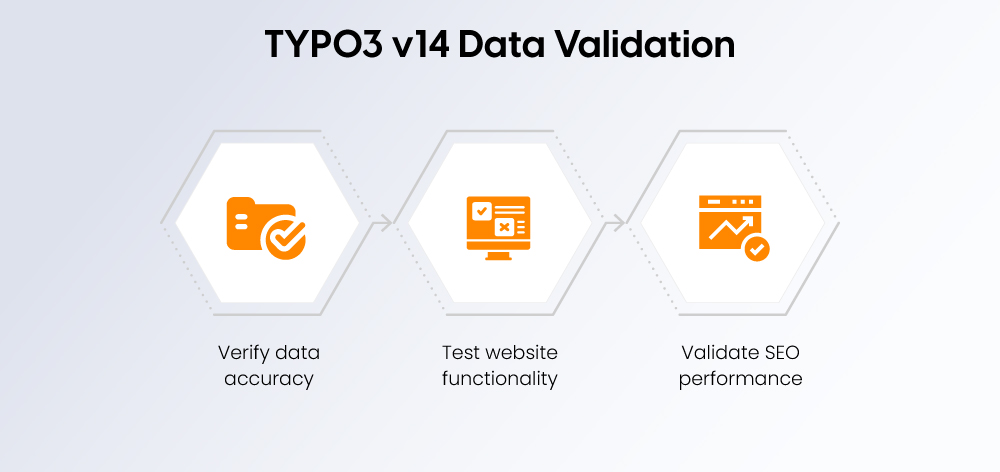
A TYPO3 v14 migration is complete only after thorough validation. Checking data, functionality, and SEO elements ensures the website performs correctly after launch.
Check Data Accuracy
Verify that all important data has migrated correctly:
- Page hierarchy and navigation
- Content visibility
- Media and file references
- Backend user permissions
- URLs and routing
- SEO metadata
Test Website Functionality
Ensure all important website features continue working:
- Frontend pages and responsiveness
- Backend editing workflows
- Forms and notifications
- Search functionality
- Third-party integrations
Validate SEO After Migration
Protect search visibility by reviewing:
- URL preservation
- 301 redirects
- Canonical tags
- XML sitemap
- Structured data
- Search engine indexing
A complete validation process helps identify migration issues early and ensures a stable TYPO3 v14 website after deployment.
Common TYPO3 v14 Data Migration Challenges and How to Overcome Them
Even with careful planning, TYPO3 v14 migrations can face technical and data-related challenges. Identifying these issues early helps reduce downtime and ensures a smoother transition.
Migration Challenge | Recommended Solution |
Broken record relationships | Verify and rebuild page, content, and database references after migration. |
Missing media files | Check TYPO3 FAL storage, file references, and media paths before launch. |
Extension compatibility issues | Update extensions, review dependencies, and test compatibility with TYPO3 v14. |
Duplicate or inconsistent data | Clean outdated records and validate imported data before migration. |
SEO ranking losses | Preserve URLs, configure 301 redirects, and validate SEO settings. |
Best Practices for a Successful TYPO3 v14 Data Migration
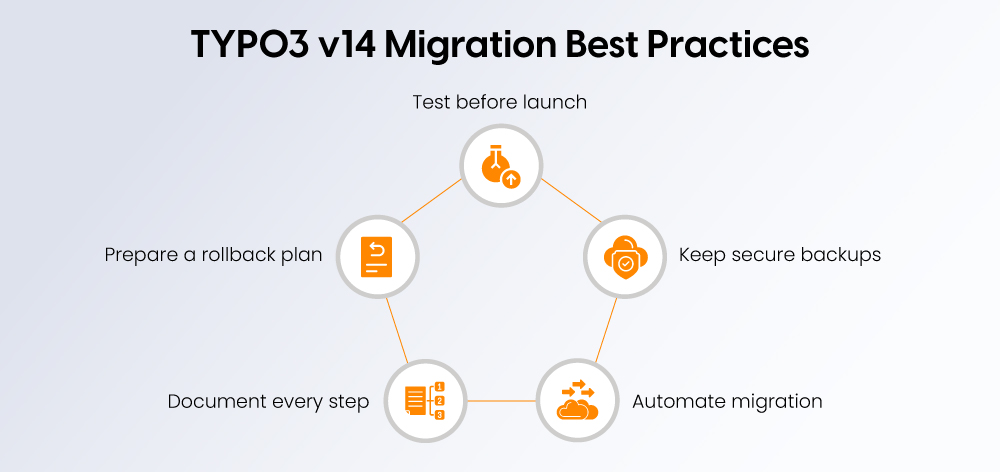
A successful TYPO3 v14 migration requires more than transferring data. Following best practices helps minimise risks, maintain business continuity, and ensure a stable website after launch.
Test Before Going Live
Always perform migrations in a staging environment first. Testing helps verify:
- Data accuracy
- Extension compatibility
- Frontend functionality
- Backend workflows
before deploying to production.
Keep Reliable Backups
Create complete backups of:
- Database
- Files and media assets
- Configuration settings
- Custom extensions
Reliable backups provide a recovery option if unexpected issues occur.
Automate Migration Tasks
Use TYPO3 CLI tools, migration scripts, and automation workflows to reduce manual work.
Automation helps with:
- Repetitive migration tasks
- Data transformations
- Consistent deployments
- Error reduction
Document the Migration Process
Maintain documentation covering:
- Migration steps
- Configuration changes
- Custom developments
- Testing results
- Validation checks
This makes troubleshooting easier and supports future TYPO3 upgrades.
Prepare a Rollback Strategy
A tested rollback plan allows teams to quickly restore the previous environment if migration issues occur, reducing downtime and business impact.
TYPO3 v14 Data Migration Timeline: What to Expect
The timeline for a TYPO3 v14 migration depends on website complexity, content volume, and custom development requirements. Most projects follow these phases:
Phase | Activities |
Planning | Audit the existing TYPO3 Website, define migration goals, and create a migration strategy. |
Preparation | Create backups, set up staging, and prepare compatible extensions. |
Migration | Transfer content, media, users, database records, and configurations. |
Testing | Validate data accuracy, functionality, performance, and SEO elements. |
Launch | Deploy the migrated website and complete final checks. |
When Should You Hire a TYPO3 Migration Partner?
While smaller TYPO3 websites may be migrated internally, complex projects often require experienced TYPO3 specialists to reduce risks and ensure a secure transition.
A TYPO3 migration partner is recommended for projects involving:
- Enterprise websites with large content structures
- Complex third-party integrations
- Custom TYPO3 Extensions
- Large databases and media libraries
- Mission-critical platforms requiring minimal downtime
An experienced TYPO3 migration partner can provide:
- TYPO3-certified developers
- Migration planning and strategy
- Custom migration solutions
- SEO-safe migration processes
- Testing and post-launch support
Professional support helps organisations complete TYPO3 v14 migrations with greater reliability, fewer disruptions, and long-term scalability.
Conclusion
A successful TYPO3 v14 migration requires more than transferring data from one system to another. It involves careful planning, compatibility checks, structured data migration, and thorough validation to ensure a smooth transition without affecting website performance or SEO.
By combining TYPO3 migration tools, custom solutions, automation workflows, and proper testing practices, organisations can move their websites to TYPO3 v14 with confidence. A well-executed migration preserves valuable content, maintains data integrity, and creates a stable foundation for future growth.
Whether you are upgrading an existing TYPO3 Installation or migrating complex enterprise data, a structured approach helps minimise risks and ensure long-term success. Partnering with experienced TYPO3 specialists can further simplify the process and deliver a secure, SEO-friendly migration experience.
FAQs
TYPO3 includes upgrade wizards and migration tools for many database changes. However, custom extensions, integrations, and complex data structures often require manual migration and validation.
The migration timeline depends on the size and complexity of your website. Smaller projects may take a few days, while enterprise migrations can take several weeks.
Yes. Custom extensions can be migrated, but they should be updated and thoroughly tested to ensure compatibility with TYPO3 v14.
Preserve existing URLs wherever possible, implement 301 redirects, retain metadata, validate canonical tags, and monitor indexing after launch.
Incompatible extensions should be updated, replaced with supported alternatives, or redeveloped before completing the migration.
Yes. TYPO3 supports importing data from external systems using APIs, custom scripts, and dedicated import extensions.
It's generally recommended to upgrade TYPO3 first and then migrate or validate your content in the updated environment to avoid compatibility issues.
Use a staging environment to verify data integrity, functionality, extension compatibility, performance, and SEO before deploying the migrated website to production.

Contact for project management and team coordination
Mihaela Angelova
Project Manager - Germany

Mihaela Angelova
Project ManagerMihaela keeps technology projects on track and ensures to meet business goals. She specializes in coordinating teams, optimizing workflows, and delivering projects. At NITSAN, she works closely with clients to transform ideas into actionable solutions. Outside of work, she enjoys exploring new hiking trails.
:
It's remarkable for me to have a website, which is useful designed for my know-how.
thanks adminBezmaksas griezieni https://bezmaksas-griezieni.net/