


TYPO3 v14 API Changes: What Developers Need to Know
TYPO3 v14 LTS is more than a refreshed backend or an editor-focused upgrade. For developers, it introduces important changes across Core APIs, Fluid templates, backend modules, TCA configuration, PSR-14 events, resource handling, and extension compatibility.
That means the real upgrade work often starts inside custom code, not just in the TYPO3 Backend.
With TYPO3 v14, deprecated functionality has been removed and several internal systems have been modernized to support cleaner, more future-ready development. Custom extensions, overridden templates, backend integrations, and legacy API usage should be reviewed before any production upgrade.
In this guide, we’ll break down the key TYPO3 v14 API changes developers need to know and explain how to prepare your codebase for a smoother migration.
TYPO3 v14 API Changes at a Glance
TYPO3 v14 API changes affect deprecated APIs, Fluid 5, Record API, PSR-14 events, TCA, backend modules, resources, Extbase, localization, and extension compatibility. Here’s a quick overview of the main areas to review before upgrading.
Area | What Changed | Developer Impact |
Deprecated APIs | Old deprecated functionality removed | Legacy custom code may break |
Fluid | Fluid 5.0 introduced | Templates and ViewHelpers need review |
Record API | Used in Page and List Modules | Array-based code may need updates |
PSR-14 Events | More hooks replaced by events | Hook/event logic should be checked |
TCA | Some options changed or removed | Custom TCA needs audit |
Backend Modules | Structure and components updated | Custom modules may need changes |
Resources | System Resource API introduced | Asset and file URI handling needs review |
Extbase | Typing, validators, attributes updated | Controllers and actions need testing |
Localization | Symfony Translation and XLIFF 2.x support | Translation files should be reviewed |
Why TYPO3 v14 Matters for Developers
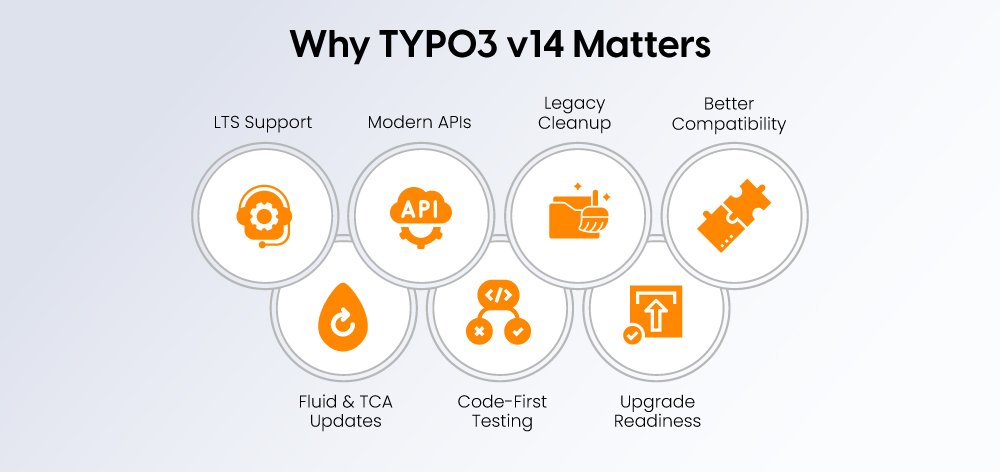
TYPO3 v14 matters for developers because it is an LTS release that introduces long-term API, extension, backend, and compatibility changes for modern TYPO3 projects.
TYPO3 v14 is an LTS release, which means it will shape upgrade plans for agencies, enterprise websites, and long-term TYPO3 projects. With bug fixes planned until 31 December 2027 and security updates until 30 June 2029, it is a key version for teams that need stable, maintainable platforms.
Developers should not treat TYPO3 v14 as a simple patch update. The biggest risks often sit inside custom extensions, overridden templates, backend modules, and legacy API usage. Removed deprecated APIs can cause more serious upgrade issues than new features, especially if old code was carried forward from previous TYPO3 versions.
For v13-to-v14 upgrades, the first step should be a code audit, not just visual testing. Extension compatibility, Fluid templates, TCA definitions, events, and custom integrations should be tested in staging before production migration.
Removed Deprecated Functionality in TYPO3 v14
TYPO3 v14 removes deprecated Core functionality, so extensions using old APIs, hooks, JavaScript paths, or legacy configuration may break after upgrade.
What Developers Should Check
- Search custom extensions for deprecated TYPO3 Core APIs.
- Run the Extension Scanner before upgrading.
- Check TYPO3 v13 logs for deprecation warnings.
- Replace removed hooks with PSR-14 events.
- Review custom JavaScript modules.
- Check old Fluid Styled Content overrides.
- Review removed localization files.
- Test backend modules and custom preview rendering.
Recommended Developer Action
Check | Why It Matters |
Deprecated API usage | May fail after upgrade |
Removed hooks | Event listeners may be required |
Old JavaScript module paths | Backend behavior may break |
Custom Fluid templates | Template rendering may change |
Extension composer constraints | Extensions may block upgrade |
Custom XLIFF paths | Labels may not load correctly |
Record API Changes in TYPO3 v14
TYPO3 v14 uses the Record API in backend areas like Page Module preview rendering and List Module behavior, so array-based record handling may need updates.
What Changed
Page previews now use {record} instead of direct field variables. Event listeners may also need to work with RecordInterface objects instead of arrays.
Developer Impact
Custom preview templates, array-based record handling, and backend display logic should be tested before upgrading.
Old Pattern | New Direction | Action |
Direct field variables |
| Update templates |
Array handling | Record objects | Refactor listeners |
Custom preview logic | Record-aware logic | Test rendering |
Example: Fluid preview templates should use the {record} variable instead of direct field variables.
<!-- TYPO3 v13 and lower -->
<h2>{header}</h2>
<p>{bodytext}</p>
<!-- TYPO3 v14+ -->
<h2>{record.header}</h2>
<p>{record.bodytext}</p>
Fluid 5 Changes in TYPO3 v14
Fluid 5 in TYPO3 v14 brings stricter template behavior, ViewHelper typing, variable naming rules, and rendering changes that developers should test before migration.
What Developers Need to Review
- Custom Fluid templates, partials, and layouts.
- Custom ViewHelpers and argument types.
- Variables starting with underscores.
- Templates using CDATA.
- Template resolving and fallback behavior.
- Fluid cache warmup.
- New Fluid components.
- Overridden templates from third-party extensions.
Developer Checklist for Fluid 5
- Test all custom templates.
- Review ViewHelpers for strict typing.
- Avoid underscore-prefixed variable names.
- Check templates using CDATA.
- Test frontend and backend rendering.
- Review overridden extension templates.
- Clear and warm up caches during testing.
PSR-14 Events and Hook Replacements
TYPO3 v14 continues replacing legacy hooks with PSR-14 events, giving developers cleaner and more maintainable extension points.
What Changed
Developers should review old hook-based logic and replace it with supported PSR-14 events where needed. Existing event listeners should also be checked for changed payloads, especially in custom form handling, page rendering, and backend workflows.
Developer Action Table
Area | What to Check |
Form extension | Replaced form hooks and new PSR-14 events |
Page rendering | Page and content rendering events |
Backend users | Backend user module events |
File handling | File selector and storage tree events |
Workspaces | Workspace dependency events |
Search | Indexed search result modification events |
When replacing old hook-based logic, developers should move custom behavior into PSR-14 event listeners where supported.
use TYPO3\CMS\Backend\View\Event\PageContentPreviewRenderingEvent;
final class PreviewRenderingListener
{
public function __invoke(PageContentPreviewRenderingEvent $event): void
{
$record = $event->getRecord();
$uid = $record->getUid();
// Add custom preview logic here
}
}
TCA and FormEngine API Changes
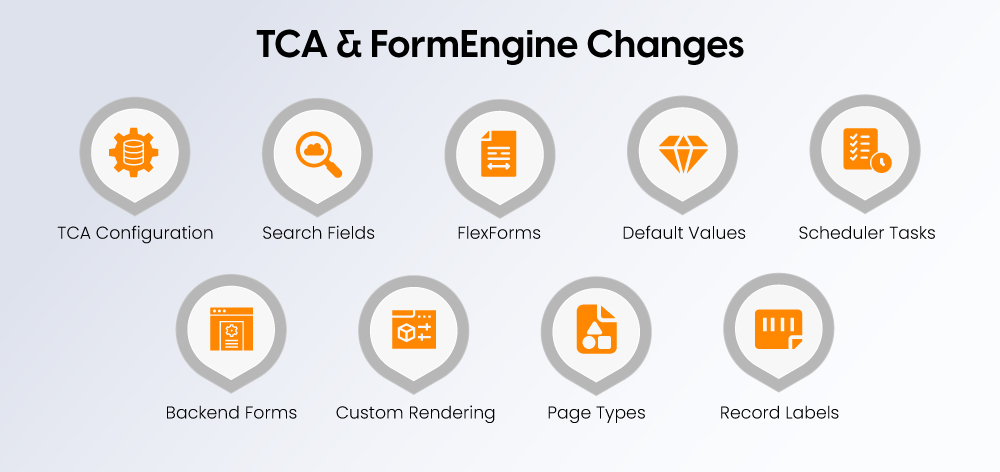
TYPO3 v14 updates TCA and FormEngine behavior, so custom backend forms, field configuration, scheduler tasks, and record settings should be reviewed.
What Developers Should Audit
ctrloptions in custom TCA.- Search field configuration.
- FlexForm configuration.
- TCA defaults.
- Scheduler task configuration.
- Custom backend forms.
- Custom field rendering.
- Page type restrictions.
- Record type labels.
Best Practice
TYPO3 v14 moves more configuration toward structured, typed, and maintainable patterns. Developers should avoid legacy global configuration where possible and align custom code with current TCA, PSR-14 events, and service registration practices.
Backend Module and Component API Changes
TYPO3 v14 modernizes backend modules, DocHeader behavior, breadcrumbs, buttons, and UI components, which can affect custom backend integrations.
Developer Impact
Custom backend modules may need updates to paths, names, buttons, menus, and component usage. The reworked DocHeader and responsive breadcrumbs can also affect backend layouts, editor workflows, and old documentation screenshots.
What to Test
- Custom backend module routing.
- Module permissions and access.
- Custom buttons and shortcuts.
- Backend UI components.
- Breadcrumb behavior.
- Submodule overview display.
- JavaScript behavior in backend modules.
System Resource API and Asset Handling
The System Resource API in TYPO3 v14 improves how system files, public resource URLs, CSS, JavaScript, and extension assets are handled.
Why It Matters
Old assumptions about asset paths may no longer be safe. Developers should test frontend and backend assets, package resources, generated URLs, and integrations that depend on CSS, JavaScript, or file URI handling.
Developer Checks
- Extension asset paths.
- Public URI generation.
- Backend JavaScript imports.
- CSS and JavaScript includes.
- SRI handling.
- TypoScript asset configuration.
- Fluid asset references.
Extbase Changes Developers Should Know
TYPO3 v14 Extbase changes affect controllers, actions, validators, property mapping, authorization, strict typing, and legacy annotation-based code.
Key Areas to Review
- Controllers.
- Actions.
- Validators.
- Property mapping.
- Authorization.
- Rate limiting.
- Backend Extbase modules.
- TypoScript usage in backend module context.
- Removed annotation support.
Developer Action
Extbase extensions should be tested in both frontend and backend use cases. Stricter typing, validation changes, and removed annotation support can expose hidden technical debt that may not appear during a simple visual check.
Localization and Translation API Changes
TYPO3 v14 updates localization with Symfony Translation Component support and XLIFF 1.2 and 2.x compatibility for extension and backend translations.
What to Review
- Custom XLIFF files.
- Translation labels.
- Custom translation loaders.
- Backend module labels.
- Extension language files.
- JavaScript language labels.
- Multilingual preview behavior.
Why This Matters
Multilingual TYPO3 projects often depend on custom labels and extension translations. Broken labels may not stop the upgrade, but they can confuse editors, affect backend usability, and create problems in multilingual workflows.
JavaScript and Backend UI Changes
TYPO3 v14 removes older JavaScript migration paths and updates backend UI behavior, so custom backend scripts and module-specific JavaScript should be checked.
Developer Checks
- Custom backend JavaScript modules.
- Old import paths.
- Modal and dialog behavior.
- Backend component usage.
- Page tree integrations.
- Module-specific scripts.
- Remaining RequireJS-era assumptions.
Composer, Extension Metadata, and Classic Mode Changes
TYPO3 v14 makes Composer metadata more important for extension identity, compatibility, classic mode setup, and long-term package maintenance.
What Developers Should Update
- Composer constraints.
- Extension metadata.
- Extension title.
- Compatibility declarations.
- Classic-mode extension setup.
- CI/CD installation scripts.
- TER release preparation.
Extension metadata should be kept accurate so TYPO3 v14 can detect compatibility and package identity correctly.
{
"require": {
"typo3/cms-core": "^14.3"
},
"extra": {
"typo3/cms": {
"extension-key": "my_extension"
}
}
}
Practical Tip
Even non-Composer TYPO3 projects should treat Composer metadata seriously. TYPO3 v14 moves more extension identity and compatibility logic toward modern package conventions, so outdated metadata can create upgrade or deployment issues.
TYPO3 v14 Upgrade Checklist for Developers
A TYPO3 v14 upgrade should begin with extension scanning, deprecated API cleanup, staging tests, Composer checks, backups, and full backend/frontend validation.
Before Upgrade
- Confirm the current TYPO3 Version.
- Update to the latest patch version first.
- Review PHP and database compatibility.
- Update all third-party extensions.
- Run the Extension Scanner.
- Review deprecation logs.
- Check Composer constraints.
- Prepare a staging environment.
- Back up database and files.
- Document all custom extensions.
During Upgrade
- Upgrade TYPO3 Core in staging.
- Run database compare.
- Clear all caches.
- Run upgrade wizards.
- Check backend login.
- Test custom backend modules.
- Test page rendering.
- Test forms.
- Test language handling.
- Test file handling.
- Review system and PHP logs.
After Upgrade
- Run functional tests.
- Test custom Fluid templates.
- Test extension backend modules.
- Validate frontend output.
- Check redirects and internal links.
- Review editor workflows.
- Test scheduled tasks.
- Check CLI commands.
- Monitor production logs after launch.
Not sure if your TYPO3 project is ready for v14? Inquire to start with a technical compatibility review before upgrading.
Common TYPO3 v14 API Migration Risks
The most common TYPO3 v14 migration risks include broken extensions, Fluid errors, Record API issues, missing labels, backend module problems, asset path changes, and Composer conflicts.
Risk | Why It Happens | How to Prevent It |
Extension breaks after upgrade | Removed deprecated APIs | Run scanner and refactor before upgrade |
Backend preview broken | Record API changes | Update preview templates and listeners |
Fluid template errors | Fluid 5 strict behavior | Test templates and ViewHelpers |
Missing labels | Localization changes | Validate XLIFF files |
Custom backend module issues | Module and component changes | Test routes, permissions, and buttons |
Form behavior changes | Removed hooks or new events | Review form integrations |
Asset path issues | System Resource API changes | Test resource URLs |
Composer conflicts | Outdated extension constraints | Update dependencies early |
Best Practices for Extension Developers in TYPO3 v14
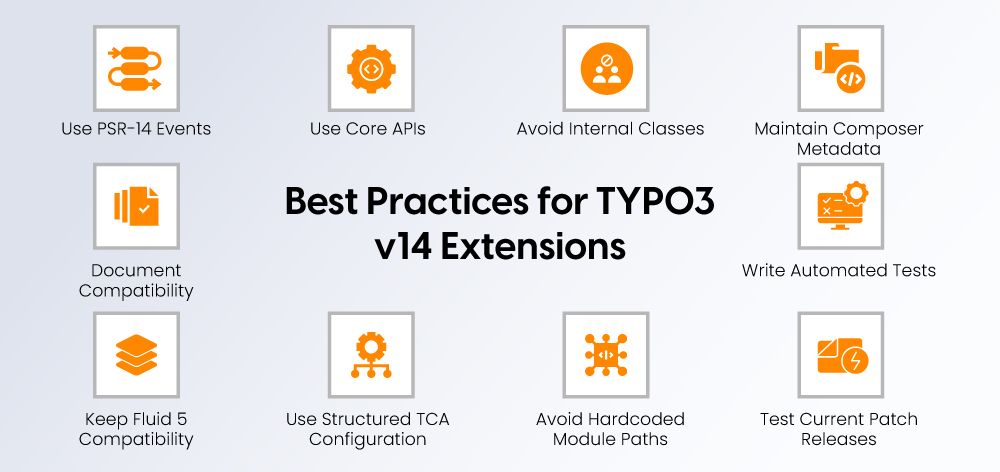
TYPO3 v14 extension development should use supported Core APIs, PSR-14 events, accurate Composer metadata, structured TCA, Fluid 5-compatible templates, and automated tests.
- Prefer PSR-14 events over legacy hooks.
- Use supported TYPO3 Core APIs only.
- Avoid direct access to internal Core classes.
- Keep Composer metadata accurate.
- Write automated tests for custom extensions.
- Test with the current TYPO3 v14 patch release.
- Avoid hardcoded backend module paths.
- Use structured TCA configuration.
- Keep Fluid templates compatible with Fluid 5.
- Document TYPO3 v14 compatibility in the extension README.
Should You Upgrade to TYPO3 v14 Now?
TYPO3 14 LTS is stable and recommended for new projects, while TYPO3 13 LTS still remains supported for existing websites.
For businesses, v14 offers a future-ready platform with bug fixes until December 2027 and security updates until June 2029. For developers, the decision depends on extension compatibility, custom code quality, and upgrade readiness.
Upgrade Now If
- You are starting a new TYPO3 project.
- Your extensions are actively maintained.
- Your codebase already works cleanly on TYPO3 v13.
- You want long-term support until 2029.
- You need the modern backend and current APIs.
Wait and Prepare If
- You rely on many old custom extensions.
- You still use deprecated APIs.
- You have untested Fluid overrides.
- Your project has complex integrations.
- Your team has not reviewed v14 compatibility.
Final Developer Takeaway
TYPO3 v14 is a modernization release for developers, not just a visual backend update. The biggest upgrade work will likely be in custom extensions, Fluid templates, Record API changes, TCA configuration, PSR-14 event migration, backend modules, resource handling, and removed deprecated functionality.
Developers who audit early, test in staging, and replace legacy APIs before production will have a much smoother TYPO3 v14 upgrade. Planning a TYPO3 Upgrade? Get your custom extensions, APIs, templates, and backend modules reviewed before moving to production.
FAQs
The biggest TYPO3 v14 API changes include removed deprecated functionality, Fluid 5, Record API usage, PSR-14 event updates, TCA changes, System Resource API improvements, backend component updates, Extbase changes, and localization updates.
TYPO3 v14 can break custom extensions if they use deprecated APIs, removed hooks, old Fluid patterns, outdated TCA configuration, or unsupported backend module logic. Developers should scan and test all custom extensions before upgrading.
Fluid 5 introduces stricter behavior for ViewHelpers, template parsing, variable names, CDATA handling, template resolving, and Fluid components. Custom templates and ViewHelpers should be reviewed before migration.
TYPO3 v14 uses the Record API in areas such as Page Module preview rendering and List Module behavior. Code that expects raw arrays may need to be updated to work with record objects.
Yes. TYPO3 14 LTS is the current stable LTS version and is recommended for new projects. Existing TYPO3 13 projects should plan migration based on extension compatibility, custom code risk, and support timelines.
Developers should update dependencies, run the Extension Scanner, fix deprecations, review Fluid templates, test custom extensions, validate TCA, replace old hooks, check backend modules, and complete the upgrade in staging first.

Contact for project management and team coordination
Mihaela Angelova
Project Manager - Germany

Mihaela Angelova
Project ManagerMihaela keeps technology projects on track and ensures to meet business goals. She specializes in coordinating teams, optimizing workflows, and delivering projects. At NITSAN, she works closely with clients to transform ideas into actionable solutions. Outside of work, she enjoys exploring new hiking trails.
Be the First to Comment