


Planning a Website Relaunch with TYPO3 v14
Your website is the first real contact a customer has with your business. If it's old, slow, hard to manage, or unclear, that first impression damages trust.
Many companies find that small fixes are no longer enough. Editors waste time, multilingual content is hard to control, and the website no longer supports business goals. In that case, a relaunch is not just a design project. It is a business decision.
A website relaunch improves structure, remove technical debt, protect SEO, and make daily work easier for your team. It also supports future growth.
TYPO3 v14 works for this kind of project. It is built for companies that need multilingual content, clear permissions, flexible workflows, and long-term stability.
In this guide, you will learn how to plan a website relaunch with TYPO3 v14 step by step. We will cover strategy, content, SEO, accessibility, migration, and launch planning, with a focus on German businesses and EU organizations..
Planning a Website Relaunch with TYPO3 v14: Upgrade vs Relaunch
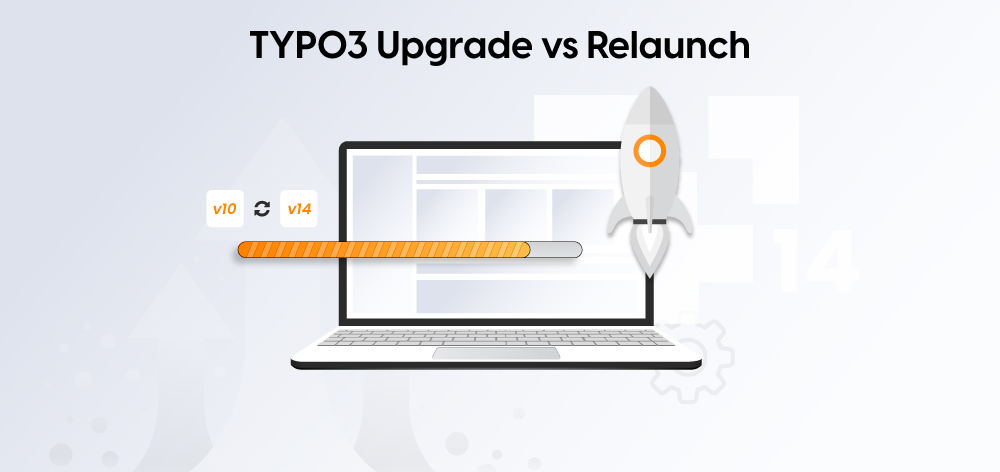
A TYPO3 project is not only about design. It also affects content, SEO, migration, and editor workflows.
For German and EU B2B teams planning a website refresh in 2026, TYPO3 v14 is a strong baseline. But not every project needs a full relaunch. First, decide whether you need a structured upgrade or a complete rebuild.
This guide helps you make that decision and avoid common problems such as traffic loss, broken forms, and poor editor adoption.
Choose a TYPO3 v14 upgrade if:
- Your site structure still works and your traffic is stable
- Your content is well organized
- Editors can manage the current setup
- SEO performance is stable
- Extensions are compatible or easy to replace
- You do not need a major UX or brand change
Choose a TYPO3 v14 relaunch if:
- Your site structure no longer fits the business
- Content is outdated, duplicated, or hard to manage
- Editors struggle with daily workflows
- Templates make upgrades risky or slow
- You need better accessibility or multilingual governance
- The website is no longer supporting lead generation
Upgrade vs relaunch: what changes?
A TYPO3 v14 upgrade takes 6 to 12 weeks and focuses on the technical foundation.
A full relaunch usually takes 3 to 6 months and includes structure, design, content, SEO, accessibility, and editor training.
The main question is not which option is cheaper. The real question is which option solves the business problem.
A simple upgrade can be the right choice if your foundation is still strong. But if the structure, content model, and workflows are already broken, a relaunch is often the better long-term investment.
Why Relaunch Now? Five Signs You Need TYPO3 v14
A relaunch should solve real problems, not just refresh the design.
Strong reasons to relaunch include:
- Improving Traffic And Visibility
- Increasing User Engagement
- Strengthening Brand Trust
- Making Content Work Easier For Editors
- Preparing The Website For Future Growth
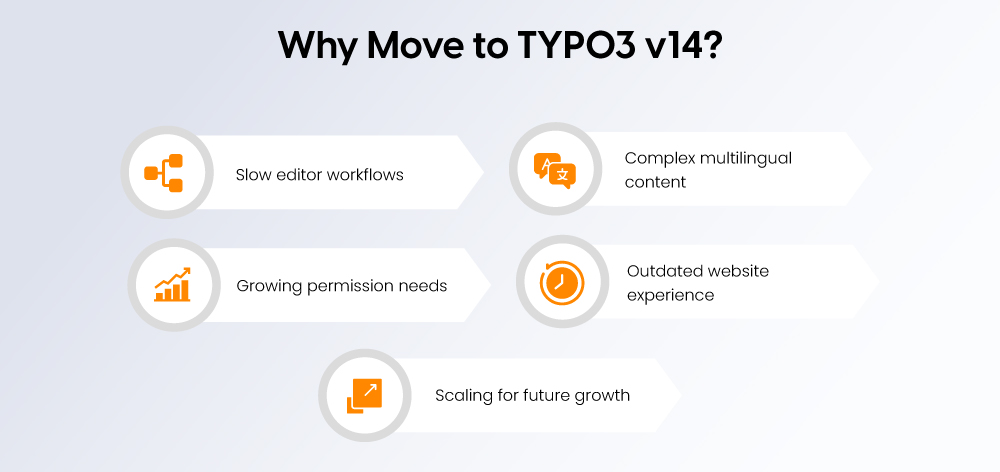
Here are five clear signs that a TYPO3 v14 relaunch makes sense:
1. Your editors lose too much time
- The backend feels slow or confusing
- Daily work depends on manual workarounds
- Publishing takes longer than it should
- TYPO3 v14 improves usability, navigation, and editor workflows
2. You manage content in multiple languages
- Language versions are hard to control
- Translation workflows are inconsistent
- Teams struggle to manage market-specific content
- TYPO3 v14 offers a more guided multilingual workflow
3. Your permission needs have grown
- Different teams need different access levels
- Content review and approval are hard to manage
- Sensitive content needs tighter control
- TYPO3 is well suited for structured roles and permissions
4. Your website no longer meets expectations
- The design feels outdated
- Mobile experience is weak
- Pages are unclear or hard to use
- Users may lose trust before they contact you
5. You are planning for long-term growth
- Your website needs to support more content, languages, or teams
- Simpler CMS setups no longer fit your business
- You need a stable platform for the next few years
- TYPO3 v14 gives you a stronger long-term foundation
Why TYPO3 v14 Matters for B2B Website Strategy
TYPO3 v14 is now the current LTS line and TYPO3 recommends it for new projects. For B2B relaunches, it matters because it combines a more modern editor experience with a stable long-term foundation.
- Better editor experience
TYPO3 v14 has a cleaner backend UI and easier page creation workflows. For B2B teams, this reduces onboarding effort, speed up content work, and lower the number of daily editor errors. - Stronger multilingual workflows
Guided translation workflows are a key v14 improvement for German and EU teams. This helps when you manage several language versions in parallel with more consistency. - Useful built-in campaign features
TYPO3 v14 includes QR codes and short links for campaigns. This helps with campaigns, events, and trade fairs, and offline-to-online marketing activities. - A cleaner long-term technical baseline
TYPO3 v14 removes deprecated code, and the v14 changelog shows many removals of deprecated or legacy functionality. That means custom templates and extensions should be reviewed early, but it also reduces maintenance complexity long-term. - Good fit for governance and control
TYPO3 supports detailed permissions across users, groups, pages, functions, and mounts, and it also supports staged publishing workflows through workspaces. For B2B organizations with multiple teams, brands, or approval steps, that is a real strategic advantage.
For B2B companies in Germany and across the EU, TYPO3 v14 is not only a CMS upgrade. It is a better foundation for multilingual content, structured governance, and long-term digital growth.
Step 1: Audit Your Current Site
Before you decide between a TYPO3 Upgrade and a full relaunch, analyze your current performance. The goal is to understand what is working, what is underperforming, and what must be protected.
Use Google Analytics and Google Search Console to review:
- Top traffic pages
Identify the pages that generate the most visits and business value. - Pages with backlinks
These pages hold SEO authority and should be protected during migration. - High-converting pages
Focus on key pages such as contact, demo, download, and pricing. - Pages with high bounce rates
These may point to UX issues, weak content, or poor search intent match. - Technical SEO issues
Check for broken links, missing metadata, duplicate content, and weak Core Web Vitals.
This audit creates your baseline. You will use it later to measure whether the relaunch actually improved performance.
Also review your current TYPO3 setup
Check the technical and operational side of the website:
- Current TYPO3 Version and PHP Compatibility
- Composer Or Non-Composer Setup
- Business-Critical Custom Extensions
- Third-Party Integrations Such As Crm, Dam, Forms, And Consent Tools
- Editor Workflows And Permission Structure
If you are not sure about your current TYPO3 version or upgrade path, use the free TYPO3 Version Checker
Step 2: Define Clear Relaunch Goals
A relaunch should be guided by measurable business goals, not vague intentions. Goals such as “improve user experience” are too broad to evaluate. Clear targets make decisions easier and help you measure success after launch.
Examples of strong relaunch goals:
- Increase qualified leads by 25% within 6 months
- Reduce time-to-publish from 4 days to 1 day
- Improve page speed and Core Web Vitals
- Reduce navigation-related support tickets
- Support 5+ languages with clear governance
- Achieve WCAG 2.1 AA accessibility compliance
Document these goals at the start of the project. They will shape your priorities, budget, and rollout plan.
They also help you decide between an upgrade and a relaunch:
- Choose an upgrade if your goals are mainly technical, such as updating TYPO3 or replacing incompatible extensions.
- Choose a relaunch if your goals include content, structure, UX, SEO, multilingual workflows, or accessibility improvements.
This step keeps the project focused on business outcomes, not just technical changes.
Step 3: Build the TYPO3 v14 Relaunch Plan
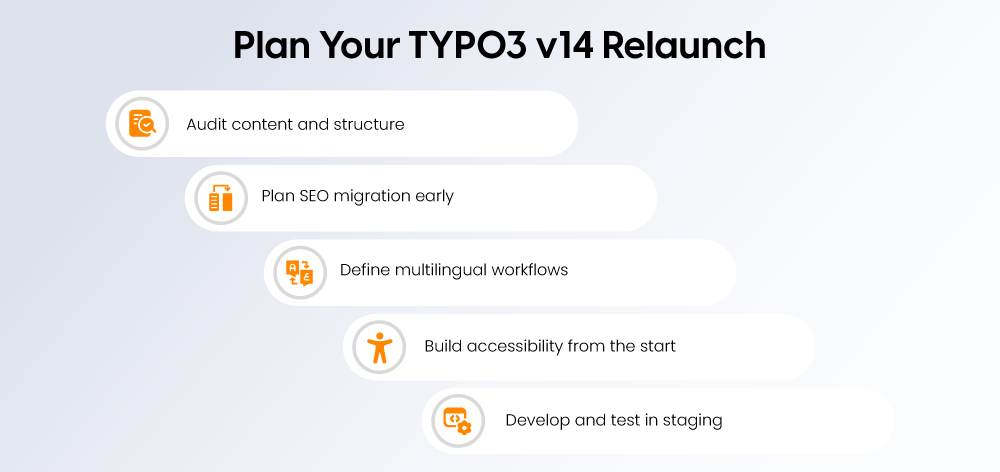
A successful relaunch needs a clear plan before design or development starts. Focus on content, SEO, and multilingual structure early so the project stays organized and low-risk.
Phase 1: Audit content and define the new structure
Review every page on the current website and decide what to do with it:
- Keep pages with strong traffic, useful content, or current business value
- Update pages that are still relevant but outdated
- Delete duplicate, old, or low-value pages
- Reorganize content that needs a better structure or navigation path
This is the right time to reduce content debt. Do not migrate old content just because it exists. In many cases, a better information architecture is more valuable than a new homepage design.
Phase 2: Plan SEO migration early
SEO protection should be part of the relaunch plan from the start.
Prepare a URL mapping file like this:
old_url,new_url,status
/produkte/alteseite,/solutions/typo3-consulting,301
/de/kontakt,/de/contact,301
/en/services/upgrade,/en/typo3-upgrade-service,301
/blog/old-post,/resources/typo3-v14-relaunch-guide,301
Key rules:
- Use one-to-one 301 redirects
- Avoid redirect chains
- Map important pages before launch, not after
Also prepare:
- Metadata migration plan
- Canonical tag review
- hreflang setup for language-specific pages
- XML sitemap submission plan
- Google Search Console setup for post-launch monitoring
Phase 3: Plan multilingual governance
For German and EU websites, multilingual setup should be planned early.
Decide:
- Which pages are translated 1:1
- Which pages are localized by market
- Which language is the source version
- Who owns each language version
- How metadata and slugs are reviewed for each language
TYPO3 v14 improves translation workflows, but governance still comes first. Important B2B pages should not be auto-translated without review.
Example hreflang setup:
<link rel="alternate" hreflang="de-DE" href="https://www.example.com/de/typo3-relaunch" />
<link rel="alternate" hreflang="en-GB" href="https://www.example.com/en/typo3-relaunch" />
<link rel="alternate" hreflang="x-default" href="https://www.example.com/en/typo3-relaunch" />
This step helps you launch with a cleaner structure, lower SEO risk, and better multilingual control.
Phase 4: Plan Accessibility from the Start
Accessibility should be part of the relaunch plan from day one. For many German and EU B2B websites, standards such as WCAG 2.1 AA and BITV 2.0 are now a practical requirement, not an optional extra.
Build accessibility into both templates and editorial workflows:
- Semantic heading structure with no skipped levels
- Keyboard-friendly navigation and visible focus states
- Sufficient color contrast for text and interface elements
- A clear alt text process for images
- Accessible forms and error messages
- Captions or transcripts where needed
- Fewer PDFs and more accessible web-native content
Do not leave accessibility to final QA. It should be part of design, frontend development, content creation, and editor training.
For a deeper review of German and EU requirements, see TYPO3 Accessibility Guide
Phase 5: Develop TYPO3 v14 in Staging
Build and test the new website in a staging environment before launch. This reduces risk and helps the team catch issues early.
Your staging setup should include:
- Real content and real URL patterns
- All key integrations such as CRM, analytics, forms, and consent tools
- Tested extensions and custom code
- Editor roles, permissions, and workflows
Test the staging site thoroughly:
- Page creation and editing
- Form submissions and email notifications
- Mobile responsiveness and Core Web Vitals
- Accessibility, including keyboard use and screen readers
- Redirects
- Content migration scripts
The goal is simple: find problems in staging, not in production.
TYPO3 v14 Setup and Rollout
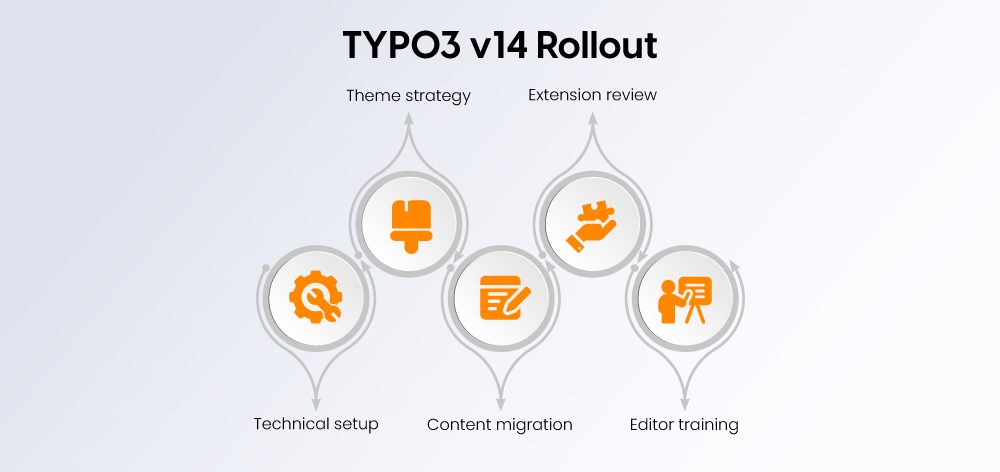
TYPO3 v14 is already the current LTS line, so new relaunch projects should start on TYPO3 14 LTS rather than planning around a future LTS upgrade. TYPO3 currently lists version 14.3.1 as the latest release, recommends v14 for new projects, and includes support for PHP 8.2+, modern database versions, and the Camino default theme.
Technical setup
Before development starts, confirm that your hosting environment matches TYPO3 v14 requirements.
Check:
- PHP 8.2 or higher
- MariaDB 10.4.3+, MySQL 8.0.17+, PostgreSQL 10.0+, or SQLite 3.8.3+
- A modern web server environment
- Composer-based dependency management where possible
This reduces upgrade risk and avoids common blockers such as outdated PHP versions or incompatible extensions.
Templates and theme approach
TYPO3 v14 includes Camino as the default theme. For many projects, this is a practical starting point because it gives you a modern base that can be adapted instead of rebuilt from scratch.
Content migration
Plan content migration based on site size and complexity.
- Small sites can often be migrated manually
- Larger sites usually need scripted migration and validation
- Important content should always be reviewed after migration
- Keep the original source until the new site is fully verified
The goal is not to move everything. The goal is to move the right content cleanly.
Extension review
Review every extension before launch.
- Remove extensions that are no longer needed
- Replace outdated or unsupported extensions early
- Test custom code in staging
- Rely on TYPO3 core features where possible
A leaner extension setup is easier to maintain and usually safer over time.
Train editors for the new backend
TYPO3 v14 improves editor workflows, but the business value only appears when teams use the new setup correctly.
Train editors on:
- Page creation
- Content element rules
- Multilingual workflow
- SEO fields
- Redirects and short URLs
- Media handling
- Governance rules for titles, intros, and CTA blocks
A relaunch often fails when teams bring old habits into a new system. Editor training helps protect content quality after go-live.
Phase 7: Launch and Monitor
A relaunch is not finished when the new site goes live. The launch phase should be planned carefully, monitored closely, and reviewed against the goals defined earlier.
Soft launch
Before the full launch, release the new site to a limited audience if possible. This helps you find issues early and reduce risk.
Check:
- Site errors
- Page speed and performance
- Form submissions
- Redirects and key user journeys
Fix issues before the full rollout.
Main launch
Schedule the main launch during off-peak hours in your primary market. This gives your team time to respond if problems appear.
Prepare:
- Full backups of both old and new sites
- A clear communication plan for internal teams
- Real-time monitoring for errors, traffic, and performance
- A support team ready to act quickly
Post-launch review
Plan a structured review after launch. A 30-day review is the minimum, but 60-day and 90-day reviews are also useful.
Monitor:
- Traffic trends against the pre-launch baseline
- Bounce rate and time on page
- Conversion performance
- Crawl errors and indexation in Google Search Console
- Core Web Vitals
- User feedback and support tickets
Track key signals such as:
- Indexed pages
- Redirect errors
- Top landing pages
- Keyword movement for business pages
- Form submissions
- Organic traffic by language
- Branded vs non-branded clicks
- Top exit pages
- Long-tail search performance
A good relaunch plan does not end at launch day. It includes continuous review so the new website can be improved based on real data.
Key Takeaways: TYPO3 v14 Relaunch Checklist
A successful relaunch is the result of clear planning, careful execution, and post-launch review.
Before you start
- Complete a full website audit
- Define measurable business goals
- Confirm TYPO3 v14 is the right fit
- Set a realistic budget for development, migration, testing, and training
- Assign clear project roles
During planning
- Create a full URL mapping from old to new pages
- Identify high-value pages that must be protected
- Sort content into keep, update, delete, or reorganize
- Audit your current TYPO3 setup and extensions
- Define multilingual and accessibility requirements
- Check <a href="https://nitsantech.de/en/typo3-version-checker">TYPO3 version compatibility</a>
During development
- Build the new site in a staging environment
- Migrate and validate content carefully
- Test all key integrations and workflows
- Implement SEO basics such as metadata, internal links, and redirects
- Structure content clearly for search and answer systems
- Test accessibility before launch
- Prepare editor training
At launch
- Run a soft launch if possible
- Verify redirects and important user journeys
- Submit new sitemaps to Google Search Console
- Inform internal teams and key stakeholders
- Monitor traffic, errors, and performance closely
In the first 30 days
- Compare traffic and conversions against your baseline
- Check Google Search Console for crawl and indexation issues
- Monitor Core Web Vitals and page speed
- Fix broken redirects and 404 errors quickly
- Collect editor feedback and improve workflows
- Review long-tail and AI-search visibility signals
A good relaunch plan does not stop at go-live. It includes follow-up reviews after 30, 60, and 90 days.
The Biggest TYPO3 Relaunch Mistakes, and How to Avoid Them
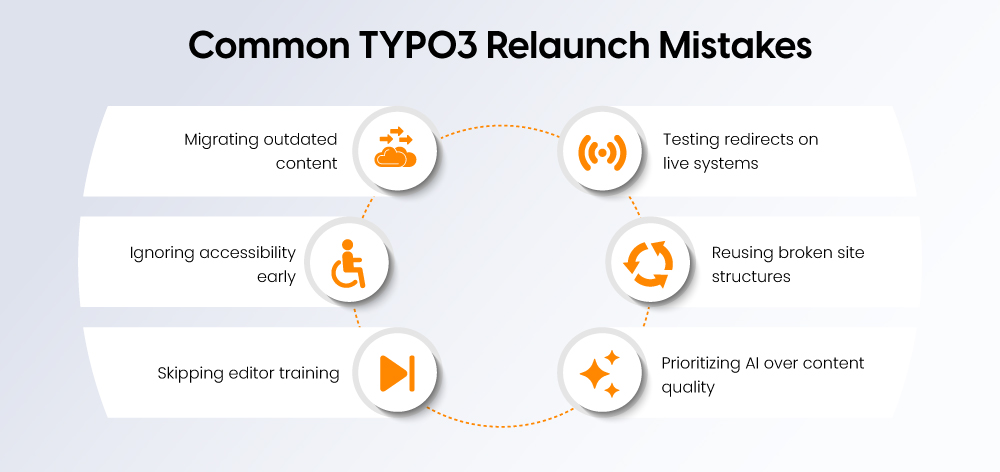
Even well-planned relaunch projects can fail if key basics are missed. These are some of the most common mistakes and how to avoid them.
1. Migrating too much old content
- Old content often creates new clutter
- Not every existing page should move to the new site
- Use the relaunch to delete, merge, or rewrite low-value pages
- Keep only content that still supports a business goal
2. Testing redirects on the live site
- Redirect errors can damage traffic and rankings quickly
- Always test redirects in staging first
- Use a complete old-to-new URL mapping before launch
- Avoid fixing critical SEO issues after go-live
3. Treating accessibility as a final check
- Accessibility should not be left to the end of the project
- It needs to be part of design, frontend, content, and editorial workflows
- Late fixes are often slower, more expensive, and less effective
4. Keeping the old structure behind a new design
- A new visual layer does not solve a weak site structure
- If the old navigation and content model were unclear, they need to be redesigned
- A relaunch should improve how the website works, not just how it looks
5. Skipping editor training
- A better CMS setup only helps if editors know how to use it
- Without training, teams often repeat the same old mistakes
- Plan training before go-live, not after
6. Chasing AI visibility without strong content
- AEO and GEO are not shortcuts around content quality
- Strong structure, clear answers, and useful content still matter most
- Build for users first, then make the content easy for search and answer systems to understand
Final thought
Most relaunch problems are not caused by TYPO3 itself. They come from weak planning, rushed testing, or unclear content decisions. Avoiding these mistakes can protect both your launch and your long-term results.
Conclusion
A TYPO3 relaunch is not just a technical update. It is a business decision that affects content, SEO, accessibility, and future growth.
The real question is not whether you can afford to relaunch. It's whether you can afford to wait.
TYPO3 v14 gives B2B teams a strong foundation for the next 5-8 years. But the first step is the same whether you choose an upgrade or a full relaunch: understand what needs to change.
Start here:
Use the free TYPO3 Version Checker to understand your current setup and upgrade path. It takes 2 minutes and shows you exactly where you stand.
If you're ready to move forward, download the TYPO3 Upgrade Kit, it has all the templates, checklists, and scripts you need to plan the right path independently.
Or if you'd rather have a specialist guide the process, inquire with NITSAN. We'll assess your situation and recommend the upgrade or relaunch path that matches your goals and budget.
FAQs
TYPO3 v14 brings a better backend experience, improved editor workflows, stronger translation support, and a cleaner technical base for long-term projects.
Most TYPO3 relaunch projects take 3 to 6 months, depending on content size, integrations, and approval workflows.
Choose an upgrade if the structure still works. Choose a relaunch if content, UX, SEO, or workflows need bigger changes.
TYPO3 fits best when you need multilingual content, strong permissions, or long-term scalability. Smaller sites may need a simpler CMS.
Review traffic, backlinks, top pages, conversions, technical issues, outdated content, and your current TYPO3 setup.
Plan redirects early, keep high-value pages, update internal links, submit sitemaps, and monitor Search Console after launch.
German and EU websites often need more than direct translation. You need clear ownership, reviewed metadata, and market-specific content.
Common mistakes include moving too much old content, skipping redirect testing, ignoring accessibility, and not training editors.

Contact for project management and team coordination
Mihaela Angelova
Project Manager - Germany

Mihaela Angelova
Project ManagerMihaela keeps technology projects on track and ensures to meet business goals. She specializes in coordinating teams, optimizing workflows, and delivering projects. At NITSAN, she works closely with clients to transform ideas into actionable solutions. Outside of work, she enjoys exploring new hiking trails.
Be the First to Comment