


Custom Content Elements in TYPO3 with Mask (Guide for 2026)
Are you still creating custom content elements in TYPO3 by writing complex TCA and TypoScript manually?
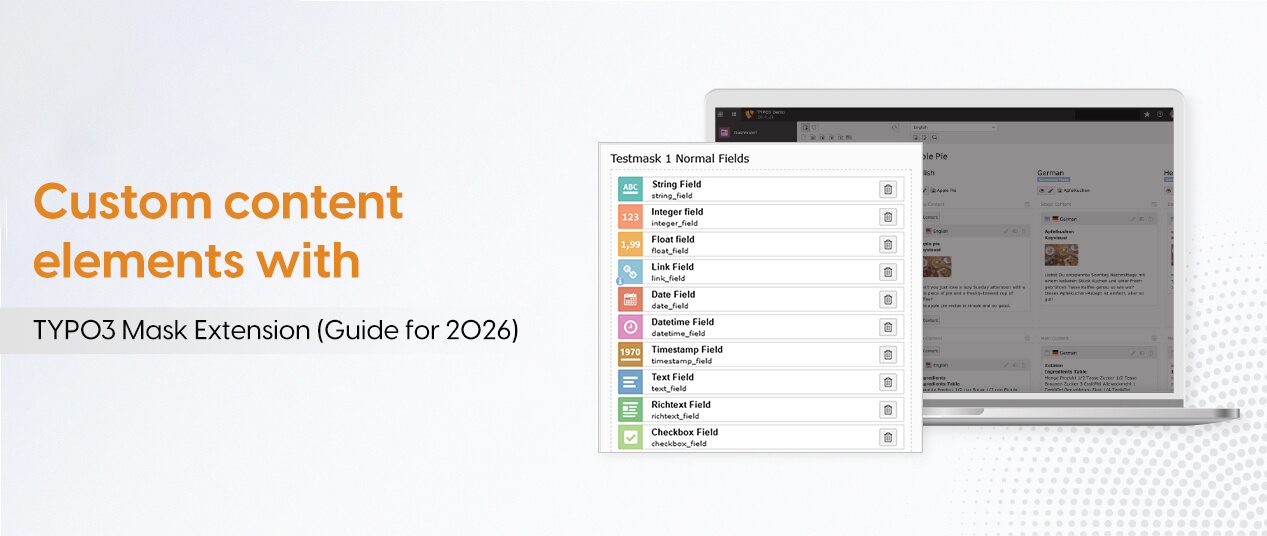
Say goodbye to tedious coding and welcome TYPO3 Mask: a content element builder that lets you create custom elements with drag‑and‑drop, while automatically generating TypoScript, TSconfig, and TCA.
In this guide, you’ll learn how to use TYPO3 Mask to create and manage custom content elements step by step, from installation and backend module access to field creation, TCA customization, and element metadata.
This makes TYPO3 development faster, safer, and more editor‑friendly. Perfect for TYPO3 integrators, agencies, and developers who want efficient, reusable content elements without deep low‑level coding.
What Is TYPO3 Mask and When Should You Use It?
TYPO3 Mask is a content element builder for TYPO3 CMS. Instead of writing TCA, TypoScript, TSconfig, and Fluid templates manually, you use a backend module with a drag-and-drop interface. Mask automatically generates all the technical code, and stores your configuration in JSON files for easy reuse across projects.
Mask vs. Manual TYPO3 Core Method
With the manual core method, you create custom content elements by writing TCA, TypoScript, TSconfig, and Fluid templates by hand, plus managing database updates and cache yourself. With Mask, you define fields and layout in the backend UI, and Mask generates everything for you. This saves time, reduces errors, and makes TYPO3 easier for non-PHP developers and integrators.
When Mask Is a Good Fit
Use Mask when:
- You're a TYPO3 Agency delivering similar content elements across many client sites.
- You need reusable elements like hero boxes, teaser cards, FAQs, or forms.
- Your team has non-PHP integrators who shouldn't touch raw TCA or TypoScript.
- You want faster development with JSON-based configuration in Git.
When Manual TCA Might Be Better
Use manual TCA when:
- You have a very small project with only a few elements and no reuse needed.
- You need complex or edge-case behavior Mask can't express easily.
- You're in a pure core environment avoiding third-party extensions.
- You already have a strong internal framework and prefer code-based control.
For most agencies and typical TYPO3 projects, Mask is more efficient and safer. For small, simple, or highly specialized cases, manual TCA may still be justified.
Version Compatibility and Requirements (TYPO3 v11–v14)
Before using TYPO3 Mask, match the correct Mask version with your TYPO3 version and set up the required dependencies.
Recommended Mask Versions
- TYPO3 v11 – Use Mask 8.x (stable for v11).
- TYPO3 v12 – Use Mask 8.x (officially supported).
- TYPO3 v13 – Use the latest Mask 8.x (check Packagist or TYPO3 Extension Repository).
- TYPO3 v14 – Use the latest Mask 8.x (verify exact version range on Packagist, as Mask is in active development for v14).
Always check the Mask package page on Packagist or the TYPO3 Extension Repository for the exact version range for your TYPO3 version.
Composer vs Non-Composer Setup
Composer mode:
bash
composer require mask/mask
- No
ext_emconf.phprequired for TYPO3 v11+. - Add to
composer.jsonif needed: json{ "require": { "mask/mask": "^8.1" } }
Non-Composer (classic) mode:
- Download Mask from the TYPO3 Extension Repository.
- Install via the Extension Manager and activate it.
- In your sitepackage, add Mask as a dependency in
ext_emconf.php.
Required Core Extensions and Dependencies
fluid_styled_content:
- Mask requires
fluid_styled_contentin your static TypoScript bindings. - Composer:
- bash
composer require typo3/cms-fluid-styled-content
Sitepackage:
- Set up a sitepackage before installing Mask.
- Define your content elements, templates, and overrides here.
Static TypoScript from Mask:
- Include Mask’s static TypoScript in the template module after installation.
- This ensures Mask’s configuration loads correctly.
With the correct Mask version, a proper sitepackage, and required core extensions, you have a stable base for creating custom content elements in TYPO3 v11–v14.
Installing TYPO3 Mask (Composer and Extension Manager)
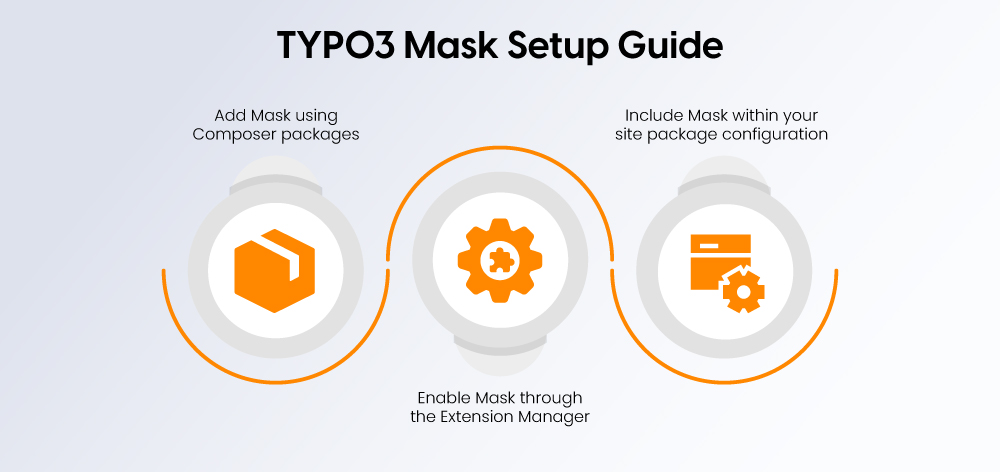
This section guides you through installing TYPO3 Mask in both Composer and non-Composer setups, adding Mask as a dependency to your sitepackage, and configuring the required static TypoScript and fluid_styled_content.
Install TYPO3 Mask via Composer
If you work in Composer mode, install Mask directly from Packagist:
bash
composer require mask/mask
You can also add Mask to your composer.json explicitly:
json
{ "require": { "mask/mask": "^8.1" } }
In Composer mode for TYPO3 v11 and newer, the ext_emconf.php file is not required. Mask loads automatically as part of the Composer dependency chain.
Install TYPO3 Mask via Extension Manager
If you do not use Composer:
- Download the Mask extension from the TYPO3 Extension Repository.
- Install it via the Extension Manager in the TYPO3 backend.
- Activate Mask in the Extension Manager.
In Composer mode for TYPO3 v11+, activating Mask via the Extension Manager is not required; the extension is already loaded as part of your Composer dependencies.
Add Mask as a Dependency in Your Sitepackage
Before using Mask, set up a sitepackage (theme or custom extension). This is crucial for seamless integration and customization.
Adding Mask as a dependency ensures that TYPO3 Mask is loaded before your theme/sitepackage extension. This order allows you to override Mask's generated TCA in your ”Overrides“ folder.
In non-Composer mode, add Mask as a dependency in your extension's ext_emconf.php:
php
$EM_CONF[$_EXTKEY] = [
'constraints' => [
'depends' => [
'mask' => '8.1' // Add the minimum version here or leave blank for any version.
]
]
];
In Composer mode, you already declare Mask in composer.json, so you do not need to add it in ext_emconf.php.
Note: If you add the dependency after TYPO3 Mask has already been installed and activated, you must rebuild the loading order by reinstalling your extension.
Required Static TypoScript and fluid_styled_content
Mask requires fluid_styled_content. Make sure it is included in your static TypoScript bindings in the TYPO3 template module.
In Composer mode, you can install it with:
bash
composer require typo3/cms-fluid-styled-contentAfter installing Mask:
- Open the Template module in the TYPO3 backend.
- Select your site’s template.
- Add the static TypoScript from TYPO3 Mask to your template.
- Ensure that
fluid_styled_contentis included in the static bindings.
This step ensures that Mask’s configuration and content rendering work correctly.
Preparing Your Sitepackage for Mask
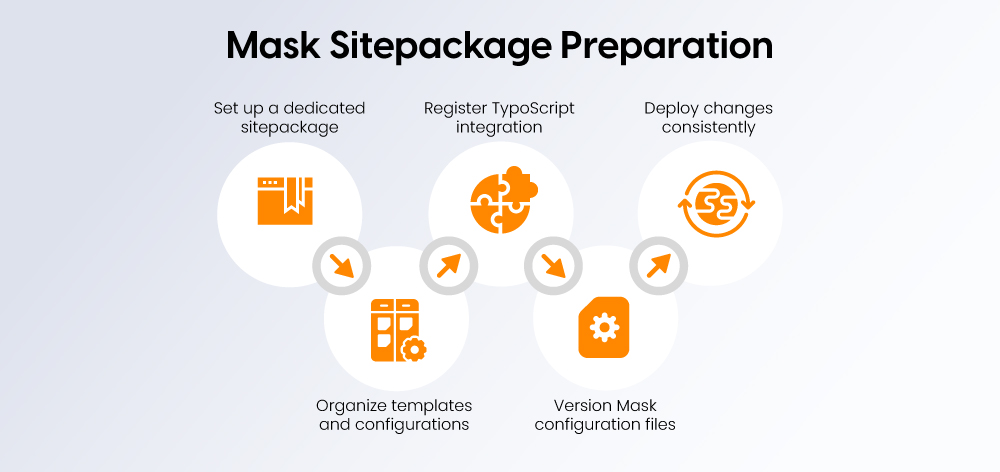
Before using TYPO3 Mask, set up a sitepackage (your own TYPO3 extension for templates and configuration). This is where Mask stores its generated configuration, templates, and overrides, keeping your project clean and maintainable.
Your sitepackage should have:
- An extension key (e.g.
site_vendororsite_project). - A basic folder structure for
Configuration,Resources, and TCA overrides. - A registered TypoScript template for your site.
Versioning LocalConfiguration.php and Mask Config for Teams
Mask stores configuration in LocalConfiguration.php and in JSON files inside your sitepackage. For teams and multiple environments (local, staging, production), keep these under version control.
- Add Mask config files (JSON/YAML/TS) to your sitepackage and commit them to Git.
- Avoid relying only on
LocalConfiguration.php; document Mask-related settings if you use it. - Use a workflow:
- Create/update Mask elements in one environment (local dev).
- Export changes into the sitepackage (config + templates).
- Commit and deploy to other environments.
This keeps your Mask setup consistent and makes onboarding easier.
Step-by-Step: Create Your First Custom Content Element with Mask
Open the Mask Backend Module
- Find the Mask module in the TYPO3 backend (below Extension Manager).
- Open it and enter your sitepackage extension key if prompted.
- Ensure your sitepackage is loaded.
Define the Element (Name and Key)
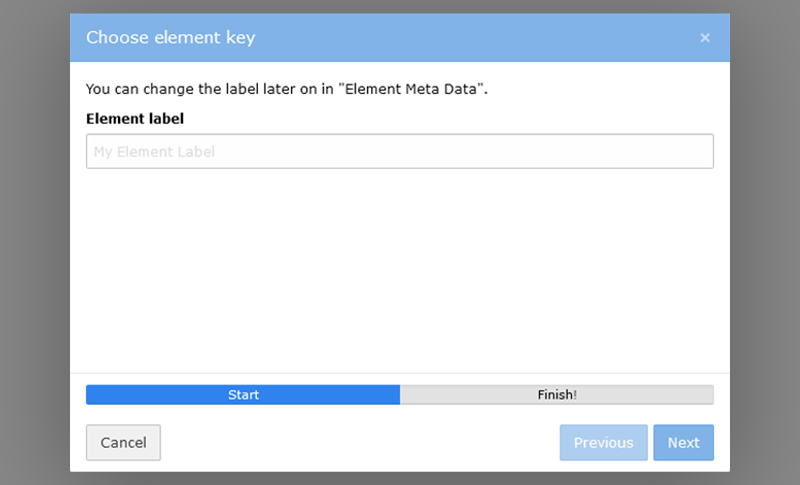
- Click “Create new content element”.
- Enter:
- Name: e.g. “Teaser Box”, “Hero Banner”.
- Key: unique, lower-case (e.g.
teaser_box,hero_banner).
- Click “Finish”. The Mask builder opens with the “Fields” tab selected.
Add Fields via Drag and Drop
- Go to the “Fields” tab.
- Drag or click a field type to add it.
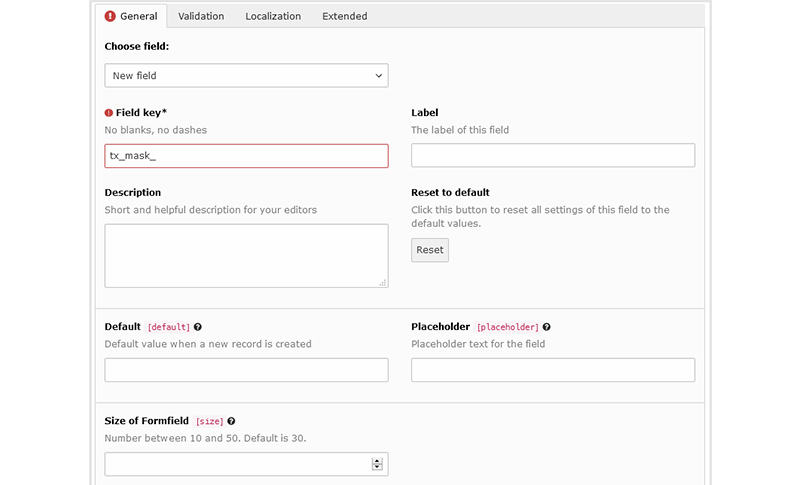
- Configure the field on the right (label, description, type).
- Field keys start with
tx_mask_(e.g.tx_mask_title,tx_mask_teaser_image).
Common options:
- Field key: column name in
tt_content. - Label: what editors see.
- Description: helper text.
- Reset to default: resets TCA options.
Example “Teaser Box” fields:
tx_mask_title(Text)tx_mask_teaser_text(text area)tx_mask_image(image)
Save and Check the Generated TCA
When you save:
- Mask generates TCA for your fields in
tt_content - TCA defines database columns, backend display, and validation.
You don’t write TCA manually, but knowing Mask generates it helps when debugging.
Place the Element on a Page and Test the Frontend
- Go to the Page module.
- Click “Create new content element” and find your element by name.
- Add it, fill in fields, and save.
- Click “View webpage” to test the frontend.
If it doesn’t render:
- Check the Fluid template path.
- Confirm Mask’s TypoScript and
fluid_styled_contentare included. - Clear TYPO3 and PHP caches.
Working with TCA and Advanced Field Options in Mask
Creating custom content elements in TYPO3 isn’t just about defining fields visually; TYPO3 needs TCA (Table Configuration Array) to know how to store and display them. Mask automatically generates this TCA for you, while still giving you control over key field options. This section explains what TCA is, how Mask uses it, and which field options you can configure.
What Is TCA and Why It Matters for Mask?
The Table Configuration Array (TCA) is a core concept in TYPO3 development. It defines the structure and behavior of database tables used by TYPO3 to store content items, including custom content items created with TYPO3 Mask. For Mask, TCA tells TYPO3 how to display and handle your custom fields in the backend and frontend.
How Mask Uses TCA for Your Content Elements
When you create custom content elements with Mask, TCA is automatically generated and used in several key ways:
- Database structure
TCA defines the structure oftt_contenttable where your content items are stored. For custom fields in Mask, TCA defines how data is stored (column names, types, and relationships). - Field configuration
TCA lets you configure field properties:- Field type (text, number, image, select, etc.)
- Label and description
- Validation rules and default values
- This ensures data consistency and integrity.
- Integration with TYPO3 Core
TCA integrates your Mask-generated elements with TYPO3 core features like translations, versioning, and access control. - Customization and extensibility
TCA offers extensive customization options, allowing you to adjust element behavior and appearance without writing TCA manually.
In short, Mask generates all necessary TCA for you, while you control key field options through the backend UI.
Common Field Options and Reset to Default
Most fields in Mask share these common options:
- Field key
Unique key for the field. It determines the new column name intt_contentand must be unique and lower-case. - Label
What editors see when editing the content item. It can be localized for translations. - Description
Optional helper text below the label to guide editors. - Reset to default
Resets all TCA options for the field back to defaults, except label and description. Use this to quickly undo changes without recreating the field.
These options make it easy to configure fields for editors while keeping the underlying TCA consistent and maintainable.
Using the “Element Metadata” Tab for Better Editor Experience
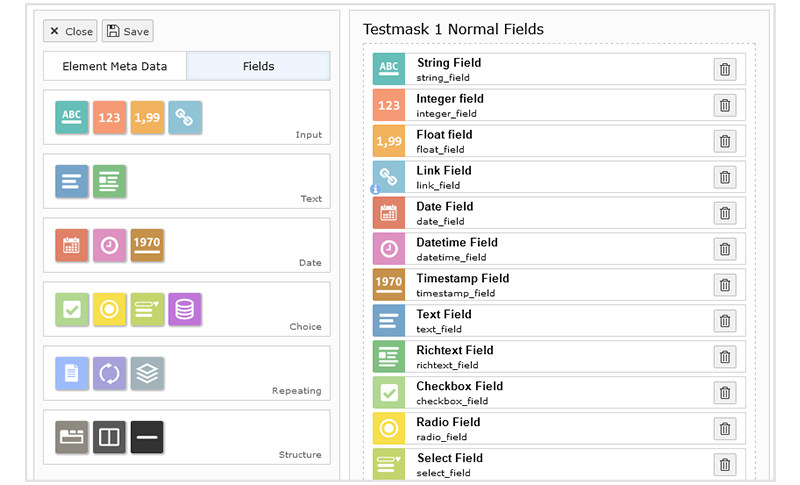
The Element Metadata tab is not just for technical details; it’s where you make your content elements clear and easy for editors. By filling in metadata, you improve how your elements appear in the creation wizard and backend, helping editors choose and use the right element correctly.
What You Can Configure in Element Metadata
- Short title
A concise title shown when editors select the element type. If left blank, the default title is used. - Description
A short explanation of what the element is for. It appears next to the title and preview image in the creation wizard and helps editors understand the element’s purpose. - Icon
Choose a preview icon from FontAwesome. You can select from different categories or search by keyword. If no icon is set, Mask generates a fallback symbol using the first letter of your label. - Color
Adjust the icon color to improve visual distinction between different element types.
Spending a few minutes filling in these fields makes your content elements much more editor-friendly, especially in larger projects with many elements.
Page Templates and Mask (Optional but Powerful)
Mask can extend page records and backend layouts (page templates), letting you add fields to pages, not just content areas.
- Define fields on the
pagestable. - Fields appear in page properties based on backend layout.
- Use for site-wide or page-level settings.
Common use cases:
- Global hero image or banner
- Page-level toggles (“Show news”, “Hide sidebar”)
- Page-specific SEO overrides
- Page-type selectors (“landing page”, “blog post”)
Great for agencies needing consistent page structures across client sites.
Structuring Mask for Agencies and Larger Projects
Organize Mask for reuse across multiple client sites:
- Store Mask config (JSON/YAML) and templates in your sitepackage.
- Use clear folder structure:
Resources/Private/Templates/Content/. - Export Mask config to JSON and commit to Git for sharing across environments.
- Use prefixes:
- CTypes:
site_feature_hero,site_feature_teaser - Fields:
tx_mask_hero_title,tx_mask_teaser_text
- CTypes:
- Group by feature (hero, teaser, faq, form).
Common Problems and Troubleshooting with TYPO3 Mask
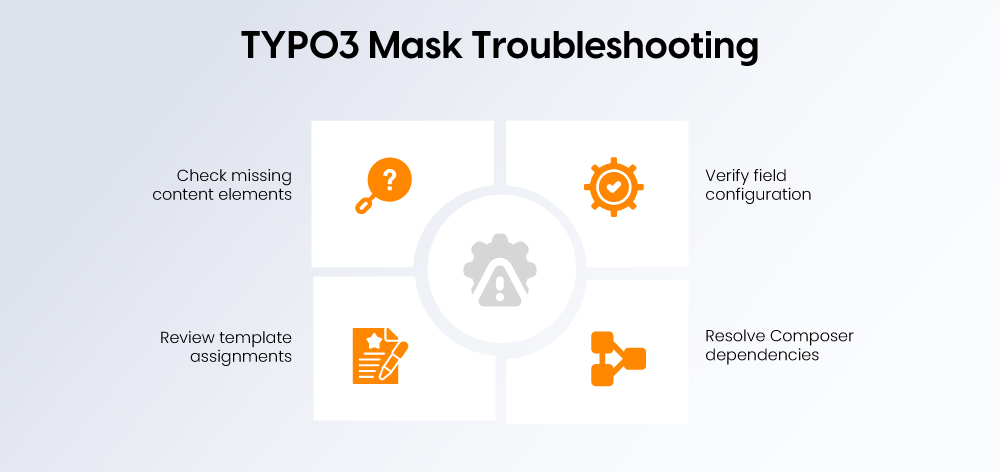
Element not visible:
- Check CType in Mask.
- Clear caches.
- Include Mask’s TypoScript.
- Load your sitepackage.
Fields not shown:
- Verify field keys are correct/unique.
- Flush caches, reload Mask config.
- Check TCA overrides.
- Load sitepackage before Mask.
Template not rendering:
- Confirm Fluid template path.
- Match template name to config.
- Clear caches and opcache.
- Include Mask’s TypoScript.
Composer/dependency issues:
- Reinstall extension if dependency added later.
- Check
composer.json. - Ensure Mask loads before sitepackage.
Clear caches, check load order, and verify config to fix most issues.
Alternatives to Mask and When to Use Core Methods
Even though Mask simplifies custom content elements, TYPO3 also offers a core method to create them without extra extensions.
Manual TYPO3 Core Method
With the core method, you create custom content elements by:
- Defining a new CType and adding it to the New Content Element Wizard via Page TSconfig.
- Adding TCA in
Configuration/TCA/Overrides/tt_content.php. - Registering TypoScript and static templates in your sitepackage.
- Creating Fluid templates, partials, and layouts for rendering.
This gives you full control using only TYPO3 core, but you must write and maintain all configuration manually.
Official docs:
- Create a custom content element type (latest):
t3coreapi:adding-your-own-content-elements - TYPO3 11.5 / 12.4 pages on “Create a custom content element type”.
When Mask Is Overkill
Mask might be more than you need if:
- You have a very small site with only one or two simple elements.
- Your team is comfortable with TCA, TypoScript, and Fluid and prefers code.
- You want a minimal, extension-free stack (policy reasons).
- You’re building a one-off feature unlikely to be reused or maintained by non-developers.
In these cases, the core method or simple content blocks may be enough.
When Mask Is a Clear Win
Mask shines for agencies and teams when:
- You build many TYPO3 projects and want reusable patterns.
- You have non-PHP integrators or editors who shouldn’t touch TCA/TypoScript/PHP.
- You want a visual builder with drag-and-drop, JSON config, and auto-generated code.
- You need to iterate quickly on content structures without refactoring boilerplate.
Use the core method when you want maximum control with minimal dependencies; use Mask when you want speed, safety, and editor-friendly workflows at scale.
Summary and Next Steps
Using TYPO3 Mask for custom content elements lets you skip most of the low-level TCA and TypoScript work while still building clean, flexible structures. It speeds up development, improves the editor experience with better labels, icons, and metadata, and reduces boilerplate compared to the manual core method.
If you want to go further with Mask and TYPO3, good next topics include:
- Multi-language content elements with Mask
How to configure fields, labels, and templates so your custom elements work cleanly across multiple languages. - Mask + AI content workflows in TYPO3
How to combine Mask-based elements with AI-assisted content generation and editing (e.g. structured content fields that feed AI tools).
Conclusion
TYPO3 Mask revolutionizes content creation in TYPO3 by providing a user-friendly way to create custom content elements without writing all TCA and TypoScript by hand. With its intuitive interface, flexible configuration options, and seamless integration into the TYPO3 core, Mask helps developers and agencies build dynamic, editor-friendly websites efficiently.
If you want expert support planning or implementing Mask in larger TYPO3 projects, you can get in touch with NITSAN as your TYPO3 agency partner for guidance, best practices, and long-term maintenance strategies.
FAQs
TYPO3 Mask is a content element builder for TYPO3 that lets you create custom elements with drag-and-drop, automatically generating TCA, TypoScript, and Fluid templates.
Run:
bash
composer require mask/mask
Then install fluid_styled_content and add Mask’s static TypoScript to your template. No ext_emconf.php is needed in Composer mode for TYPO3 v11+.
- Open the Mask module in the TYPO3 backend.
- Click “Create new content element”.
- Enter a name and unique key.
- Add fields via drag-and-drop.
- Save and add the element to a page from the “New Content Element” wizard.
Yes. Mask 8.x supports TYPO3 v11, v12, v13, and v14. Check the latest version on Packagist for exact compatibility.
TCA (Table Configuration Array) defines how TYPO3 stores and displays content. Mask automatically generates TCA for your custom elements, controlling fields, types, labels, and core integration.
Use Mask for agencies, reusable elements, and non-PHP users. Use the manual core method for small projects, full control, or when avoiding third-party extensions.
Contact for Internet agency and TYPO3 projects
Sven Thelemann
Service Partner - Germany


Sven Thelemann
Client Service LeadSven Thelemann serves as the Client Service Lead at NITSAN, focusing on delivering TYPO3 solutions that meet client goals. With a strong understanding of technology and client expectations, he ensures smooth communication and project execution. Outside of work, Sven enjoys cycling and experimenting with homemade recipes.
Be the First to Comment