


TYPO3 14.0 Is Here: New Backend, Fluid 5, Breaking Changes & Features
TYPO3 14.0 marks the start of the new v14 release cycle and introduces the foundation for the next generation of TYPO3.
Rather than one dramatic shift, this release begins a smoother evolution with a refreshed backend, Fluid 5, core cleanup, and improvements designed to support modern development and editorial workflows.
The backend is cleaner, workflows are lighter, and the core has been modernized to improve maintainability, performance, and long-term stability.
More importantly, TYPO3 14.0 lays the groundwork for the upcoming TYPO3 14 LTS milestone, making this release not just a feature update, but the beginning of the broader v14 roadmap.
In short: TYPO3 14.0 Explained: Backend, Fluid 5 & LTS Roadmap.
What’s New in TYPO3 14.0 at a Glance
Update | What It Means |
Redesigned backend | TYPO3 14.0 introduced a cleaner, more modern backend interface with improved navigation and usability. |
New module names | Backend modules were renamed and reorganized to make daily work clearer for editors and administrators. |
Fluid 5 | TYPO3 14 upgraded to Fluid 5, giving developers a modernized template engine and improved template flexibility. |
Resource handling updates | Resource management was improved to create a cleaner foundation for handling files, assets, and system resources. |
PHP 8.2+ requirement | TYPO3 14 requires PHP 8.2 or higher, with support for newer PHP versions including 8.3, 8.4, and 8.5. |
Editor workflow improvements | TYPO3 14 introduced improvements such as a guided translation workflow for multilingual sites. |
Breaking changes | TYPO3 14.0 started the v14 cycle as the breaking-changes release, so extension, template, and configuration compatibility must be checked before upgrading. |
Major Design and User Interface Changes
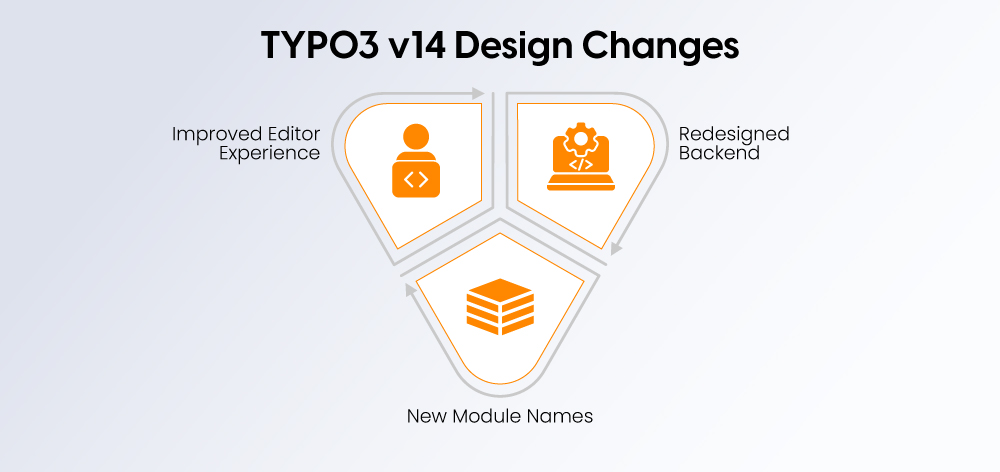
TYPO3 14 introduces a cleaner and more modern backend experience. The updated interface is designed to make daily work easier for editors, administrators, and content teams.
Redesigned Backend Look
The TYPO3 backend now feels more spacious, structured, and easier to read. Updated visuals, clearer alignment, improved icons, and refined color patterns help users move through the system with less friction.
Key highlights:
- Modern and cleaner interface
- Simplified navigation and layout
- Better use of icons, spacing, and visual hierarchy
New Module Names and Structure
TYPO3 14 updates several backend module names to make their purpose easier to understand. For example, the old “Web” module is now “Content,” and “Web > Page” is now “Content > Layout.”
This makes the backend more intuitive for both new and experienced users.
Key highlights:
- Clearer module names
- Names aligned with real content tasks
- Faster navigation for editors and admins
Improved Editor Experience
TYPO3 14 also improves the day-to-day editing experience. Tools are grouped more logically, content actions are easier to find, and editors can work with pages, images, and translations more smoothly.
Key highlights:
- Easier content editing and translation
- Better grouping of tools and functions
- Less visual noise and more focus for editors
Fluid 5 in TYPO3 14: What Changes for Developers
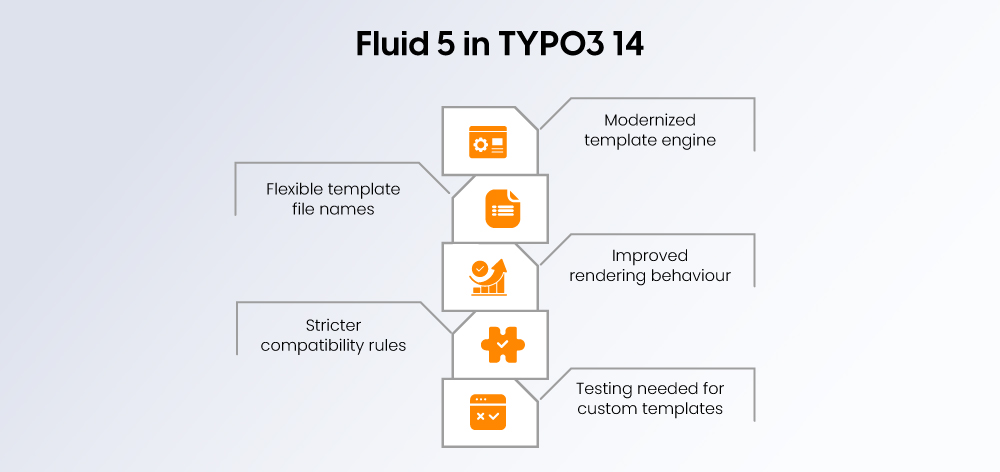
One of the biggest developer-focused changes in TYPO3 14 is the move to Fluid 5, bringing a more modern and flexible template engine with improvements in maintainability, performance, and template structure.
Template Engine Updates
Fluid 5 introduces updates that make template development cleaner and more adaptable, with stronger type handling, improved syntax behavior, and a more modern foundation for TYPO3 templating. It also includes breaking changes developers should review before upgrading.
Flexible File Naming
TYPO3 14 removes the older uppercase file naming requirement and introduces more flexible naming patterns, along with smarter template fallback resolution. Optional explicit file extensions such as .fluid.html are also supported.
Rendering Improvements
Fluid 5 improves rendering behavior and supports cleaner handling for inline CSS and JavaScript, helping reduce conflicts while improving developer flexibility. These updates can also contribute to better template performance.
Compatibility Considerations
Because Fluid 5 introduces breaking changes, developers should review custom templates, ViewHelpers, extension integrations, and deprecated patterns before upgrading. Some older implementations may need adjustment.
Migration Impact for Custom Templates
Projects with custom Fluid templates should test upgrades carefully, especially where legacy syntax, CDATA usage, or custom template structures are involved. A staged review before production upgrades is strongly recommended.
Core System Improvements
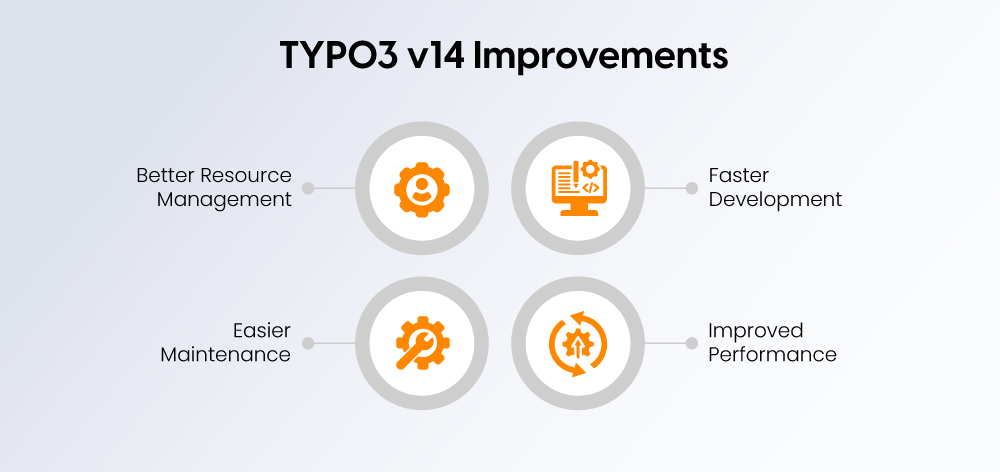
TYPO3 14 brings several under-the-hood improvements that make the CMS cleaner, easier to maintain, and more flexible for developers.
Cleaner Code Base
- TYPO3 14 removes outdated structures and deprecated code.
- The core is easier for developers to maintain and extend.
- Cleaner architecture helps reduce technical debt.
- Future updates become smoother and less conflict-prone.
New Resource Handling
- TYPO3 14 improves how files, images, documents, and assets are handled.
- The updated resource system gives developers better control across extensions and custom code.
- Assets become easier to manage consistently across the backend.
- This reduces the risk of file-related issues during upgrades.
Easier Maintenance
- A cleaner core makes long-term maintenance simpler.
- Developers can work with a more modern and organized system.
- Fewer legacy dependencies help reduce upgrade complexity.
- Teams can manage larger TYPO3 projects with better stability.
Better Development Workflow
- TYPO3 14 supports more efficient development with modernized core improvements.
- Developers can build and manage reusable components more easily.
- Cleaner structures reduce confusion in custom development.
- Overall, teams get a stronger foundation for future TYPO3 updates.
Security and Performance Improvements in TYPO3 14
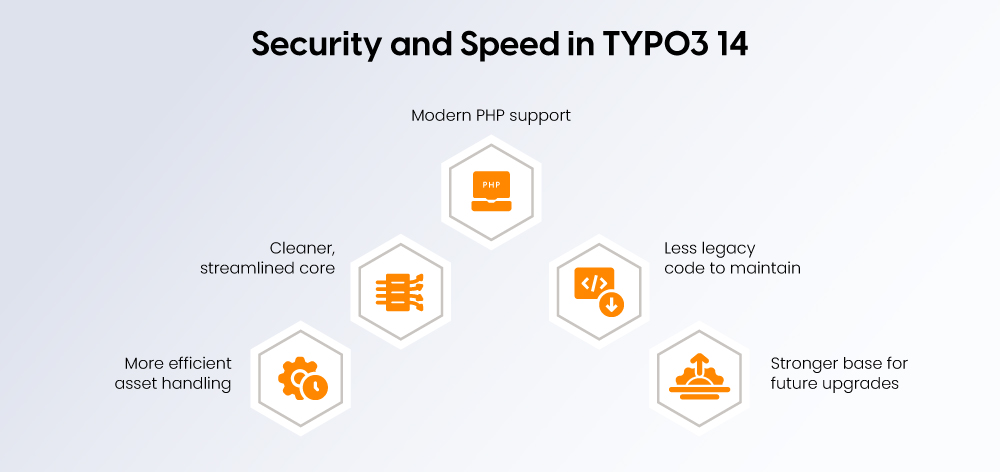
TYPO3 14 strengthens the CMS foundation with updates that support better security, performance, and long-term stability.
Modern PHP Support
- TYPO3 14 requires a modern PHP environment.
- Newer PHP support helps improve speed, security, and code reliability.
- Teams running older server setups should review hosting compatibility before upgrading.
Cleaner Core Architecture
- The core has been modernized for better stability.
- Outdated patterns and legacy dependencies are reduced.
- Developers get a cleaner system to maintain and extend.
Reduced Technical Debt
- TYPO3 14 removes older code and deprecated structures.
- This makes future upgrades easier to manage.
- It also lowers the risk of conflicts between the core and extensions.
Better Resource Efficiency
- Improved resource handling helps manage assets more consistently.
- Files, images, and documents can be handled more reliably across the system.
- This supports smoother backend performance and easier maintenance.
More Stable Upgrade Foundation
- TYPO3 14 prepares the platform for the next LTS milestone.
- Cleaner architecture and modern requirements make upgrades more predictable.
- Teams get a stronger base for long-term TYPO3 projects.
Technical Requirements and Compatibility
TYPO3 14 comes with updated system requirements and compatibility considerations. These changes help keep the CMS modern, secure, and stable, but they also require proper planning before installation or upgrade.
Updated System Requirements
- TYPO3 14 requires a more modern server environment than older TYPO3 versions.
- The minimum supported PHP version is PHP 8.2.
- Teams using older hosting environments may need to upgrade servers before moving to TYPO3 14.
- These requirements help TYPO3 use newer PHP features for better security, performance, and long-term stability.
PHP, Database, and Server Compatibility
- TYPO3 14 supports modern database systems, including MariaDB, MySQL, PostgreSQL, and SQLite.
- A properly configured web server such as Apache or Nginx is recommended.
- Server settings, file permissions, routing, and database versions should be checked before deployment.
- Compatibility checks are especially important for enterprise websites and complex TYPO3 installations.
Extension and Plugin Compatibility
- Not every extension or plugin may work immediately with TYPO3 14.
- Extensions using deprecated code or older APIs may break after upgrade.
- Before upgrading, teams should check extension compatibility, update outdated extensions, and replace unsupported ones if needed.
- A staging environment should be used to test the website before pushing TYPO3 14 to production.
New Features for Editors and Content Teams
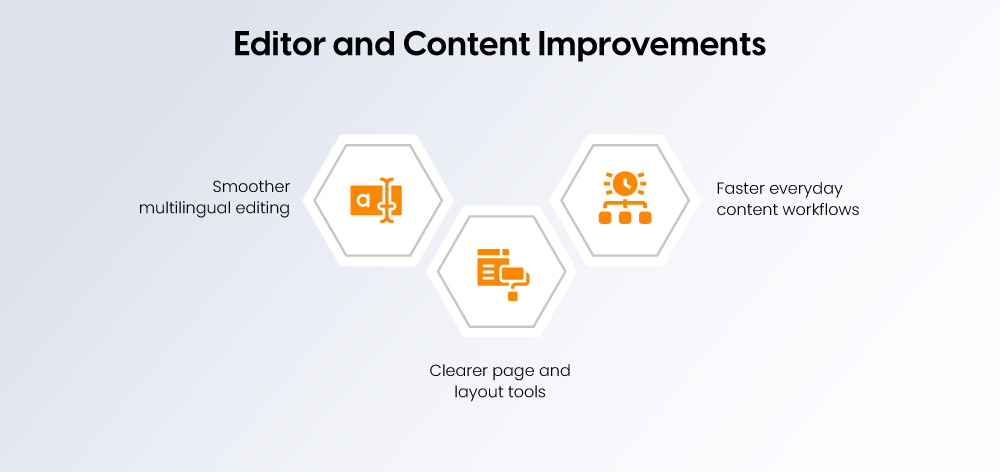
TYPO3 14 introduces updates that make content management easier, faster, and more intuitive for editors, marketers, and multilingual teams.
Improved Multilingual Editing
- Step-by-step guidance for translations
- Fewer errors across language versions
- Easier coordination between editors
- Faster publication of multilingual content
Clearer Page Layout Tools
- Clearer structure view for pages and content blocks
- Editing functions are easier to find
- More logical grouping of layout tools
- Faster orientation for new users
Faster Content Management Workflows
- Quicker page and layout updates
- Less time spent navigating the backend
- More focused editing experience
- Better productivity for daily content tasks
Installation and Setup
TYPO3 14 can be installed using Composer or an archive package, but Composer is recommended for a modern, stable, and maintainable setup.
Before installation, make sure your server supports PHP 8.2 or higher, a compatible database such as MySQL, MariaDB, PostgreSQL, or SQLite, and a properly configured web server.
Composer Installation
- Open the terminal in your project directory.
- Run:
composer create-project"typo3/cms-base-distribution:^14" my-new-project - This downloads TYPO3 14 and its required dependencies.
- Point your web server document root to the
public/folder. - Run the setup with:
./vendor/bin/typo3 setup - Add database details, create an admin user, and choose a blank site or starter package.
Archive Installation
- Download the TYPO3 14 archive from the official TYPO3 download page.
- Extract the files on your server.
- Point your web server to the
public/folder. - Open the installer in your browser.
- Complete the database connection and admin account setup.
Post-Installation Steps
- Install a starter distribution if you need a basic site structure.
- Add required extensions and check TYPO3 14 compatibility.
- Review file permissions and server configuration.
- Verify URL routing using Apache or Nginx rules.
- Test the backend, frontend, and editor workflows before launch.
Breaking Changes Developers Should Know
TYPO3 14 includes important breaking changes, so developers should review custom code, extensions, templates, and backend configurations before upgrading.
Backend Module Path and Name Changes
- Some backend module names and paths have changed.
- Custom backend modules may need updates.
- Documentation, training material, and editor workflows should be reviewed.
Deprecated Feature Removals
- Older deprecated features may no longer work in TYPO3 14.
- Custom code using removed APIs should be updated.
- Legacy configurations should be checked before deployment.
Fluid 5 Template Impact
- Fluid 5 may affect custom templates, layouts, partials, and ViewHelpers.
- Older Fluid patterns may need adjustment.
- Template testing is important before moving to production.
Extension Compatibility Risks
- Some extensions may not be compatible with TYPO3 14 immediately.
- Extensions using deprecated code may break.
- Teams should update, replace, or test extensions in staging.
Configuration Changes
- Some TYPO3 configuration options may behave differently.
- Site settings, routing, permissions, and backend configurations should be reviewed.
- Keep a record of all manual changes during migration.
Upgrade Path and Migration Notes
Upgrading to TYPO3 14 requires proper planning because it includes breaking changes, removed deprecated features, and updates that may affect extensions, templates, and configurations.
Preparing for the Upgrade
- Back up your website files, database, and configuration.
- Review current TYPO3 version, server setup, and PHP compatibility.
- Check deprecated features before starting the upgrade.
- Identify custom code that may need changes for TYPO3 14.
Testing in a Staging Environment
- Create a staging copy of the website before upgrading production.
- Test backend access, frontend pages, forms, login flows, and editor workflows.
- Check whether existing templates work correctly with Fluid 5.
- Fix issues in staging before applying changes live.
Reviewing Extensions and Custom Code
- Confirm that all important extensions support TYPO3 14.
- Update compatible extensions before upgrading the core.
- Replace unsupported or outdated extensions where needed.
- Review custom modules, ViewHelpers, TypoScript, and site configuration.
Documenting Manual Changes
- Record all template, extension, and configuration changes.
- Keep notes on errors found during testing and how they were fixed.
- Maintain a rollback plan in case production issues appear.
- Use the documentation for future maintenance and team handover.
Should You Upgrade to TYPO3 14 Now or Wait for LTS?
Whether to move to TYPO3 14 immediately or wait depends on project type, risk tolerance, and upgrade priorities.
When TYPO3 14 Makes Sense
- New projects that want to start on the latest architecture
- Teams wanting access to Fluid 5 and backend improvements
- Developers preparing early for the TYPO3 14 ecosystem
- Projects with low extension dependency and simpler custom code
When Waiting for LTS Is Safer
- Mission-critical enterprise websites needing long-term stability
- Projects with many extensions or complex integrations
- Organizations with strict governance or compliance requirements
- Teams that prefer adopting the long-term support release directly
New Project vs Existing Project Decision
- New builds: TYPO3 14 can make sense for future-ready development.
- Existing websites: A staged upgrade path may be safer, especially for complex sites.
- Older TYPO3 instances: Assess whether an intermediate upgrade path is needed first.
Enterprise Upgrade Planning
- Review extension dependencies early.
- Test upgrade impact in staging.
- Align upgrades with maintenance windows and support plans.
- Treat TYPO3 14 adoption as both a technical and governance decision.
TYPO3 13 vs TYPO3 14: What Changed?
Area | TYPO3 13 | TYPO3 14 |
Backend Design | Established backend interface | Refreshed backend with updated UI and navigation |
Template Engine | Earlier Fluid generation | Fluid 5 with modernized capabilities |
System Requirements | Older baseline requirements | PHP 8.2+ and newer platform requirements |
Editor Experience | Strong editorial tools | Improved workflows and multilingual usability |
Resource Handling | Existing resource model | Updated resource handling foundation |
Upgrade Complexity | Standard upgrade path | Includes more breaking-change considerations |
TYPO3 14 Upgrade Readiness Checklist
- Server environment verified: Confirm hosting, web server, and file permissions are ready.
- PHP version confirmed: Make sure the project runs on a TYPO3 14-supported PHP version.
- Database compatibility checked: Review MySQL, MariaDB, PostgreSQL, or SQLite support.
- Extensions audited: Check all third-party extensions for TYPO3 14 compatibility.
- Deprecated code reviewed: Identify old APIs, configurations, and custom code that may break.
- Fluid 5 templates tested: Review templates, layouts, partials, and ViewHelpers.
- Full backup completed: Back up files, database, assets, and configuration before upgrade.
- Staging upgrade tested: Run the full upgrade safely outside the live website.
- Editor workflows reviewed: Test login, content editing, translations, forms, and publishing.
- Rollback plan prepared: Define how to restore the site if issues appear after launch.
Roadmap and Future Outlook
TYPO3 14.0 started the v14 release cycle as the breaking-changes release, but the roadmap has now moved forward. As of April 2026, TYPO3 14.3 LTS has been released, making the v14 series more suitable for long-term production planning. TYPO3’s roadmap listed 14.0 for breaking changes, 14.1 for feature integration, 14.2 for feature freeze, and 14.3 as the LTS release.
Upcoming Minor Releases
- TYPO3 14.0: Started the v14 cycle with breaking changes and core modernization.
- TYPO3 14.1: Focused on feature integration and usability improvements.
- TYPO3 14.2: Served as the feature-freeze release before LTS.
- TYPO3 14.3 LTS: Released on April 21, 2026, as the long-term support milestone.
TYPO3 14 LTS Expectations
TYPO3 14 LTS gives businesses a more stable foundation for production websites, long-term maintenance, and upgrade planning. According to TYPO3, v14 LTS receives bug fixes until December 31, 2027, and security patches until June 30, 2029.
What Businesses Should Monitor Next
Businesses should now monitor extension compatibility, security updates, Fluid 5 migration needs, backend workflow changes, and the support lifecycle for older TYPO3 versions. Teams planning upgrades should also track whether their hosting, PHP version, database setup, and custom code are ready for TYPO3 14 LTS.
Why TYPO3 14 Matters for Enterprise Teams
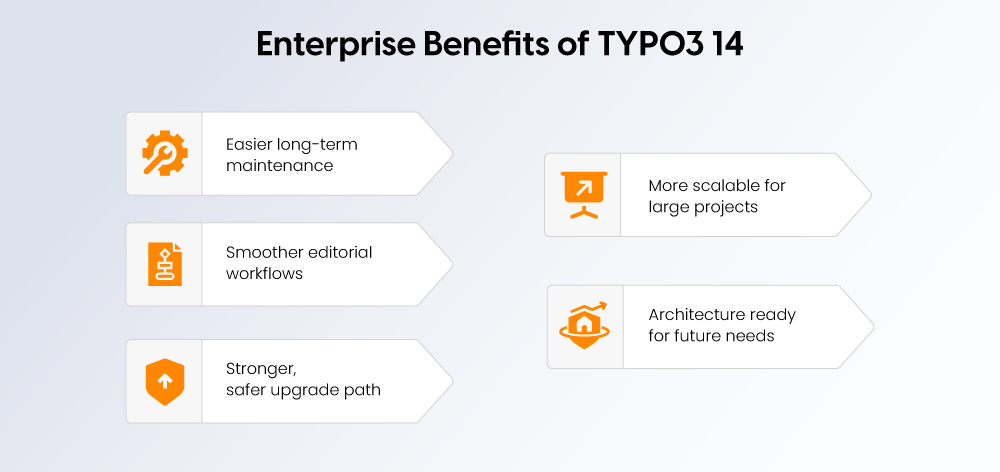
TYPO3 14 matters for enterprise teams because it improves both the technical foundation and the daily content management experience.
- Better maintainability: Cleaner core architecture makes long-term support easier for development teams.
- Cleaner editorial workflows: Updated backend design helps editors manage content with less friction.
- Stronger upgrade foundation: TYPO3 14 prepares projects for more stable future updates and LTS planning.
- Better scalability: Modern resource handling and system improvements support complex websites.
- Future-ready architecture: Fluid 5, modern PHP support, and core cleanup help teams build for the next TYPO3 generation.
Conclusion
TYPO3 14.0 is a foundation release for the next generation of TYPO3. With a refreshed backend, simplified module structure, Fluid 5, cleaner core architecture, improved resource handling, and better editorial workflows, it gives both developers and content teams a stronger platform to work with.
For businesses planning a new TYPO3 project or preparing an upgrade, the right migration strategy is essential. A trusted TYPO3 Agency can help review extension compatibility, test custom code, plan the upgrade path, and ensure a smooth move to TYPO3 14 with minimal disruption.
FAQs
TYPO3 14.0 introduces a refreshed backend, new module names, Fluid 5, improved resource handling, cleaner core architecture, and better workflows for editors and developers.
TYPO3 14.0 started the v14 cycle, but production-focused teams should now consider TYPO3 14.3 LTS for long-term stability and support.
Fluid 5 is the updated TYPO3 template engine. It improves template flexibility, supports cleaner file naming, and gives developers a more modern foundation for building TYPO3 sites.
Key breaking changes include backend module path/name updates, deprecated feature removals, Fluid 5 template changes, extension compatibility risks, and configuration updates.
TYPO3 14 requires PHP 8.2 or higher, so older hosting environments may need to be upgraded first.
Not all extensions are automatically compatible with TYPO3 14. Teams should check extension support, update outdated extensions, and test everything in staging before upgrading.
For new projects, TYPO3 14 can be a strong option. For existing or enterprise websites, TYPO3 14.3 LTS is the safer choice for long-term production use.
TYPO3 14 brings a refreshed backend, Fluid 5, updated system requirements, improved editor workflows, better resource handling, and more breaking-change considerations than TYPO3 13.
TYPO3 14.3 LTS was released on April 21, 2026, making it the long-term support milestone for the v14 series.
Yes, but as of April 2026, new production projects should usually start with TYPO3 14.3 LTS instead of the initial 14.0 release.

Contact for SMEs, government organizations and BITV 2.0
Stefan Reinhardt
Service Partner - Germany

Stefan Reinhardt
Service PartnerStefan solves tech problems for businesses. He focuses on upgrading outdated systems and moving companies to the cloud. At NITSAN, he collaborates with clients to create solutions that save both time and money. Outside of work, he enjoys brewing coffee and hiking with his dog.
Be the First to Comment