


TYPO3 v13 vs TYPO3 v12: What’s New in Version 13?
Upgrading a TYPO3 version is not just a technical update. It affects performance, security, extension compatibility, and long-term maintainability. That is why the shift from TYPO3 v12 to TYPO3 v13 requires careful evaluation.
In this guide, we provide a structured comparison of TYPO3 v13 vs TYPO3 v12. You will see what changed, where real improvements were made, and how those changes impact existing projects.
We also highlight what to check before upgrading, so you can assess risks, validate compatibility, and plan the migration in a controlled way.
Quick Decision Summary - Should You Upgrade to TYPO3 v13?
Here's who should think about going to TYPO3 v13
Go for it if:
- You're on TYPO3 v12 LTS and want things to stay solid for a while.
- Your add-ons are kept up-to-date.
- Your setup is composer-based and in good shape.
- You handle many sites or big company setups.
- You're after better backend speed and an updated core.
TYPO3 v13 works well if your team is keeping up with TYPO3's plans and getting ready for future LTS versions.
Maybe hold off if:
- You depend on add-ons that aren't supported anymore or are old.
- Your project has a lot of custom code using old methods.
- Your hosting doesn't support PHP 8.2 or newer.
- You're thinking of jumping straight to TYPO3 v14 soon.
If any of those are true, it's a good idea to check things out technically before deciding.
How risky is the upgrade?
- Low Risk: For small to mid-sized sites with standard add-ons and not too much custom work.
- Medium Risk: For projects using a bunch of third-party add-ons or some custom code.
- High Risk: For big company setups with old integrations, outdated add-ons, or complicated backend changes.
How hard the upgrade is mostly depends on your add-ons, not TYPO3 itself.
How much work will it take?
- Small site: Should be doable with good testing.
- Mid-sized company setup: Needs a careful check for compatibility.
- Big/multi-site setup: Best to do a thorough check, roll it out bit by bit, and test a lot.
If your TYPO3 v12 setup is in good shape, moving over should be pretty smooth.
What to do?
If your TYPO3 v12 is working well and getting updates, going to TYPO3 v13 is a smart move for stability and security in the long run.
If you're planning a major overhaul or jumping to TYPO3 v14 soon, think about the timing to avoid doing the same work twice.
Always do a compatibility check and test things out before upgrading.
TYPO3 v13 vs TYPO3 v12 - Side-by-Side Comparison
Area | TYPO3 v12 | TYPO3 v13 | What It Means for You |
Release Type | Long-Term Support (LTS) | Long-Term Support (LTS) | Both versions are LTS. v13 represents the newer long-term baseline. |
Support Lifecycle | Defined bugfix & security phase | Newer LTS support cycle | v13 offers a longer remaining support window. |
ELTS Option | ELTS available after regular support | ELTS expected after standard lifecycle | ELTS extends support for enterprise environments when needed. |
PHP Requirement | PHP 8.1 / 8.2 | PHP 8.2+ required | Hosting must fully support PHP 8.2 before upgrading. |
Database Compatibility | Supported MySQL, MariaDB, PostgreSQL versions | Updated minimum DB requirements | Verify database version before migration. |
Composer Usage | Recommended | Strongly expected / standard practice | Composer-based setups simplify upgrading and dependency control. |
Backend UI | Stable interface | Refined UI + full dark mode | Improved usability and editor comfort. |
Backend Performance | Good responsiveness | Faster and more reactive | Noticeable improvement in larger installations. |
Page Tree | Standard implementation | Reactive, improved performance | Better handling of complex site structures. |
Core Architecture | Modern LTS baseline | Further modernised and cleaned up | Improved maintainability and future compatibility. |
Dependencies | Symfony and library versions aligned with v12 | Updated Symfony and dependencies | Stronger long-term stability and security alignment. |
Breaking Changes | Deprecated APIs still present | Deprecated APIs removed | Custom extensions may require refactoring. |
Database Schema | v12 schema | Updated schema adjustments | Run database comparison during upgrade. |
Scheduler / CLI | Stable | Updated for compatibility | Scheduled tasks must be tested after migration. |
Extension Ecosystem | Mature and stable | Mostly compatible; verify individually | Check TER and composer constraints before upgrading. |
Security Handling | Secure while supported | Updated dependencies and hardening | Better long-term security posture. |
Authentication & Password Handling | Secure implementation | Updated security standards | Improved alignment with modern PHP security practices. |
Major Changes in TYPO3 v13 to Note
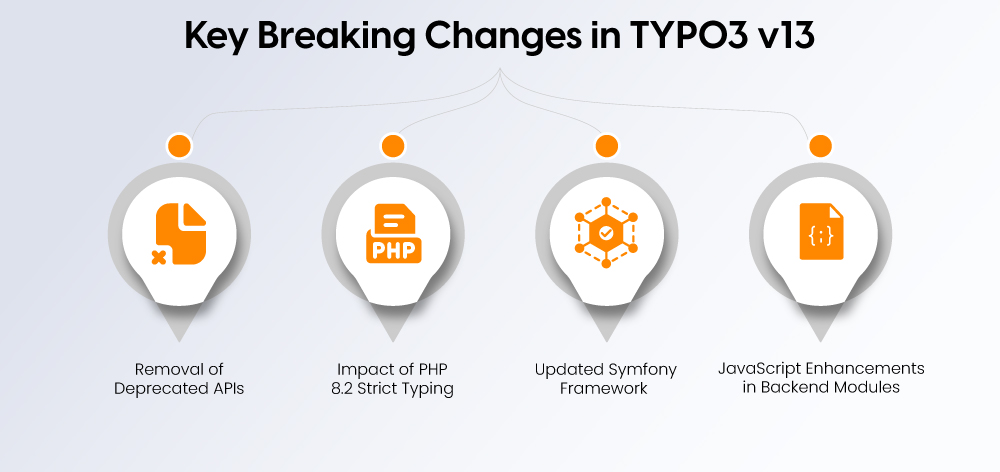
TYPO3 v13 removes outdated features from prior versions while implementing new technical prerequisites. Projects with custom code should review the following areas:
- Deprecated APIs removed
Functions and methods marked as deprecated in earlier versions are no longer available. Custom extensions relying on them must be updated. - PHP 8.2 strict typing impact
Stricter type handling may expose previously unnoticed type mismatches in custom code. - Updated Symfony base
Dependency updates may affect custom integrations built on Symfony components. - Backend module JavaScript adjustments
Changes in backend module architecture can require updates in custom backend modules.
What’s New in TYPO3 v13?
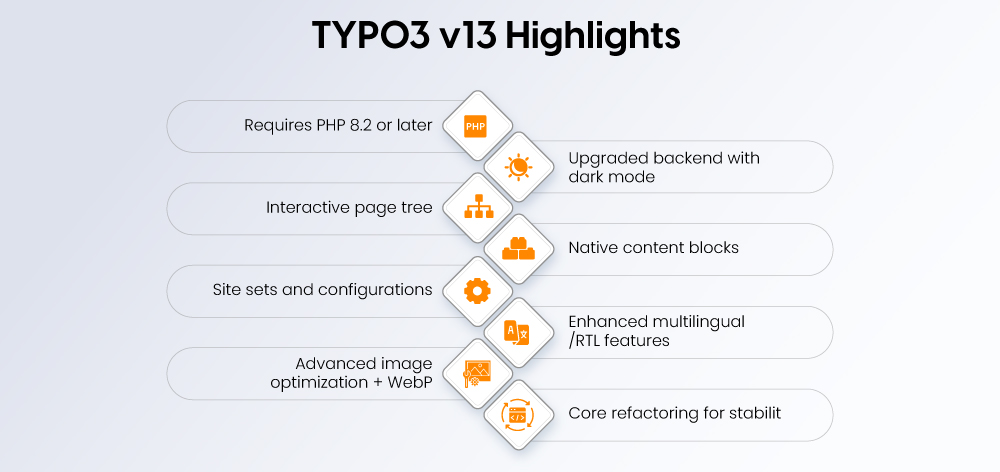
Updated System Needs (PHP 8.2+)
You’ll need PHP 8.2 or newer to run TYPO3 v13. This means:
- Things run faster.
- Fewer type errors.
- Better security.
Make sure your hosting and command-line interface (CLI) are running PHP 8.2 before you upgrade.
Better Backend and Dark Mode
The backend is now smoother and looks better.
- Interface tweaks.
- Full dark mode.
- Faster navigation.
- Handles big setups better.
If you're an editor who uses TYPO3 daily, you’ll notice it’s easier to use.
New Page Tree
The page tree is reworked to respond faster when you click.
- Dragging and dropping is quicker.
- Works better with large sites.
- Fewer delays.
This is really helpful for big websites.
Content Blocks
Content blocks are now fully supported and work well.
- Clearer setup.
- Less complex.
- Easier to make reusable things.
- Content is more consistent.
For agencies, this makes things easier to maintain and grow.
Site Settings
Managing settings is easier.
- Settings are all in one place.
- Better for multiple sites.
- Deployment is cleaner.
- Less duplication.
This makes managing big and multi-domain sites simpler.
Multilingual Support
TYPO3 v13 is better with multiple languages, including right-to-left (RTL) languages.
- RTL rendering is stable.
- The backend is easier for international teams to use.
Better Image Handling
Working with images is better.
- WebP is integrated.
- SVG processing is improved.
- Workflows are quicker.
Core Improvements
v13 keeps cleaning up old code and updating things.
- The codebase is cleaner.
- Better typing.
- Easier to maintain over time.
What Stays the Same
The upgrade doesn’t need a rebuild.
- The core is still stable.
- Extbase still works.
- TypoScript is mostly the same.
If your TYPO3 v12 is well-maintained, moving to v13 should be easy.
TYPO3 v13 Upgrade - What You Must Check Before Migrating
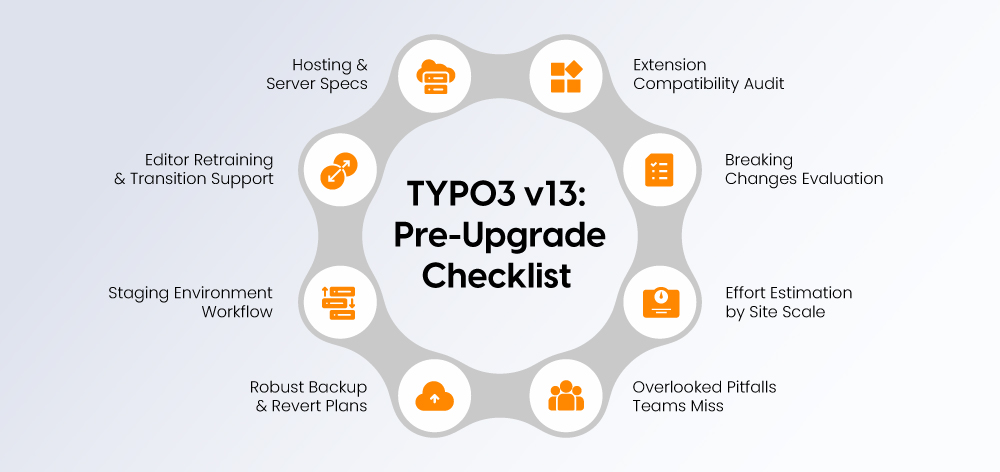
Upgrading from TYPO3 v12 to v13 is structured, but only when preparation is done properly. Review the following checkpoints before starting.
Server and Hosting Stuff to Check
Before you jump to TYPO3 v13, make sure your server is ready:
- PHP: Needs to be 8.2 or higher (and the command line, too).
- Database: MySQL, MariaDB, or PostgreSQL – just make sure they're a supported version.
- Command Line: The right PHP version is needed for scheduled tasks and upkeep.
- Composer: Keep those dependencies up-to-date and playing nice.
Ensure staging access, reliable backups, and sufficient server resources before proceeding.
Extension Compatibility Review
Extensions usually make upgrades hard, not TYPO3 itself.
- See if your extensions are okay in the TYPO3 Extension Repository (TER).
- Check any extensions you've made yourself.
- Find spots where old, outdated code is being used.
- Make sure the extension dependencies are all good.
If an extension isn't maintained anymore, that's usually where things get stuck.
Breaking Change Impact Assessment
TYPO3 v13 gets rid of old code and updates how things work internally. So, take a look at:
- Your code that uses those old methods.
- If the database needs to be updated.
- Any tweaks needed for the backend module JavaScript.
- If scheduled tasks and command-line still works.
Old code might need to be rewritten.
Upgrade Effort by Project Size
- Small Website: Should be pretty easy, but test!
- Medium-Sized Business: You'll need to check those extensions carefully.
- Big Company/Lots of Sites: Do a full check and roll it out slowly.
- Lots of Custom Code: Depends on how much old code you're using.
Hidden Upgrade Risks Most Teams Overlook
Things that often go wrong during testing:
- Scheduled tasks failing.
- Problems with Fluid templates.
- Extensions that aren't being maintained.
- Strict PHP 8.2 typing errors.
These usually don't show up until you test on a staging server.
Backup & Rollback Strategy
Before you upgrade:
- Back up everything – files and the database.
- Know how to go back to the old version if needed.
- Test that you can actually restore from the backup.
- Never upgrade the live site directly!
Staging & Testing Process
Do the upgrade on a staging server first. Check:
- How the website looks.
- The backend modules.
- Forms and other integrations.
- Scheduled tasks.
- If the extensions work.
Only go to the live site when you're completely sure everything is working.
Editor Training & Change Management
TYPO3 v13 has some tweaks to the backend. Let the editors know about:
- The updated look.
- The new page tree.
- Any config changes.
Even small changes to the interface can mess with their daily work.
TYPO3 v13 Upgrade Checklist
Before upgrading, confirm the following:
- PHP 8.2+ is installed (including CLI version)
- Database version meets TYPO3 v13 requirements
- All extensions verified for v13 compatibility
- Custom extensions reviewed for deprecated API usage
- Composer dependencies updated and conflict-free
- Full file and database backup created
- Staging environment tested successfully
- Scheduler tasks validated
- Frontend and backend functionality fully reviewed
- Rollback procedure defined and tested
Upgrade Readiness Overview
Checkpoint | Status to Confirm | Why It Matters |
PHP Version | 8.2 or higher | Required for TYPO3 v13 runtime |
Database Compatibility | Supported version | Prevents schema conflicts |
Extension Compatibility | Verified in TER / composer | Reduces upgrade failure risk |
Custom Code Review | Deprecated APIs removed | Prevents runtime errors |
Composer Dependencies | Updated & resolved | Avoids dependency conflicts |
Backup Available | Full file + DB backup | Ensures rollback safety |
Staging Tested | Fully validated | Reduces production risk |
Scheduler Tasks | Executing correctly | Prevents automation failures |
Rollback Plan | Defined & tested | Enables controlled recovery |
Business & SEO Impact of Upgrading to TYPO3 v13
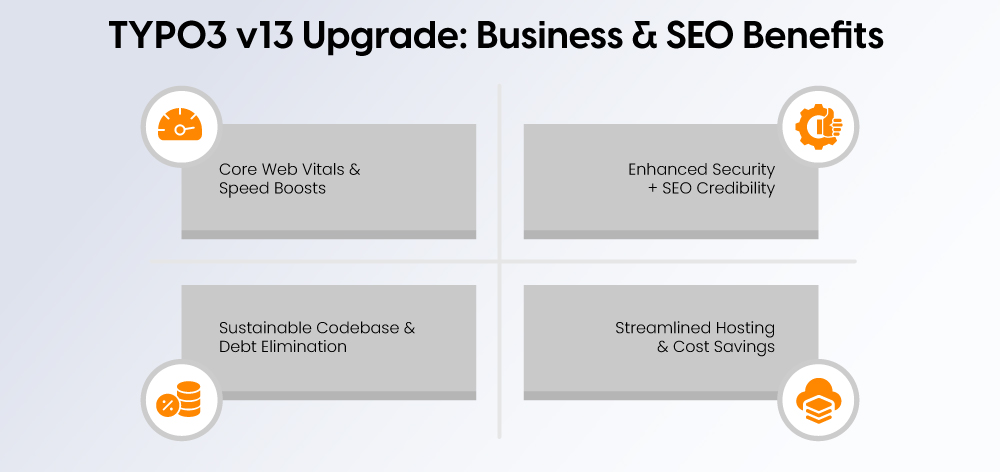
Upgrading to TYPO3 v13 is not just a technical update. It influences performance, security posture, infrastructure stability, and long-term maintainability, all of which affect business reliability and search visibility.
Core Web Vitals & Performance Impact
TYPO3 v13 gets a boost from:
- PHP 8.2's speedier performance.
- Better ways to render things.
- Less stuff running in the background.
Keep in mind that how fast your website loads for visitors still depends on things like caching, your hosting setup, and how you've configured everything. But, the updated TYPO3 core is built to run more smoothly and make the backend respond faster.
If you've got a big website, a quicker backend means editors can work faster and keep content fresh.
Security Improvements & SEO Trust Signals
Being secure and stable is key for SEO in the long run.
TYPO3 v13:
- Gets rid of old, outdated parts.
- Updates the core pieces it relies on.
- Fits in with today's PHP security rules.
Sticking with a supported LTS version helps keep your site safe from problems and lowers the chances of things going wrong.
Long-Term Maintainability & Technical Debt Reduction
TYPO3 v13 keeps chipping away at old code and outdated APIs.
It features:
- An updated way of organizing things.
- More careful typing.
- A cleaner setup inside.
This makes it easier to maintain things down the road and simplifies upgrading later on.
Hosting & Infrastructure Efficiency
By needing PHP 8.2, TYPO3 is in line with current hosting standards.
This means:
- Things run more efficiently.
- It works better with CI/CD workflows.
- Deployments are cleaner using Composer.
If you're running multiple sites or a large-scale setup, a predictable setup makes staying in control easier.
Who Should Upgrade to TYPO3 v13?
Not every project needs to upgrade immediately. The right timing depends on technical readiness, extension stability, and roadmap planning.
Ideal Candidates for Immediate Upgrade
Upgrade to TYPO3 v13 if:
- You are running TYPO3 v12 LTS and planning long-term support
- Your extensions are actively maintained
- Your hosting environment supports PHP version 8.2
- You want to establish your site according to the present LTS standard
- Your work involves handling multiple sites or enterprise environments
Well-maintained projects usually achieve migration success through planned migration processes.
When Staying on v12 Makes Sense
Remaining on TYPO3 v12 may be reasonable if:
- You depend on legacy or unmaintained extensions
- A full redesign or platform rebuild is planned soon
- Your organization has not completed its PHP 8.2 implementation
- Your organization needs to achieve operational stability before any other goals
TYPO3 v12 maintains its official support period stability until its official support period ends.
When to Skip Directly to TYPO3 v14
Consider upgrading directly to TYPO3 v14 if:
- You are planning a major rebuild
- Your migration timeline aligns with the next LTS cycle
- You want to avoid two upgrade phases in a short timeframe
The project becomes more difficult to manage when skipping versions because it uses outdated custom code from earlier versions.
Enterprise & Multi-Site Considerations
For enterprise environments:
- Audit extension maturity
- Ensure consistent configuration across sites
- Plan staged rollouts
- Validate CI/CD and deployment workflows
TYPO3 v13 configuration improvements benefit multi-domain setups that require structured configuration management.
Agency vs In-House Perspective
Agencies:
Often upgrade earlier to align client projects with the current LTS baseline and reduce future migration effort.
In-house teams:
Typically upgrade systems according to their internal release schedules and established risk management procedures.
The decision requires a balance between technical capabilities and operational strategies.
TYPO3 Roadmap & Strategic Upgrade Planning
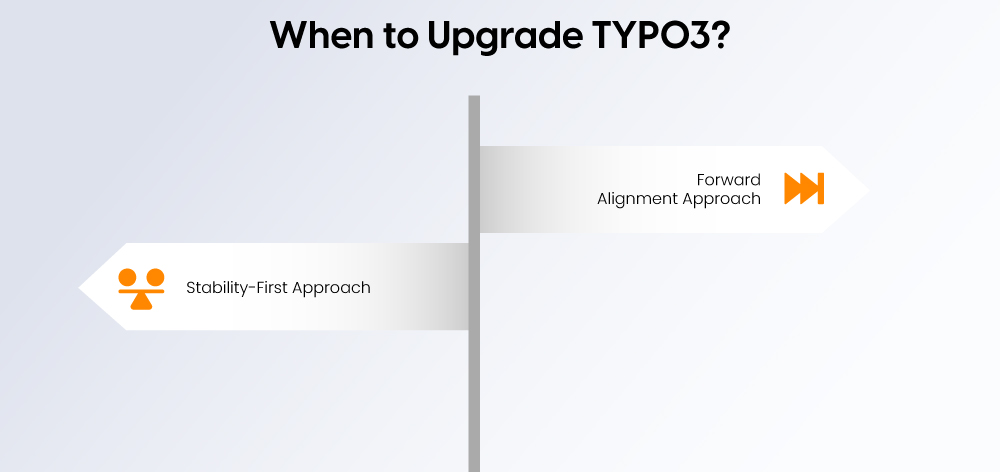
Upgrades should align with the TYPO3 release cycle, not just technical preference. Understanding the roadmap helps avoid unnecessary migrations and reduces long-term maintenance risk.
TYPO3 Release Cycle Overview
TYPO3 maintains a systematic procedure for releasing its software products.
- The software system delivers its major updates on a scheduled basis.
- The software system designates specific time periods for its Long-Term Support (LTS) product versions.
- The software system establishes support timeframes which it communicates to its users.
The software system provides LTS product versions with additional time for maintenance and security updates. LTS cycle upgrades create less operational disturbances for organizations which use them.
Planning Within the LTS Cycle
TYPO3 v13 functions as an LTS version which establishes the current standard for long-term usage.
When planning your upgrade:
- Check your existing support period
- Schedule your migration to match your internal product release times
- Determine whether the current upgrade will lead to future time constraints
Organizations can establish their future plans by moving to an earlier point in the LTS cycle.
Long-Term Stability vs Early Adoption Strategy
Two common approaches exist:
Stability-first approach
- Remain on LTS until close to end-of-support
- Upgrade once per LTS cycle
- Minimise operational change
Forward-alignment approach
- Upgrade earlier within the LTS lifecycle
- Reduce accumulated technical debt
- Spread upgrade effort over smaller steps
The right strategy depends on team capacity and system complexity.
Upgrade Timing Decision Framework
Before upgrading, assess:
- What version of TYPO3 you currently use and when your support period ends
- The current status of extension compatibility
- The hosting environment has achieved readiness to support PHP 8.2
- What level of development work has been customized for the system
- What design or relaunch projects are currently planned
If these factors are aligned, upgrading to TYPO3 v13 can be a controlled and forward-looking decision.
Conclusion
TYPO3 v13 builds on v12 with improved backend performance, updated dependencies, and stronger configuration handling through Content Blocks and Site Settings. It represents the current LTS baseline and is aligned with long-term support planning.
Upgrade complexity depends primarily on your extensions and custom code. Well-maintained TYPO3 v12 installations running on PHP 8.2 can usually migrate in a controlled and predictable way with proper staging and testing.
If your project relies on legacy extensions or a major relaunch is planned, review timing carefully to avoid unnecessary migration effort.
With structured preparation, upgrading to TYPO3 v13 is a stable and forward-looking step within the TYPO3 LTS cycle.
FAQs
Yes. TYPO3 v13 is an LTS (Long-Term Support) version and receives extended maintenance and security updates according to the TYPO3 release cycle.
TYPO3 v12 LTS receives regular bugfix and security support for a defined period after release. After standard support ends, Extended Long Term Support (ELTS) is available for organisations that need additional time.
Always verify exact dates on the official TYPO3 roadmap.
No. TYPO3 does not support skipping major LTS versions. You must upgrade step by step (v11 → v12 → v13).
Yes. TYPO3 v13 LTS is production-ready and intended for stable, long-term use in enterprise environments.
Both versions are secure while supported. TYPO3 v13 benefits from newer dependencies, updated PHP requirements, and removal of deprecated code, which improves long-term security posture.
The risk depends mainly on custom extensions and deprecated API usage. The TYPO3 core upgrade path is structured, but complex projects require thorough testing.
Small websites may upgrade within hours to a few days. Enterprise installations with custom development require planning, testing, and staged deployment.
It depends on your roadmap. If you are already on v12 LTS and planning long-term stability, upgrading to v13 LTS is the natural next step. Waiting may delay necessary compatibility updates.

Contact for project management and team coordination
Mihaela Angelova
Project Manager - Germany

Mihaela Angelova
Project ManagerMihaela keeps technology projects on track and ensures to meet business goals. She specializes in coordinating teams, optimizing workflows, and delivering projects. At NITSAN, she works closely with clients to transform ideas into actionable solutions. Outside of work, she enjoys exploring new hiking trails.
Be the First to Comment