


PHP2Shell PHP Vulnerability (CVE-2026-109618 & CVE-2026-109619): Affected Versions, Patches and Protection
On 21 October 2026 the PHP project fixed two critical security vulnerabilities known as PHP2Shell. Through CVE-2026-109618 and CVE-2026-109619, attackers can run code without logging in on any server that uses PHP for web requests. This guide shows which versions are affected, how to check your server and how to close the gap safely.
PHP2Shell is the name for two critical security vulnerabilities in PHP itself: CVE-2026-109618 and CVE-2026-109619. Both are rated CVSS 4.0 9.2 and let attackers run their own code on web servers without logging in. They are fixed in PHP 8.5.12, 8.4.27, 8.3.36 and 8.2.35, released on 21 October 2026. If you use PHP for web requests, update now, restart every PHP process and check the system for signs of attack.
The flaws do not affect a single CMS but every website that runs on PHP, including TYPO3, WordPress, Shopware and Laravel. Germany's BSI has issued a warning, and several security firms report attack attempts.
This guide explains what PHP2Shell is, which PHP versions and server setups are affected, how to check your server, close the gap and find traces of an attack, and how NITSAN supports you.
Check your PHP version right now with our free PHP2Shell checker. If you are affected, we help you with priority.
What is PHP2Shell?
PHP2Shell is the collective name security researchers gave to two related flaws in the PHP interpreter. Both belong to the use-after-free (CWE-416) class and sit in areas that almost every request touches: memory management and error handling.
The two CVEs at a glance:
CVE | Short name | What goes wrong | Impact |
CVE-2026-109618 | RCE via out-of-memory corruption | If a request hits memory_limit while request data is only partly built, PHP later treats the broken data as valid. | Code execution on Apache with mod_php with default settings; on PHP-FPM via application paths |
CVE-2026-109619 | RCE via stale global state | After a fatal error, request-owned state survives although its memory was freed. The next request on the same worker reuses it. | Code execution against a real application on mod_php; session path also confirmed on PHP-FPM |
How does the PHP2Shell attack work?
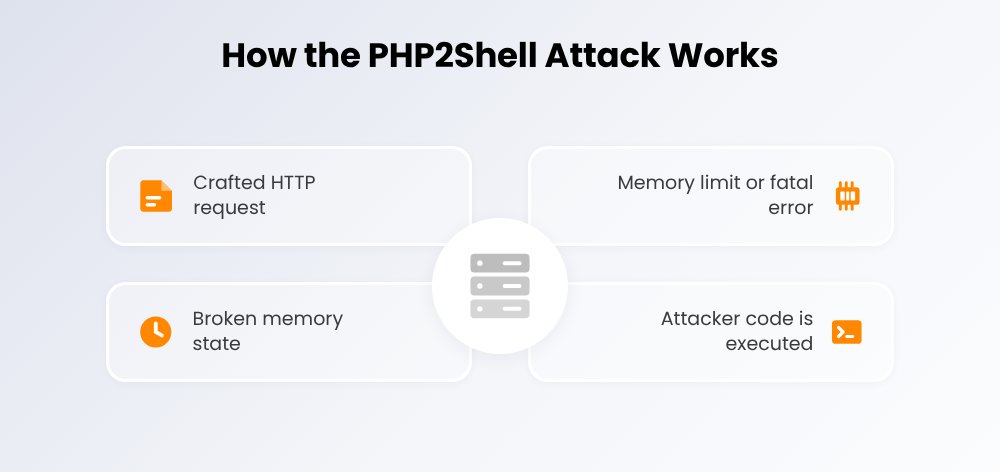
An attack via PHP2Shell runs in four steps:
- Crafted HTTP request: An attacker sends a specially built request without logging in, usually with a multipart body.
- Memory limit or fatal error: PHP aborts processing while request data is still being set up.
- Broken memory state: Half-initialised data or stale pointers are left behind and reused later.
- Attacker code is executed: The memory corruption is used to run commands with the rights of the PHP user.
Why is PHP2Shell so dangerous?
- No login required: The CVSS 4.0 vector (AV:N/AC:H/AT:P/PR:N/UI:N) needs neither credentials nor user interaction.
- The attack runs before your code: On mod_php the exploit fires before any CMS code starts. Plugins and login protection do not help.
- Huge exposure: Palo Alto Networks Unit 42 counts over 22.6 million potentially exposed instances. The vulnerable code has existed since PHP 5.4 (2012).
- Early attacks: The CVE IDs leaked before the patch. Cloudflare saw first attack attempts at 07:43 UTC on 21 October, more than six hours before the release.
- Credential leaks: According to Wiz and Patchstack, worker memory holding passwords, API keys and session tokens can be read even without code execution.
As of 22 October, the BSI was not aware of broad successful exploitation. watchTowr, however, reports exploitation attempts, and several public authorities, universities and hospitals in Germany took online services offline as a precaution.
Which PHP versions are affected by PHP2Shell?
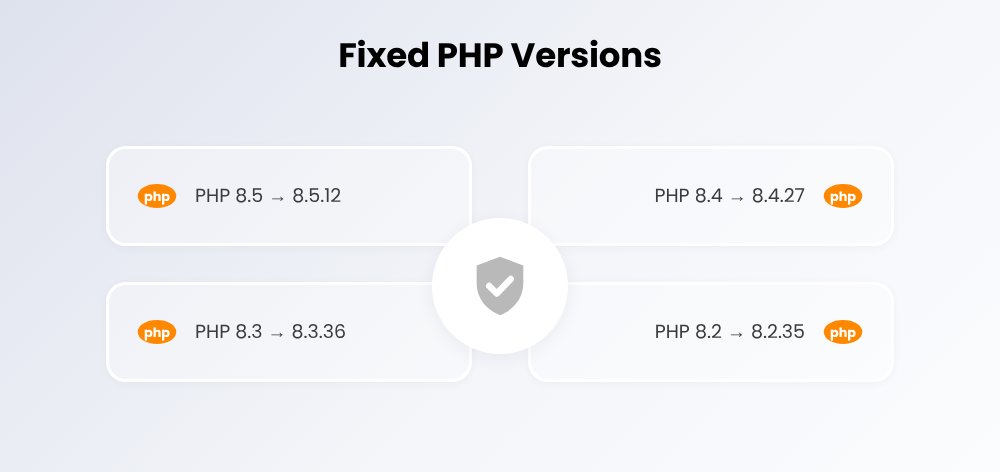
All PHP versions before the following releases are vulnerable:
PHP branch | Vulnerable | Fixed in | Status |
PHP 8.5 | 8.5.0 to 8.5.11 | 8.5.12 | Update available |
PHP 8.4 | 8.4.0 to 8.4.26 | 8.4.27 | Update available |
PHP 8.3 | 8.3.0 to 8.3.35 | 8.3.36 | Update available |
PHP 8.2 | 8.2.0 to 8.2.34 | 8.2.35 | Update available, end of life 31 Dec 2026 |
PHP 7.4, 8.0, 8.1 | All versions | No official release | Backport via distribution or LTS vendor |
PHP 7.3 and older | All versions | No fix | Upgrade or take offline |
Which server setups are at risk?
Every PHP installation that processes web requests is affected. The risk differs by server API (SAPI):
Setup | Risk | Reason |
Apache with mod_php | Highest | Full code execution with default settings, before application code runs |
PHP-FPM (Nginx or Apache proxy) | High | Code execution confirmed via application and session paths |
php-cgi, FrankenPHP, LiteSpeed | High | Explicitly named as at risk by the PHP security team |
Containers and Kubernetes | Depends on image | The old interpreter keeps running until the image is rebuilt and rolled out again |
Plesk, cPanel, managed hosting | Check with provider | Plesk rebuilt all bundled versions on 21 Oct, including 7.4, 8.0 and 8.1 |
What does PHP2Shell mean for TYPO3 websites?
TYPO3 itself needs no code fix. Every TYPO3 instance, however, inherits the risk of its PHP version. The TYPO3 version decides how far you can move PHP forward:
TYPO3 version | Minimum PHP | Recommendation |
TYPO3 v14 LTS | 8.2 | Run PHP 8.4.27 or 8.5.12, restart every worker |
TYPO3 v13 LTS | 8.2 | Update to a patched PHP 8.2, 8.3 or 8.4 |
TYPO3 v12 (ELTS) | 8.1 | Move from PHP 8.1 to a patched 8.2 or 8.3, plan the upgrade to v13 or v14 |
TYPO3 v11 (ELTS) | 7.4 | Often runs on PHP 7.4 to 8.1 without an official fix: use a backport, plan an upgrade |
TYPO3 v10 and older | 7.2 | No supported PHP version left: isolate the site and upgrade TYPO3 |
Find your current TYPO3 version quickly with the free TYPO3 Version Check. For older installations, our TYPO3 Upgrade Service helps. To learn what a TYPO3 security update is and how to keep TYPO3 up to date, read our article on TYPO3 security and maintenance.
Timeline: when did what happen?
Date | Event |
2024 | During the first external PHP audit, funded by Germany's Sovereign Tech Agency, a core developer finds first signs of the out-of-memory problem. |
11 Aug 2026 | Security firm Calif reports remote code execution with the same root cause; OpenAI reports it independently as well. |
24 Aug and 18 Sep 2026 | Wiz Research and OpenAI report further attack vectors. |
20 Oct 2026 | The CVE IDs leak. PHP pre-announces the emergency release and moves it forward by one day. |
21 Oct 2026, 07:43 UTC | Cloudflare observes first attack attempts. |
21 Oct 2026, 14:00 UTC | PHP 8.5.12, 8.4.27, 8.3.36 and 8.2.35 are released. The BSI issues a warning. |
22 Oct 2026 | watchTowr reports exploitation attempts in the wild. |
31 Dec 2026 | PHP 8.2 reaches end of life. |
How do you check whether your server is affected by PHP2Shell?
What matters is the PHP version your website serves. The command-line version can differ. Check it like this:
- In TYPO3: Admin Tools › Environment › PHP Info, or the system information menu at the top right of the backend.
- On the server:
php -vonly shows the CLI version. Also check withapachectl -M | grep phpwhether mod_php is loaded and withsystemctl list-units | grep fpmwhich PHP-FPM services run. - With your host: Ask for the exact PHP version and whether every PHP process was restarted after the update.
- Assess: If your version is below 8.5.12, 8.4.27, 8.3.36 or 8.2.35, the server is vulnerable. PHP 8.1 and older is always vulnerable without a backport.
Fix PHP2Shell: 5 steps
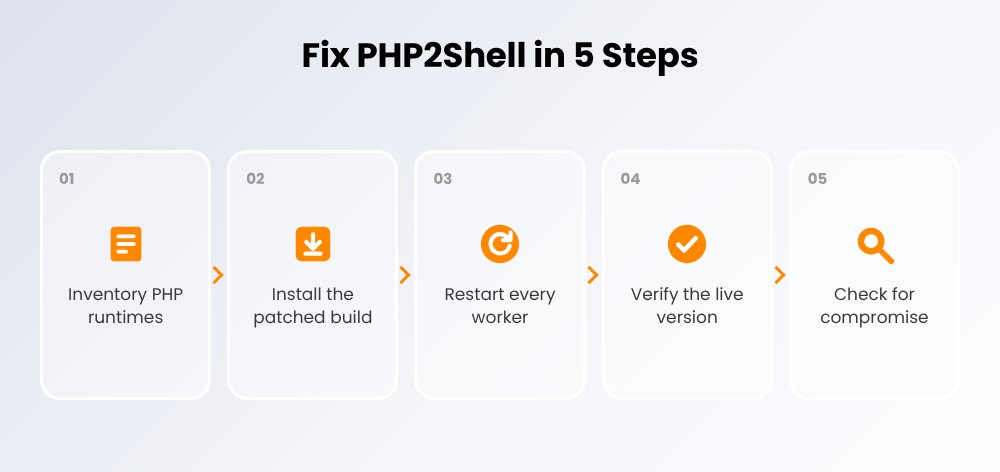
1. Inventory every PHP runtime
List all servers, vhosts, containers and appliances with PHP, including PHP in control panels and vendor products. Record the version and SAPI for each system.
2. Install the patched PHP version
Install PHP 8.5.12, 8.4.27, 8.3.36 or 8.2.35 from your distribution, your host or php.net. Debian, Ubuntu and Red Hat received the patch in advance. According to the PHP project, users of rpms.remirepo.net should switch to distribution packages or build from source.
3. Restart every worker
A running PHP-FPM master or Apache with mod_php keeps the old code in memory. Restart every PHP-FPM pool and the web server. Containers must be rebuilt and rolled out again.
4. Verify the live version
Open the website and confirm the new version in the TYPO3 environment module or via a temporary, protected info script that you delete afterwards.
5. Check for compromise
If the system was reachable from the internet unpatched since 20 October, check it for traces of an attack (see below) and rotate credentials.
What if you cannot update immediately?
The PHP security team lists interim mitigations. They reduce the risk but do not make the server safe. Set them in php.ini, the FPM pool or the web server configuration, not via ini_set() or .user.ini:
Mitigation | Targets | Side effect |
memory_limit = -1 (via php_admin_value) | CVE-2026-109618 | One request can use all memory; set a container or cgroup limit |
post_max_size = 8M (32M if uploads are needed) | CVE-2026-109618 | Large uploads fail |
Request limits at proxy or web server | CVE-2026-109618 | Limit body size, fields, headers and nesting |
session.upload_progress.enabled = 0 | CVE-2026-109619 | Upload progress bars stop working |
fatal_error_backtraces = 0 (PHP 8.5 only) | CVE-2026-109619 | No backtraces in fatal errors |
WAF rules, e.g. from Cloudflare | Both | Cover known attack paths, not every variant |
Was your server attacked via PHP2Shell?
Security teams advise treating every system that was reachable from the internet unpatched from 20 October onwards as potentially compromised until checked. On TYPO3 and other PHP websites, look for these signs:
- New or changed PHP files in writable folders such as fileadmin/, typo3temp/, uploads/ or var/
- Unusual multipart POST requests, bursts of HTTP 500 errors or crashed PHP workers (segfaults) in logs since 20 October
- New backend or system users, unknown cron jobs, SSH keys or outbound connections from the web user
- Differences between vendor/ or core files and composer.lock or a clean installation
After patching, rotate database passwords, API keys, SMTP credentials, the TYPO3 encryptionKey and active backend sessions. If personal data may have been accessed, the GDPR (Art. 33) requires notifying the supervisory authority within 72 hours.
Which configuration mistakes make attacks easier is covered in our article 12 TYPO3 security mistakes.
How NITSAN helps with PHP2Shell
NITSAN is a TYPO3 agency with offices in Dresden, Berlin and Viernheim, a Gold Member of the TYPO3 Association and has more than 20 TYPO3 developers on the team. We close PHP2Shell for organisations in Germany, Austria and Switzerland:
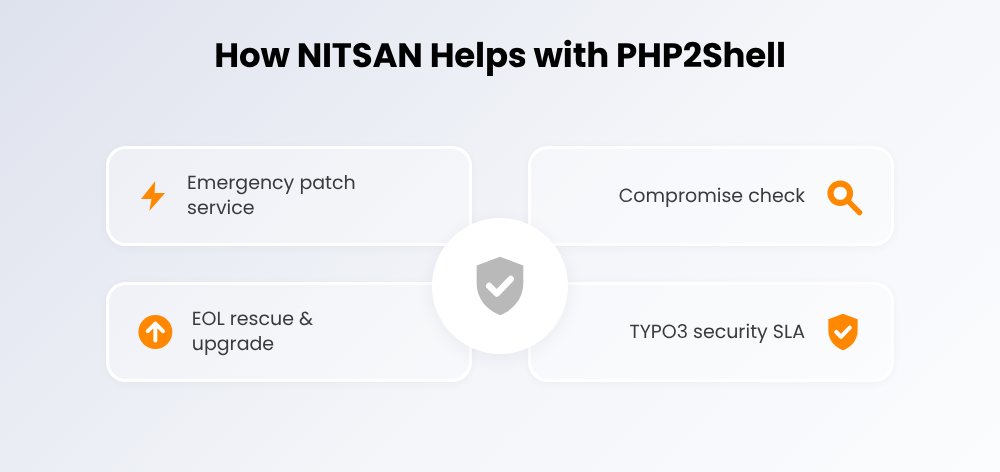
- Emergency patch service: PHP update on your servers or together with your host, restart of every worker, verification of the live version
- Compromise check: review of logs, files, users and cron jobs since 20 October, rotation of critical credentials
- EOL rescue and upgrade: backport path for PHP 7.4 to 8.1 and a safe upgrade to TYPO3 v13 or v14 LTS
- TYPO3 security SLA: planned PHP and TYPO3 updates, monitoring and fast response through our TYPO3 Support & Maintenance, from €149 per month
We handle PHP2Shell requests with priority. We review your request first, get back to you as quickly as possible and close the gap together with you or your host. Customers with a TYPO3 maintenance contract simply mention PHP2Shell in their support request.
Our PHP2Shell response process
Phase | Activities |
Intake | Short call, NDA on request, access to hosting or servers |
Exposure check | PHP version and SAPI for every vhost, container and bundled PHP installation |
Containment | php.ini mitigations, request limits and WAF rules if patching has to wait |
Patch and restart | Patched PHP builds or backports, restart of all pools, verification of the live version |
Compromise check | Logs, writable folders, users and integrity; rotation of credentials |
Report | Written summary for management, auditors or your insurer |
Prevention | Upgrade path, update plan and SLA for the next critical release |
Want PHP2Shell closed on your servers? Request priority help, email st@nitsantech.de or call Sven Thelemann directly: +49 351 48196661.
Conclusion
PHP2Shell is one of the most serious PHP security vulnerabilities in years. The flaws sit in the PHP core, affect every website running PHP and can be exploited without logging in. The only complete fix is an update to PHP 8.5.12, 8.4.27, 8.3.36 or 8.2.35, followed by a restart of every PHP process.
Systems on PHP 8.1 or older need a backport and an upgrade plan. Also check every unpatched, publicly reachable system for signs of an attack. With an experienced TYPO3 partner, you close the gap quickly and with full documentation. So that the next critical release is not another emergency, our TYPO3 maintenance contract handles PHP and TYPO3 updates on a schedule.
Sources
- PHP Foundation: Today's PHP Security Release
- php.net: Security advisory for CVE-2026-109618 and CVE-2026-109619
- BSI: PHP – critical vulnerabilities threaten web applications worldwide
- WordPress.org: Critical PHP Security Release
- Palo Alto Networks Unit 42: Threat Brief
- watchTowr: PHP2Shell FAQ
- Plesk: PHP2Shell in bundled PHP
Priority help with PHP2Shell
We handle PHP2Shell requests first and get back to you as quickly as possible. Free and without obligation.
FAQs about PHP2Shell
PHP2Shell is the collective name for CVE-2026-109618 and CVE-2026-109619, two critical use-after-free vulnerabilities in the PHP core rated CVSS 4.0 9.2. They let attackers run code without logging in on servers that process web requests with PHP. Fixes were released on 21 October 2026.
PHP 8.5.12, 8.4.27, 8.3.36 and 8.2.35. PHP 7.4, 8.0 and 8.1 get no official release, only backports via distributions, LTS vendors or minimal source patches from the PHP team. PHP 7.3 and older have no fix.
TYPO3 has no vulnerability of its own, but every TYPO3 website is exposed if its PHP version is vulnerable. Update PHP, restart every PHP process and check sites that still run on PHP 8.1 or older first.
No. According to the PHP security team, only an update is a complete fix. memory_limit = -1, a low post_max_size, disabled session upload progress and WAF rules reduce the risk but do not close every variant.
Check the PHP version your website actually reports and ask whether every PHP-FPM pool and web server was restarted. An updated package does not protect you while the old interpreter is still running in memory.
Typical signs are new PHP files in upload and cache folders, suspicious multipart POST requests and worker crashes in logs since 20 October, new backend users and changed core files. If in doubt, have experts review the system.
If personal data was or may have been accessed, the GDPR requires notifying the competent supervisory authority within 72 hours of becoming aware of it. Organisations covered by NIS2 may have further duties. Get legal advice.
NITSAN handles PHP2Shell requests with priority: we update PHP on your servers, restart every worker, check the system for attacks and, if needed, plan the upgrade of old PHP and TYPO3 versions. Use the priority help form on this page, email st@nitsantech.de or call +49 351 48196661.
Contact for Internet agency and TYPO3 projects
Sven Thelemann
Service Partner - Germany


Sven Thelemann
Client Service LeadSven Thelemann serves as the Client Service Lead at NITSAN, focusing on delivering TYPO3 solutions that meet client goals. With a strong understanding of technology and client expectations, he ensures smooth communication and project execution. Outside of work, Sven enjoys cycling and experimenting with homemade recipes.
Be the First to Comment