---
title: TYPO3 Guestbook Extension – Add a Guestbook to Your Website
url: "https://nitsantech.de/en/typo3-website-guestbook-utility"
description: Easily add a guestbook to your TYPO3 website using this free utility. Let your visitors leave comments and feedback with a simple setup.
image: "https://nitsantech.de/fileadmin/_processed_/a/c/csm_Typo3_Website_Guest_Book_utility_v2_70d83ca398.jpg"
author: Sanjay Chauhan - TYPO3 Technopreneur
date: 2019-10-04
modified: 2025-11-07
lastUpdated: 2026-02-25
categories:
- Extensions
---
# TYPO3 Guestbook Extension – Add a Guestbook to Your Website
TYPO3 Website Guestbook Utility
===============================
13 Aug 2019
[](https://nitsantech.de/en/blog/author/mihaela-angelova)
[Mihaela Angelova](https://nitsantech.de/en/blog/author/mihaela-angelova)
[ Extensions ](https://nitsantech.de/en/categories/extensions)
NS Guestbook extension is an open source TYPO3 guest book plugin with spam protection and many customization options. NS Guestbook gives functionality for your guests to share their reviews, ratings, contact details or personal details with experience sharing and much more.

Table of content
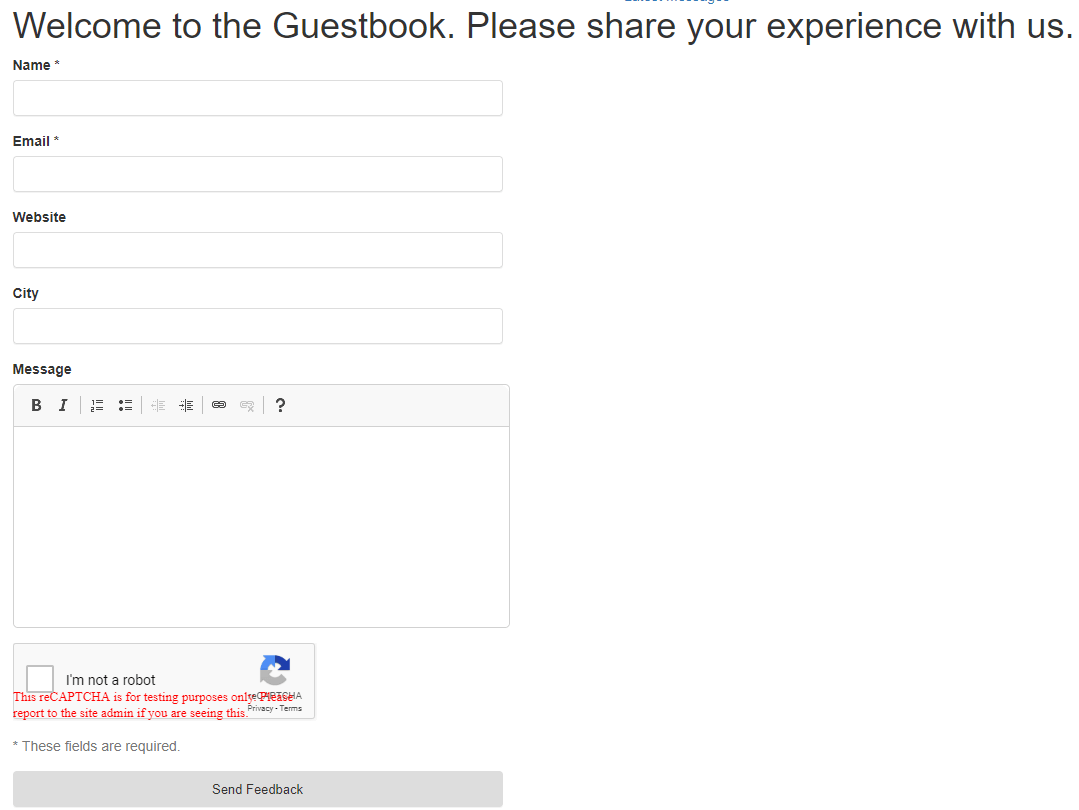
Guest user adds their details and can see all guest user’s guest book detail. Admin can see stories which are submitted by users in Guest book tab. Admin can edit, delete and published/unpublished guest entry. The feature of guest entry auto publish is configurable from the backend.
### **Key features of ns\_guestbook extension**
- Easy to install and easy to configure.
- Spam protection with captcha.
- Admin easy to manage the guest entry from the back-end.
- Responsive Design
- Ajax submit form
- Email notification
- Meta Fields
- Preview for the frontend form
- Preview for the admin editor form
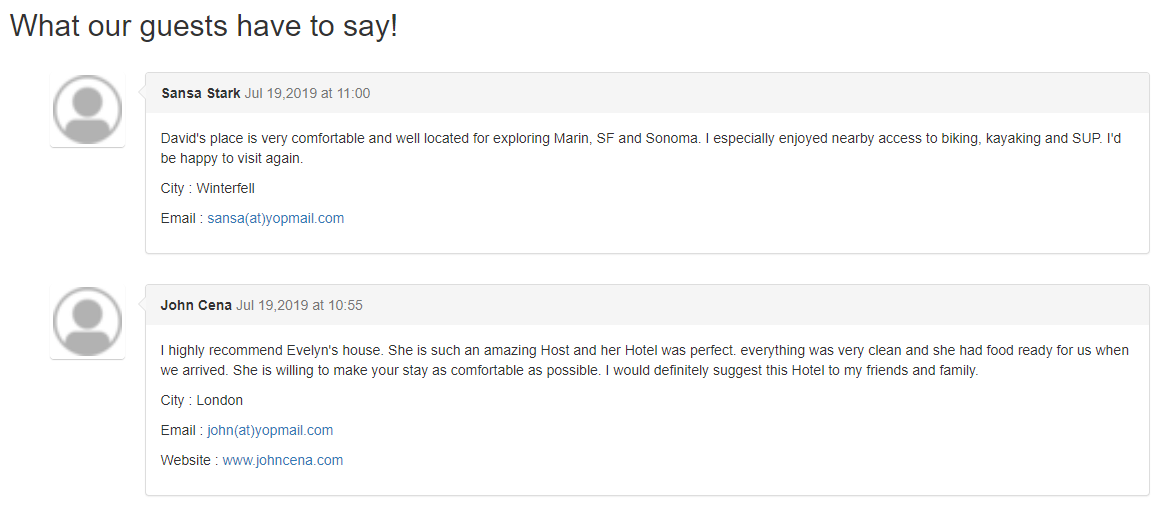
### Comments listing
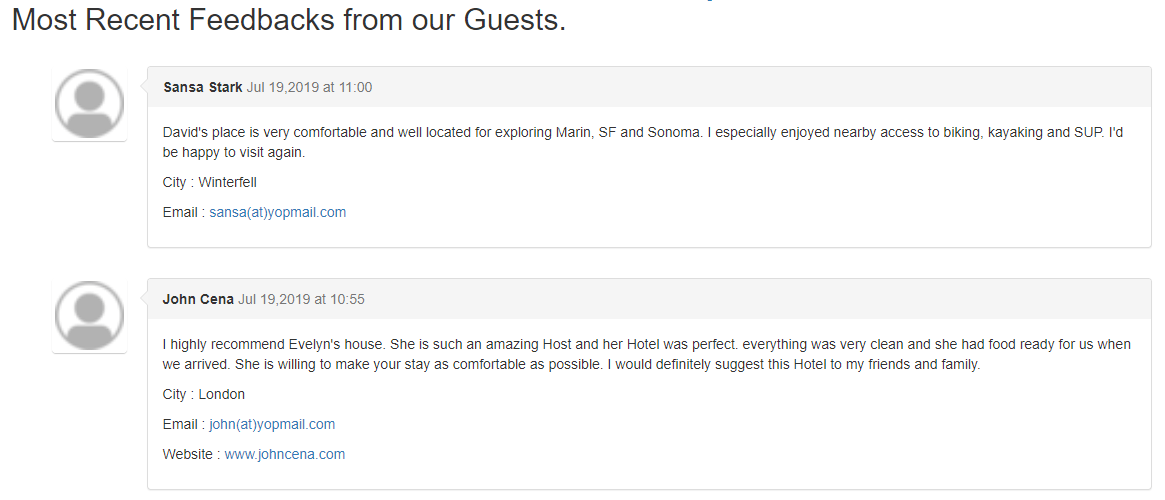
### Comments sorting with latest comments first
| Extension Key: | [ns\_guestbook](https://nitsantech.de/en/blog/typo3-extensions) |
|---|---|
| Extension URL: | [https://extensions.typo3.org/extension/ns\_guestbook/](https://extensions.typo3.org/extension/ns_guestbook/) |
| Support: | [github.com/nitsan-technologies/ns\_guestbook/issues](https://github.com/nitsan-technologies/ns_guestbook/issues) |
### 3.1 Get the extension via composer
Using the command line
```none
composer req nitsan/ns-guestbook
```
### 3.2 Get the extension
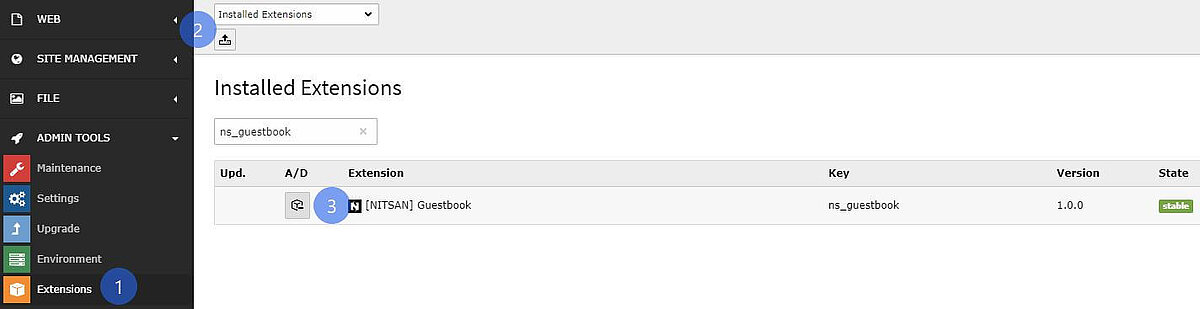
Step 1: Switch to the module “Extension Manager”.
Step 2: Get the extension
Get it from the Extension Manager: Press the “Retrieve/Update” button and search for the extension key 'ns\_guestbook' and import the extension from the repository.
Get it from typo3.org: You can always get the current version from [extensions.typo3.org/extension/ns\_guestbook/](https://extensions.typo3.org/extension/ns_guestbook/) by downloading either the t3x or zip version. Upload the file afterward in the Extension Manager.
### 3.3 Activate the TypoScript
The extension ships some static [**TypoScript**](https://nitsantech.de/en/typoscript-conditions-with-symfony-expression-language) code which needs to be included.
**Step 1:** Go to **Template** Module
**Step 2:** Switch to the **Root** page
**Step 3:** Select **Info/Modify** option from the drop-down
**Step 4:** Click on **Edit the whole template record** button
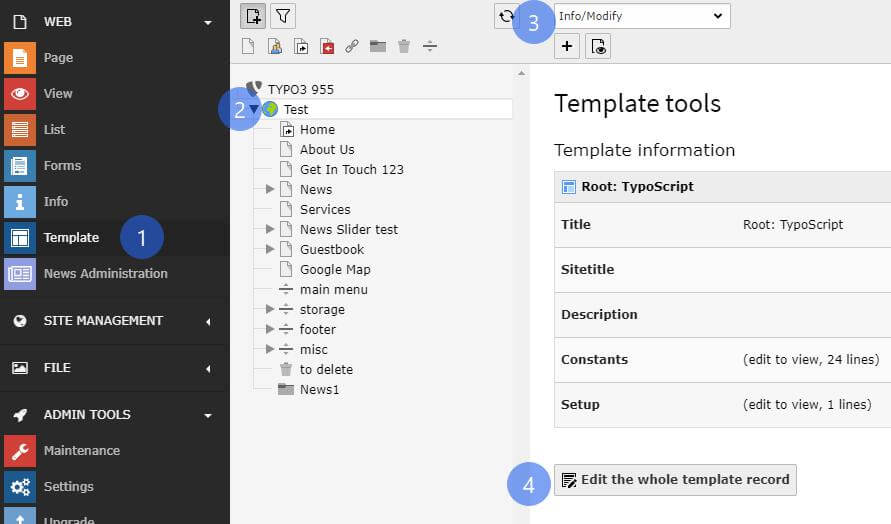
**Step 5:** Switch to Includes tab and add **\[NITSAN\] Guestbook(ns\_guestbook)**extension to Selected Items list in Include static (from extensions): section
![[NITSAN] Guestbook(ns_guestbook)](https://nitsantech.de/fileadmin/ns_theme_ns2019/blog/live/TYPO3_Website_Guestbook_Utility/TYPO3_Website_Guestbook_Utility_7.jpg "[NITSAN] Guestbook(ns_guestbook)")
### 3.4 Configuration
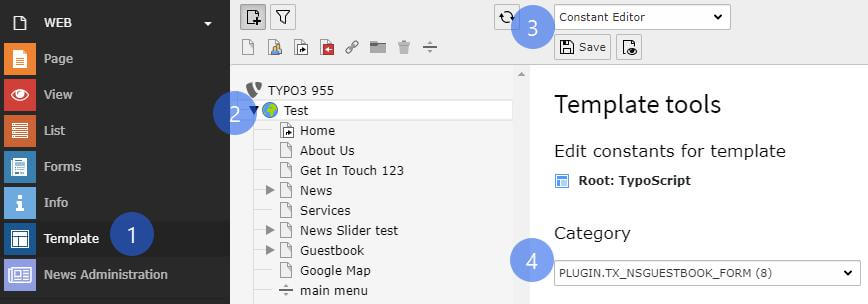
**Step 1:** Go to Template.
**Step 2:** Select root page.
**Step 3:** Select Constant Editor > Plugin.Tx\_NsGuestbook\_NsGuestbook.
**Step 4:** Now, you can configure all the options which you want eg., cache configuration, storage folder, views of comments etc., See below screenshot.
### 3.5 Add Guestbook plugins in backend
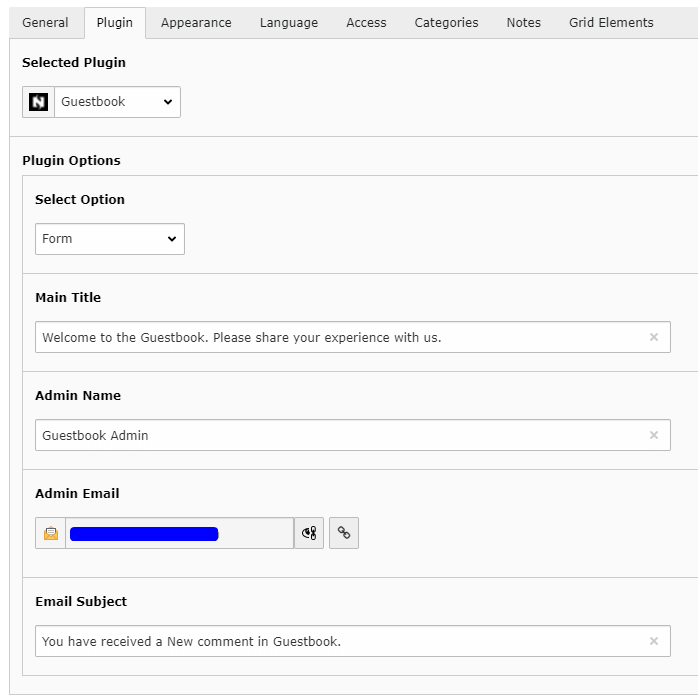
**Step 1:** Switch to page where you want to add Guestbook Form.
**Step 2:** Add Guestbook Plugin and select Form as Option.
**Step 3:** Set Title for Guestbook Form and E-Mail related details. See Below.
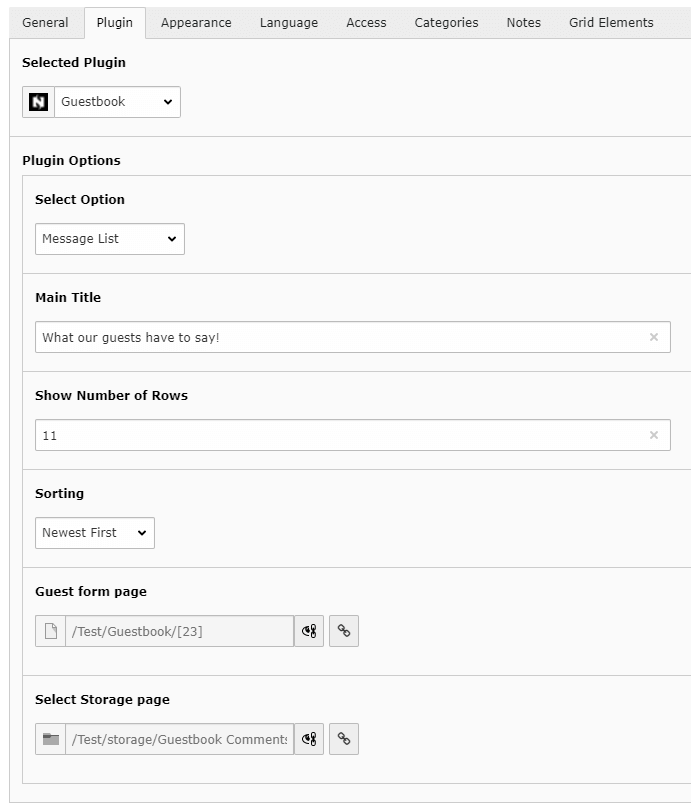
**Step 4:** Switch to page where you want to display a list of Messages from guests.
**Step 5:** Add Guestbook Plugin and select Message List as Option.
**Step 6:** You can set heading for the list, No. of messages to display, sorting of messages in this plugin.
In case you encounter any issues or not working, then please use the buttons ‘Flush frontend caches’ and ‘Flush general caches’ from the top panel. The ‘Clear cache’ function of the install tool will also work perfectly.
- **Support:** You could report any issues/problems at Github - [https://github.com/nitsan-technologies/ns\_guestbook/issues](https://github.com/nitsan-technologies/ns_guestbook/issues)
- **Website:** [https://nitsantech.de/](https://nitsantech.de/en/)
Just download & try our [ns\_guestbook ](https://extensions.typo3.org/extension/ns_guestbook/)extension. You can write down your feedback/suggestion/comments to below comment box and help us to do better! If you’re looking for expert help with setup or customization, our [**TYPO3 Agency**](https://nitsantech.de/en/typo3-agency) can assist you in getting the most out of it.

### Mihaela Angelova
Project Manager
- [](https://www.linkedin.com/in/mihaela-n-angelova/ "linkedin")
Mihaela keeps technology projects on track and ensures to meet business goals. She specializes in coordinating teams, optimizing workflows, and delivering projects. At NITSAN, she works closely with clients to transform ideas into actionable solutions. Outside of work, she enjoys exploring new hiking trails.
Comments and Responses
----------------------
Thank you for your comment. Your Comment Added Successfully.
Thank you for your comment. Your Comment Will Be Visible After Approval.
Oops! Something went wrong, please try again later.
##### **Be the First to Comment**
### Related Blogs
[ 
#### TYPO3 Extensions Developed & Managed by NITSAN
](https://nitsantech.de/en/blog/typo3-extensions)
[ 
#### How to Install and Uninstall TYPO3 Extensions?
](https://nitsantech.de/en/blog/how-to-install-and-uninstall-typo3-extensions)