---
title: "TYPO3 v13 Upgrade Checklist: What to Prepare Before You Start"
url: "https://nitsantech.de/en/blog/typo3-v13-upgrade-checklist"
description: A practical TYPO3 v13 upgrade checklist for agencies and teams. Learn what to prepare, what breaks, and how to reduce upgrade risk early.
image: "https://nitsantech.de/fileadmin/_processed_/4/e/csm_TYPO3-v13-Upgrade-Checklist_02cb6915a9.jpg"
date: 2026-02-03
modified: 2026-02-06
lastUpdated: 2026-02-25
keywords:
- typo3 v13
- typo3 v13 upgrade
- typo3 upgrade
- typo3 v13 LTS
- typo3 v13 LTS upgrade
- typo3 LTS
- typo3 LTS upgrade
categories:
- Upgrade
---
# TYPO3 v13 Upgrade Checklist: What to Prepare Before You Start
TYPO3 v13 Upgrade Checklist: What to Prepare Before You Start
=============================================================
04 Feb 2026
[](https://nitsantech.de/en/blog/author/mihaela-angelova)
[Mihaela Angelova](https://nitsantech.de/en/blog/author/mihaela-angelova)
[ Upgrade ](https://nitsantech.de/en/categories/upgrade)
Moving to TYPO3 version 13 LTS is more than just a regular maintenance step. It is a fundamental upgrade that simultaneously changes extensions, custom code, templates, and backend workflows.
Table of content
Usually, treat it like a minor update will cause several unnecessary issues down the road. This checklist is meant to be a guide for [**TYPO3 agencies**](https://nitsantech.de/en/typo3-agency), freelancers, and in, house teams that require a high level of predictability in their long, running projects.
It is mainly concerned with what needs to be done before embarking on a [**TYPO3 v13**](https://nitsantech.de/en/blog/typo3-v13-lts) upgrade and is based on real delivery and support experience. The intention is to cut down the risk, not to provide an in, depth guide to the upgrade process.
Who This TYPO3 v13 Upgrade Checklist Is For (and Who Should Not Upgrade Yet)
----------------------------------------------------------------------------
TYPO3 v13 affects planning more than execution. This section helps you quickly decide whether this checklist matches your responsibility level and project reality, or whether upgrading now would introduce unnecessary risk.
The document does not present detailed procedures for upgrading TYPO3 or using the TYPO3 Upgrade Wizard.
The procedures should be performed after the team has determined which extensions will be used and how their custom code will be impacted and which elements will be included in the upgrade process.
### **TYPO3 Agencies Managing Client LTS Upgrades**
- Multiple client systems with different technical states
- Need to estimate effort before committing timelines
- Pressure to upgrade without breaking editor workflows
### **Freelance TYPO3 Developers Maintaining Multiple Installations**
- Projects with unclear ownership history
- Reliance on TER and custom extensions
- Limited buffer for failed upgrade attempts
### **In-House TYPO3 Teams with Long Project Lifecycles**
- Systems that have operated continuously for multiple years
- The organization has established procedures for releasing and approving projects
- The organization emphasizes compliance while maintaining predictable project outcomes
### **When You Should NOT Upgrade to TYPO3 v13 Yet**
- The core system functionality depends on extensions that no longer receive development support
- The system has extensive sections that lack proper documentation
- The organization has already established plans for major system redesigns and refactoring work
The TYPO3 v13 Evolution: What’s New for the Latest LTS
------------------------------------------------------
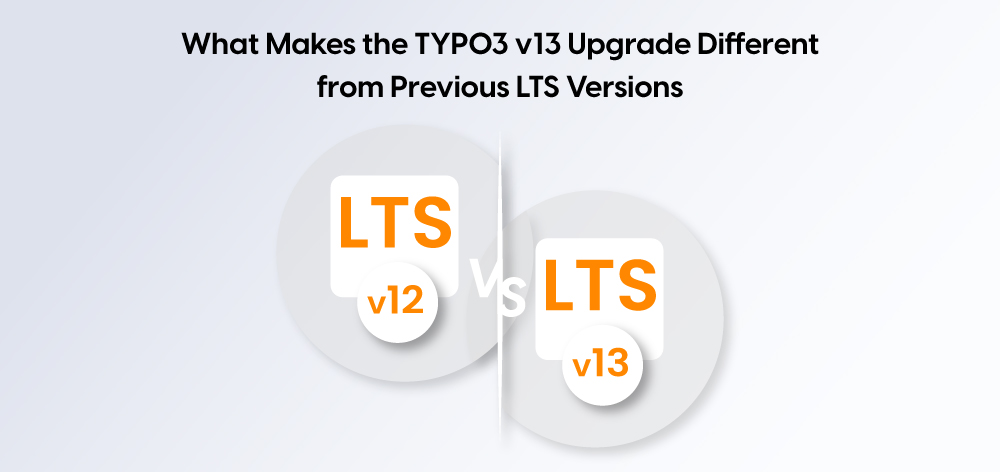
TYPO3 v13 is not a continuation of v12 with minor refinements. It closes long deprecation paths, tightens defaults, and exposes hidden technical debt that older projects could previously ignore.
### **TYPO3 v13 LTS Scope Compared to TYPO3 v12**
| **Area** | **TYPO3 v12 LTS** | **TYPO3 v13 LTS** | **Upgrade Impact** |
|---|---|---|---|
| Upgrade nature | Transitional LTS | Consolidation LTS | Higher preparation effort required |
| Deprecated APIs | Still available | Fully removed | Custom code must be reviewed |
| Extension tolerance | Lenient in many areas | Strict compatibility required | Unmaintained extensions fail fast |
| PHP requirements | Broad support | Narrower, enforced | Environment updates often required |
| Backend defaults | Backward-compatible | Stricter and cleaner | TCA and backend customisations break |
| Fluid rendering | Legacy patterns still work | Deprecated ViewHelpers removed | Templates require adjustment |
| Configuration handling | Forgiving | Explicit and validated | Hidden misconfigurations surface |
| Upgrade experience | Incremental | Structural | Planning matters more than execution |
*Removed APIs, deprecated features, and stricter defaults are not isolated changes in TYPO3 v13, they compound. Issues rarely appear one by one.*
### **Why Small Upgrade Thinking Causes Big Project Delays**
A lot of TYPO3 v13 upgrades fail because the planning is based on old LTS versions. Version 13 acts differently and shows problems sooner.
- **Assuming Extensions Will Just Work**
Extensions that seemed fine on v12 might use APIs that have been removed. These issues appear after the upgrade, not when you're planning.
- **Underestimating Custom Code**
Custom code might compile, but break when you run it because of stricter rules.
- **Skipping Editor Testing**
The site might look okay, but editors could lose access to needed functions. These problems show up late and mean you have to redo tasks.
- **Ignoring Old Config Issues**
TYPO3 v13 checks things more closely. Bad TypoScript or site settings that were ignored before can now stop the upgrade.
Thinking of TYPO3 v13 as a normal update moves the risk to the most costly time: after the upgrade starts.
Getting Your Site Ready for TYPO3 v13
-------------------------------------
The majority of upgrade issues for TYPO3 version 13 appear because upgrades begin without proper understanding of requirements. The checklist aims to create technical proof through early testing which enables development work to be performed at lesser expense.
### **Establishing a Clean TYPO3 Project Baseline**
The system requires a trustworthy system snapshot before users can start compatibility testing and development planning.
#### **TYPO3 Version, PHP Version, and Environment Inventory**
This step establishes the precise technical starting point. The entire planning process becomes uncertain without this information.
- Exact [**TYPO3 version**](https://nitsantech.de/en/blog/check-typo3-version) and patch level
- Current PHP version and target PHP version for v13
- The three environments display different features between local and staging and production environments.
The minor discrepancies at this stage create actual problems which result in "unreproducible" upgrade issues.
#### **Active Extensions, Site Packages, and Custom Code Overview**
Understanding what actual production systems run is more important than knowing what systems exist.
- The comparison shows which extensions exist now and which ones have become obsolete.
- Custom site packages and overridden core functionality
- The system has active extensions which do not appear to users.
Unused or forgotten components are common upgrade blockers.
### **TYPO3 Extension Compatibility Check for v13**
The scope of the upgrade process depends on extension requirements. Core functions of TYPO3 operate with predictable behavior while extension functions remain unpredictable.
#### **How to Verify TYPO3 v13 Extension Compatibility Properly**
Version numbers do not provide complete information about compatibility assessments.
- Check declared TYPO3 v13 support from the maintainer
- Review recent commits or release activity
- Scan for deprecated API usage in custom extensions
The absence of communication from a maintainer serves as a signal which conveys information about their status.
#### **Free TER Extensions vs Maintained Commercial Extensions**
- The difference is not price, but responsibility.
- TER extensions may lag behind core changes
- Commercial extensions usually define upgrade timelines
- Long-term projects need projects need predictable maintenance
Neither option is inherently wrong, but the risk profile is different.
#### **Common Extension-Related Upgrade Failure Patterns**
Certain problems repeat across projects.
- Extensions depending on removed hooks or APIs
- Hidden dependencies between unrelated extensions
- Backend-only extensions fail to execute any operations
The issues will appear at a later time unless we find them during the initial stage.
### **Reviewing Custom TYPO3 Extensions and Overrides**
Custom code is the point at which TYPO3 version 13 becomes either affordable or unaffordable for users.
#### **High-Risk Areas in Custom TYPO3 Code During v13 Upgrades**
Specific components within TYPO3 projects demonstrate increased vulnerability toward modifications.
- Extbase controllers use outdated functions through their deprecated APIs
- Backend modules and FormEngine custom logic of FormEngine
- Developers employ core class overrides and XCLASS as their method to extend class functionality
Expect time delays to occur when these areas remain undocumented.
#### **When Refactoring Is Safer Than Quick Fixes**
Long-term maintenance expenses grow because organizations implement temporary solutions.
- Technical debt accumulates through the installation of temporary compatibility patches
- Refactoring aligns code with current TYPO3 standards
- The process of cleaning code leads to simpler upgrades for future LTS versions
The period after TYPO3 v13 release represents an appropriate time for selective system cleanup.
#### **Decision Point: Update, Replace, or Remove Custom Extensions**
Every custom extension should justify its existence.
- Update the feature when its business function serves as a fundamental element of your organization.
- Replace the existing system with a maintained alternative that exists in the market.
- Remove the feature from the system because its usage patterns remain either limited or ambiguous.
The decision leads to a reduction in upgrade requirements which exceeds the benefits obtained from technical advancements.
Upgrade Risk vs Business Value – A Practical Rule of Thumb
----------------------------------------------------------
Not every extension or custom feature deserves the same effort during a TYPO3 v13 upgrade. Decisions should be based on business value and long-term maintenance cost, not historical effort.
| **Business Value** | **Upgrade Effort** | **Recommended Action** |
|---|---|---|
| High | Low–Medium | Update and keep |
| High | High | Refactor selectively |
| Low | High | Remove |
| Low | Low | Defer or drop |
This matrix helps reduce scope early. Carrying low-value, high-effort components into TYPO3 v13 increases risk without improving system stability or editor experience.
TYPO3 v13 Frontend and Template Upgrade Considerations
------------------------------------------------------
In TYPO3 v13, frontend errors don't usually crash things. Instead, they cause small rendering problems that you only notice when content editors start using the system.
### **Fluid Template Changes in TYPO3 v13**
TYPO3 v13 wants Fluid to be used in a cleaner way and gets rid of old, outdated methods. Templates that used to be okay in older versions might now fail or act weird.
#### **Outdated ViewHelpers and Namespace Changes**
Old ViewHelpers and implied namespaces aren't allowed anymore.
- Removed or renamed ViewHelpers mess up rendering.
- Implied namespace resolution causes errors.
- Old template logic shows up when you upgrade.
These problems are easy to miss if you don't check your templates carefully.
#### **Custom Fluid Extensions and Rendering Risks**
Custom ViewHelpers make upgrades more tricky.
- Close ties to internal APIs.
- Not enough testing in many projects.
- Rendering problems often only show up in rare cases.
Custom Fluid code should be looked at early, not after the site is live.
### **TypoScript and Site Configuration Tweaks**
TYPO3 v13 checks your settings more strictly. Things that were ignored before now cause warnings or failures.
#### **Old TypoScript Includes and v13 Compatibility**
Old TypoScript methods create hidden problems.
- Outdated includes still in site packages.
- Core defaults overwritten without any notes.
- Settings spread across many files.
Cleaning this up makes future upgrades easier.
#### **Site Configuration Validation Issues**
Site configuration is less forgiving in TYPO3 v13.
- Bad or incomplete settings fail quickly.
- Values that are different depending on the environment cause problems.
- Errors show up during the upgrade, not while the site is running.
It's easier to fix validation problems before you start the upgrade.
Backend, Editor, and Workflow Changes After Upgrading to TYPO3 v13
------------------------------------------------------------------
Backend changes in TYPO3 v13 are easy to underestimate. Most issues do not stop the system from running, but they disrupt daily editor work and surface only after the upgrade is considered “done”.
### **TYPO3 Backend UI and How TCA Behaves**
TYPO3 v13 has tougher rules for how the backend is set up and how TCA is defined. If you've done things that depended on the system being flexible, you might see errors or confusing stuff for editors.
#### **Changes to Custom Backend Layouts and FormEngine**
- If you've made changes to the backend layouts or FormEngine, watch out, because these are easily messed up by internal changes.
- Layouts might not look right, field groups could break, and logic that depends on certain conditions might not work. A lot of times, these issues only show up with specific content types too.
#### **Checking Permissions and Roles After Upgrading**
- TYPO3 v13 is clearer about how permissions work.
- Editors might not be able to get to things they used to, or they might see options that don't make sense anymore. Make sure you look over the role settings before letting editors start working again.
### **Checklist for Testing Editor Workflows in TYPO3 v13**
You need to really test how editors do their work. Just doing tech checks won't find most of the real problems.
#### **Creating Content, Translating, and Publishing**
- Create, edit, translate, and publish content like editors normally would.
- Problems often pop up with how languages are handled, how workspaces are used, or how previews look, instead of just basic content editing.
#### **Finding Backend Problems That Don't Show Errors**
- Some backend problems don't give you an error message.
- Buttons might stop working, fields might not save right, or things might fail without telling you. These issues can be costly if you find them late, so it’s good to find them when testing before release.
TYPO3 v13 Upgrade Strategy: Environment Setup and Scope Decisions
-----------------------------------------------------------------
A TYPO3 v13 upgrade succeeds or fails based on preparation and scope control. Environment setup and feature decisions must be resolved before any technical work begins.
### **Why You Should Never Upgrade TYPO3 v13 Directly on Production**
- Production upgrades hide problems until rollback is difficult.
- Configuration differences, data issues, and editor workflow failures surface late and increase downtime risk.
### **Recommended TYPO3 v13 Upgrade Environment Setup**
A dedicated upgrade environment is mandatory.
#### **Database, File System, and PHP Version Parity**
- The upgrade environment must mirror production.
- Any mismatch reduces the reliability of testing results.
#### **Rollback and Recovery Planning**
- Every upgrade needs a defined exit path.
- Rollback planning should exist before the first upgrade step.
### **Evaluating Extension Value vs Upgrade Risk**
- TYPO3 v13 forces prioritisation.
- Low-value or poorly maintained extensions increase upgrade effort without clear benefit.
### **When Custom TYPO3 Development Is No Longer Worth Maintaining**
- Custom code often carries hidden cost.
- If maintenance effort outweighs business value, removal is usually the safer option.
### **Where Reusable TYPO3 Building Blocks Reduce Upgrade Effort**
- Reusable, maintained components simplify LTS upgrades.
- They reduce validation effort and long-term risk.
### **Situations Where Extension-Based Solutions Are the Wrong Choice**
- Extensions are not always appropriate.
- Temporary or highly specific functionality may not justify added dependencies.
Common TYPO3 v13 Upgrade Mistakes Seen in Real Projects
-------------------------------------------------------
| **Mistake** | **What Usually Happens** | **Resulting Impact** |
|---|---|---|
| Relying only on TYPO3 core documentation | Project-specific extensions and custom code are not reviewed | Hidden breaking changes appear late |
| Underestimating extension dependency chains | One incompatible extension blocks multiple features | Upgrade scope expands unexpectedly |
| Skipping editor acceptance testing | Backend issues go unnoticed until editors return | Productivity drops after release |
| Missing documentation for future LTS upgrades | Decisions made during v13 are not recorded | Next upgrade becomes slower and riskier |
This pattern repeats across agency, freelance, and in-house TYPO3 projects.
TYPO3 v13 Readiness Assessment
------------------------------
Before planning timelines or budgets, check whether your [**TYPO3**](https://nitsantech.de/en/blog/typo3) project is actually ready for a v13 upgrade.
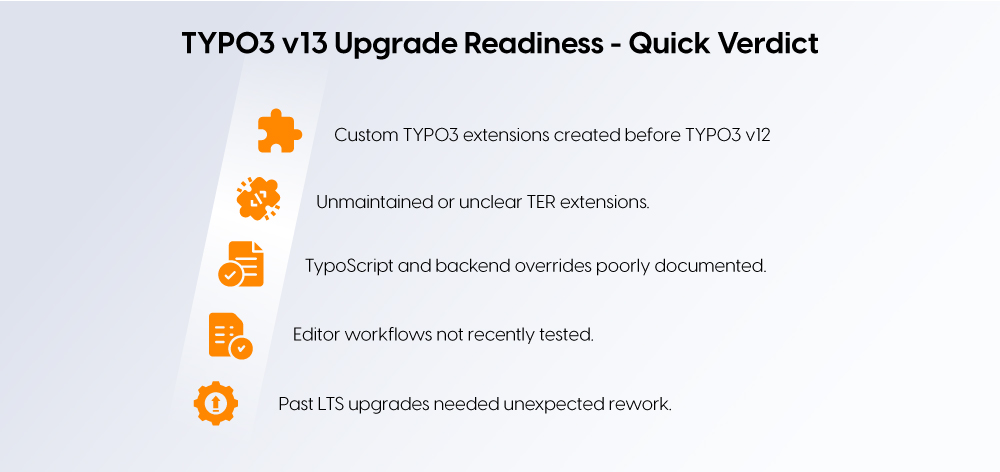
If **two or more** of the following statements apply, preparation work is required before starting the upgrade:
- The project uses **custom** [**TYPO3 extensions**](https://t3planet.de/en/typo3-extensions) created before TYPO3 v12
- One or more **TER extensions are unmaintained or unclear in ownership**
- TypoScript, backend layouts, or overrides are **poorly documented**
- Editor workflows have **not been tested recently**
- Previous LTS upgrades required unexpected rework or rollback
Projects that match these conditions usually fail not during execution, but during late-stage testing. Addressing them early reduces risk, effort, and upgrade delays.
Conclusion
----------
Upgrading to TYPO3 v13 LTS is not about following a checklist step by step. It is about making the right decisions early, around extensions, custom code, and upgrade scope, so the technical work stays predictable.
If you are planning a TYPO3 v13 upgrade and want to reduce risk before committing time or budget, use this checklist as a baseline. Review your system honestly, document decisions, and address weak points before starting. A controlled upgrade always costs less than fixing problems after release.
If your TYPO3 project has unclear extension ownership, legacy custom code, or long upgrade cycles, review your upgrade readiness now. Clarifying these points early is the fastest way to avoid delays during the [**TYPO3 upgrade**](https://nitsantech.de/en/services/typo3-upgrade-service).
FAQs
----
Is TYPO3 v13 LTS stable enough for production projects?
Yes. **TYPO3 v13 LTS is production-ready** when extensions and custom code are compatible. Stability depends on preparation, not the core itself.
How long does a typical TYPO3 v13 upgrade take?
A **TYPO3 v13 upgrade usually takes a few days to several weeks**. The timeline depends on extension health and custom code, not site size.
Are free TYPO3 TER extensions safe to use with v13?
They can be. **Free TER extensions are safe if actively maintained and v13-compatible**. Unmaintained extensions are the real risk.
Should agencies upgrade all clients to TYPO3 v13 immediately?
No. **Upgrades should be prioritised**, not forced. Client readiness and support timelines matter more than version number.
Does TYPO3 v13 reduce long-term maintenance effort?
Yes, if legacy code is cleaned up. **TYPO3 v13 simplifies future LTS upgrades** when outdated extensions are removed or updated.

#### Contact for project management and team coordination
#### Mihaela Angelova
Project Manager - Germany
[ mihaela@nitsantech.de ](mailto:mihaela@nitsantech.de) [ +49 30 914 555 10 ](tel:493091455510)

### Mihaela Angelova
Project Manager
- [](https://www.linkedin.com/in/mihaela-n-angelova/ "linkedin")
Mihaela keeps technology projects on track and ensures to meet business goals. She specializes in coordinating teams, optimizing workflows, and delivering projects. At NITSAN, she works closely with clients to transform ideas into actionable solutions. Outside of work, she enjoys exploring new hiking trails.
Comments and Responses
----------------------
Thank you for your comment. Your Comment Added Successfully.
Thank you for your comment. Your Comment Will Be Visible After Approval.
Oops! Something went wrong, please try again later.
##### **Be the First to Comment**
### Related Blogs
[ 
#### TYPO3 Update 13: What Does This Mean for Agencies?
](https://nitsantech.de/en/blog/typo3-13-update-for-agencies)
[ 
#### TYPO3 Upgrade Guide 2026: Update or Relaunch to v14?
](https://nitsantech.de/en/blog/typo3-update-upgrade)