---
title: "TYPO3 Upgrade Vs TYPO3 Relaunch: What's the best option?"
url: "https://nitsantech.de/en/blog/typo3-upgrade-typo3-relaunch"
description: "TYPO3 Upgrade or TYPO3 Relaunch? Confused between the two of the options? We feel you.
TYPO3 Upgrade and TYPO3 Relaunch a TYPO3 website seems similar but holds a lot of differences between the two."
image: "https://nitsantech.de/fileadmin/_processed_/d/3/csm_TYPO3_update_or_relaunch-100_c3d02a1288.jpg"
date: 2021-04-14
modified: 2025-12-05
lastUpdated: 2026-02-26
keywords:
- TYPO3 Upgrade
- TYPO3 Update
- TYPO3 Relaunch
- TYPO3 website development
- TYPO3 Upgrade vs TYPO3 relaunch
- TYPO3 upgrade or TYPO3 relaunch
- TYPO3 upgrade 10
- "typo3 upgrade
typo3 update"
- typo3 updates
- update typo3
- "typo3 aktuelle version
typo3 update 10 auf 11
typo3 update kosten
typo 3 update
typo3 aktualisieren
Typo3 agency
typo3 Update 9 to 10"
categories:
- Upgrade
---
# TYPO3 Upgrade Vs TYPO3 Relaunch: What's the best option?
TYPO3 Update or Relaunch: Which Path to Choose?
===============================================
11 Mar 2025
[](https://nitsantech.de/en/blog/author/mihaela-angelova)
[Mihaela Angelova](https://nitsantech.de/en/blog/author/mihaela-angelova)
[ Upgrade ](https://nitsantech.de/en/categories/upgrade)
Confused between a TYPO3 upgrade and a TYPO3 relaunch? Deciding between these two options can be challenging. While an upgrade and a relaunch may seem similar, the two have significant differences.
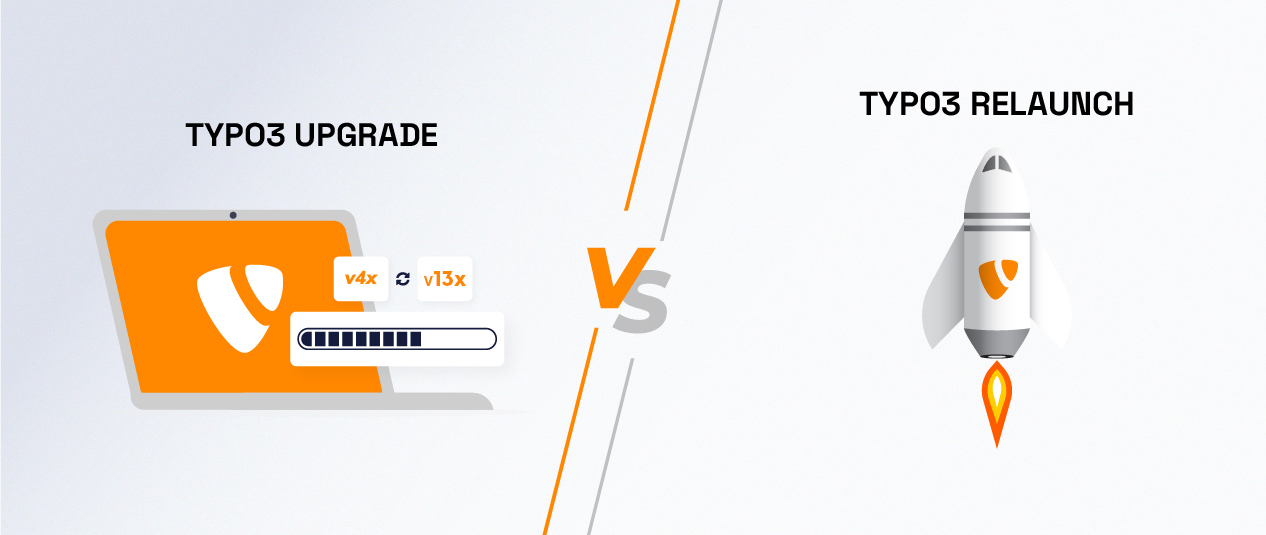
Table of content
Many TYPO3 Agency and developers consider an important question. They should choose a TYPO3 update or a TYPO3 upgrade. This is an important decision. NITSAN has many years of experience with TYPO3 development.
We have developed many [**TYPO3 websites**](https://nitsantech.de/en/blog/typo3-website) and upgraded from TYPO3 update v10 to 11, TYPO3 update v11 to 12. This article will help you decide what is better for your TYPO3 site: an update or a relaunch.
By the end of this article, you will know about **upgrades** and **relaunches**.
Ready to dive in? Let's go!
According to recent research, regularly maintaining your website can significantly help your sales. Those who upgraded their sites from older TYPOP3 versions to the latest version saw the following benefits,
- 55% more visitors
- 97% more inbound links
- 434% more indexed pages
That's a good boost for a small investment. Isn't it?
[via GIPHY](https://giphy.com/gifs/Skilli-World-level-up-skillup-skilli-JqIrxIRLrxx0NHxMDI)
There are many reasons to keep your TYPO3 website updated. Here are a few important ones, especially for a TYPO3 relaunch:
- **Security enhancements:** Regularly updating TYPO3 to a newer version protects your website from new versions of security vulnerabilities. Each new version of TYPO3 includes security fixes that protect you from vulnerabilities.
- **Better Speed:** The updates with TYPO3 often have performance improvements as well, as every version gets better with efficiencies. Better speed improves the website's usability and can improve your search engine ranking.
- **New features and functionalities:** Updates bring new features that can expand what your website can do. You will have access to the latest tools and technologies by staying updated.
- **Compatibility:** Updating TYPO3 reduces the risk of incompatibility with the latest web technologies and third-party extensions or plugins. Staying current with TYPO3 ensures the extensions won't break and that your website functions normally.
- **Bug fixes:** All updates with content management systems come with an update for known bugs. If you stay current on updates, it will continually reduce your problems and improve website stability.
- **Support:** Older versions of TYPO3 eventually lose official support. Therefore, if you need help with TYPO3, having the new version, ensure you still have access to support and resources if something goes wrong.
Selecting between an update and a launch is a critical decision regarding the performance and sustainability of your website. Below you will find a breakdown of the most important distinctions so that you can make an informed decision.
A relaunch is best when your website's design, usability, or functionality needs a big change. It is also required when outdated content or structure hinders your work.
Not sure of your TYPO3 version?
Check it now and take action.
-------------------------------------------------------------
Your TYPO3 Version:13.4
Congratulations, your TYPO3 system is up to date with version 13! We would be happy to take over the maintenance and installation of regular system and security updates for you. [Contact us](https://nitsantech.de/en/inquire) now for a non-binding and individual offer!
Your TYPO3 Version:
With **TYPO3 version 12** you still have some time until support ends at the end of **April 2029**. Nevertheless, we recommend upgrading to the latest version 13 to keep your system up to date. You will also benefit from the latest TYPO3 functions. We would be happy to check your system for the possibility of an upgrade. [Contact us](https://nitsantech.de/en/inquire) now for a non-binding and individual offer!
You don't have a TYPO3 system or we can't identify your version.[ Contact us](https://nitsantech.de/en/inquire) for an individual review of your system and a non-binding initial consultation on your TYPO3 upgrade. The upgrade is particularly critical for TYPO3 systems that are older than version 8, as the lack of further development and support can lead to acute security gaps. Let's plan your next upgrade together!
Please enter a valid domain
Deciding whether to update TYPO3 or do a complete relaunch can be tough for many organizations. Each has its short and long-term advantages, as well as disadvantages. In this guide, we will find the best solution to your needs and your goals.
Here are several comparisons that will help you better determine what is better suited for your website:
### Update TYPO3 v10 to v11 or TYPO3 v10 to v13
If you are upgrading from an old version, like [**TYPO3 v12**](https://nitsantech.de/en/blog/typo3-v12) to **v13**, it is best to relaunch your **TYPO3 website fully**. A re-launch ensures that your website is technically future-proof, stable, and up to date. The following reasons speak for this:
- **Outdated template structure:** older templates can be damaged during the upgrade. A TYPO3 relaunch ensures a clean, modern implementation according to current design and system standards.
- **Extension compatibility:** Many extensions used in the old version may not be available or updated anymore.
- **Change in the business:** A relaunch can help add new functions and content effectively if your business model changes.
The internet is fast-paced, and outdated websites can easily fall behind. If your website relies on old HTML or does not work well on mobile, a TYPO3 relaunch would meet your needs.
- **Modern design:** Update your website with a design that is suitable when compared to popular styles today.
- **Newest version:** Take advantage of the newest functionality with the latest security updates for maximum performance.
- **Mobile-friendly:** Ensure your site works and looks great on all devices, whether it is a desktop or a smartphone.
- **SEO boost:** A modern website with a content management system can help improve your search engine ranking. This makes it easier for customers to find you.
- **Affordable:** You can choose a complete relaunch with a fresh design using the latest templates, keeping costs low.
Creating an exceptional user experience can significantly increase conversion rates and demonstrate your commitment to representing your brand. Redesigning and rebuilding your website can achieve this.
We recommend a TYPO3 relaunch to design your ideal website to the latest coding standards, significantly improving seo. This approach ensures you utilize the latest [**TYPO3 extensions**](https://nitsantech.de/en/blog/typo3-extensions) and benefits to improve functionality and usability.
If your [**TYPO3 extensions**](https://t3planet.de/en/typo3-extensions) are incompatible or not maintained, you do not have to update or restart your website. Simply back up the data and switch to an alternative extension or have it updated by a TYPO3 service.
However, if the most important core extensions or template frameworks no longer work and must be replaced, you should opt for a [**TYPO3 upgrade**](https://nitsantech.de/en/services/typo3-upgrade-service) without hesitation.
This will help ensure your website is still running and maintained with the latest CMS updates. Using the right TYPO3 plugins and extensions is vital for managing your website's performance and security.
If your hosting provider has ended the support of your TYPO3 version or PHP version, it is time to take action. If your system is still somewhat recent, an upgrade may be reasonable, as your performance and security will improve.
If your system is not recent, it is advisable to stage a complete TYPO3 relaunch with a new design and the latest version. This ensures that your site works well with the latest PHP standards. It also enhances your site's functionality and user-friendliness. This is very important for businesses.
An up-to-date system protects against problems and guarantees smooth operation and better support from your hosting provider.
When [**TYPO3 LTS**](https://nitsantech.de/en/blog/typo3-roadmap) **support** expires, you should consider TYPO3 **Extended Long Term Support (ELTS)** for another three years. After TYPO3 ELTS expires, it is wise to upgrade TYPO3. This helps fix compatibility issues, adapt to modern trends, and improve security.
While a **TYPO3 relaunch** is an option, it can be more costly. A CMS upgrade will keep your site up-to-date, secure, and fully functional.
Curious about the costs for your TYPO3 upgrade? We provide you with the answer!
-------------------------------------------------------------------------------
Security is very important for your website. Your data, clients, and visitors are all part of your business. With this in mind, [**TYPO3 security**](https://nitsantech.de/en/blog/typo3-security) teams are always upgrading security with continuous releases of updates.
You won't encounter security issues if you keep updating and taking the necessary actions. When you need to upgrade your content management, it is often better to upgrade, instead of a re-launch.
Congratulations on upgrading your site with the newest technologies, such as [**headless TYPO3**](https://nitsantech.de/en/blog/typo3-headless) or **Progressive Web Apps (PWA)**! Or, you might need to decide on a relaunch to upgrade using newer technologies. Many older standards cannot work with modern open-source solutions.
We suggest upgrading your site to at least TYPO3 v10 and keep upgrading. You can improve overall performance, usability, and compatibility by relaunching your site with the integrations of these advanced technologies.
The conversion of your website to a [**Shop for TYPO3**](https://t3planet.de/en/) can be a good idea. You don't need a major relaunch for this. All you need to do is integrate the Aimeos Shop extension into your existing website.
You must ensure your current website version works with the [**Aimeos**](https://nitsantech.de/en/blog/aimeos-typo3-shop) extension. This means using TYPO3 versions 10, 11, 12, or 13.
For a noticeable increase in your site's speed and overall performance, a comprehensive **TYPO3 upgrade** is essential. Updating to the latest TYPO3 version means improving the code. It also involves removing outdated elements. Additionally, you should use modern extensions and SEO setups.
Improved template methods and powerful plugins also contribute to performance. All these measures lead to faster loading times, better SEO rankings, and a significantly improved user experience.
The cost will be higher if you request a quote for custom development for a relaunch or major upgrade. This is more expensive than using a pre-built [**TYPO3 template**](https://nitsantech.de/en/blog/typo3-templates).
Custom design and development usually cost more, typically between $2,000 and $8,000. This depends on your needs and desired outcome. Of course, the more pages, forms, and templates you have, the more expensive your webpage will be. Let's understand it with one of our client case studies,
- **Customer requirement:**
- A parent company needed a site relaunch with a new design and the latest TYPO3 version.
- They wanted to showcase niche services like textile, automotive, retail, education, stock market, and manufacturing.
- The solution was a main page that clearly presents all companies.
- It redirects to each company’s page with a unique look but a uniform structure.
- **Approach to developing user-defined templates:**
- This was followed by the time and cost estimates for the requirement to create everything from scratch,
- Development time: 2.5 to 3 months (approx. 300 hours)
- ***Costs: 9000 euros (300 hours of development at 30€/hour)***
- **Approach with a ready-made template (T3 Karma):**
- When the customer chose [**T3 Karma**](https://t3planet.de/en/typo3-multipurpose-template), the ultimate multipurpose template, the estimates were as follows.
- Development time: 0 hours
- ***Cost: €499***
- The template was a fruitful option for the client, and he happily went for it. Why pay more than it actually is?
We hope this case study has cleared your confusion and that you are heading in the right direction!
[**Check pre-built TYPO3 templates**](https://t3planet.de/en/typo3-templates)
To check TYPO3 compatibility, you have to create a project report manually. You need to check the specifications of each extension from the TYPO3 Extension Repository (TER). And well, this is a very time-consuming task.
TYPO3 agency NITSAN developed a clever CMS extension to save project planning and estimating time. This extension automatically generates an extension compatibility report. This makes the estimation process fast, efficient, and painless while meeting all requirements.
[**Download TYPO3 Extension Compatibility Report Generator**](https://t3planet.de/en/typo3-upgrade-extension-compatibility)
Whether an upgrade is enough or a complete relaunch is necessary depends on your goals and the state of your site. Outdated HTML sites usually need a relaunch. Modern sites often get by with minor upgrades, a valuable opportunity.
If you want to upgrade your current system, our [**TYPO3 Upgrade Service**](https://nitsantech.de/en/services/typo3-upgrade-service) can guide you. We ensure your site benefits from the latest features, security, and performance improvements.
NITSAN - Your [**TYPO3 agency**](https://nitsantech.de/en/typo3-agency) is happy to work with you. We will review your current website and see how a redesign could help you achieve your business goals.
*If you have any questions, please ask them in the comments section below! See you soon ;)*

Is Your TYPO3 Website Properly Secured?
---------------------------------------
Learn how to review system updates, user permissions, hosting security, and configuration settings.
[ Download guide ](https://nitsantech.de/javascript:;)
FAQs
----
How do you rebuild an existing website?
This depends on which version and template structure your site is built on. It's best to find a TYPO3 development agency with experience with TYPO3 and get a quote.
How much does it cost to create a new website?
The cost of redesigning the website varies considerably depending on how much work needs to be done. It's like asking: How much does it cost to renovate my house? - Of course, it depends entirely on how much work is needed. Contact us to get a quote for the redesign of your site.
How do you update a website?
For web pages, the template and the template method, the PHP version, and the extension used affect how your site looks. It is usually possible to upgrade your site with the right planning.
[Learn how to upgrade TYPO3 without any problems.](https://nitsantech.de/en/blog/easy-typo3-upgrade)
But if you have any questions, contact us, and we'll be happy to take a look at your site and give you some advice.
How to rebuild a website in TYPO3?
The best option here is to use a staging site. This cloned copy of your site can be edited and updated without affecting the live site. Once the relaunch is complete, you can easily move TYPO3 to the staging site. This will quickly replace the live site.
How to update the website?
There are many answers to this question. It depends on your web page's technology, your hosting environment, and the updates you want to make. If in doubt, please contact us for advice.
How often should you update your website?
As a general rule of thumb, many companies completely overhaul their website approximately every 24 - 36 months. However, this depends heavily on the specifics of your site and what you hope to achieve.
In the short term, you should upgrade existing plugins or third-party tools more often. This helps avoid security issues and keeps your site running well.
How much does it cost to update a website?
This can cost less than €100 to more than €10,000, depending on how much work is required. If you're unsure where to start, call us to discuss your Aims and we'll send you a quote for the job.

#### Contact for project management and team coordination
#### Mihaela Angelova
Project Manager - Germany
[ mihaela@nitsantech.de ](mailto:mihaela@nitsantech.de) [ +49 30 914 555 10 ](tel:493091455510)

### Mihaela Angelova
Project Manager
- [](https://www.linkedin.com/in/mihaela-n-angelova/ "linkedin")
Mihaela keeps technology projects on track and ensures to meet business goals. She specializes in coordinating teams, optimizing workflows, and delivering projects. At NITSAN, she works closely with clients to transform ideas into actionable solutions. Outside of work, she enjoys exploring new hiking trails.
Comments and Responses
----------------------
Thank you for your comment. Your Comment Added Successfully.
Thank you for your comment. Your Comment Will Be Visible After Approval.
Oops! Something went wrong, please try again later.
##### **Be the First to Comment**
### Related Blogs
[ 
#### TYPO3 v13 Upgrade Checklist: What to Prepare Before You Start
](https://nitsantech.de/en/blog/typo3-v13-upgrade-checklist)
[ 
#### TYPO3 Update 13: What Does This Mean for Agencies?
](https://nitsantech.de/en/blog/typo3-13-update-for-agencies)