---
title: "TYPO3 Login and Register in Backend | TYPO3 CMS Login"
url: "https://nitsantech.de/en/blog/typo3-login"
description: TYPO3 Login and register instructions. Learn how to log into the TYPO3 backend, change your password, and manage important user settings easily.
image: "https://nitsantech.de/fileadmin/_processed_/6/d/csm_TYPO3-login_9b307a164f.jpg"
date: 2025-04-21
modified: 2026-01-29
lastUpdated: 2026-02-26
keywords:
- TYPO3 Login
- TYPO3 Backend
- TYPO3 CMS
categories:
- TYPO3 CMS
---
# TYPO3 Login and Register in Backend | TYPO3 CMS Login
TYPO3 Login and Register in Backend | TYPO3 CMS Login
=====================================================
21 Apr 2025
[](https://nitsantech.de/en/blog/author/sven-thelemann)
[Sven Thelemann](https://nitsantech.de/en/blog/author/sven-thelemann)
[ TYPO3 CMS ](https://nitsantech.de/en/categories/typo3-cms)
If you use TYPO3 for a website, you first need to know how to log in to the backend.
Table of content
The TYPO3 backend is where you add content, edit pages, and update your website. Just like [**TYPO3 Agency**](https://nitsantech.de/en/typo3-agency) do for their clients, logging in is the first step to managing and maintaining your site effectively.
*It's quick, easy, and you don't need to be a tech expert. Let's get started!*
[**TYPO3**](https://nitsantech.de/en/blog/typo3) is a content management system (CMS) used to create and manage websites. It allows you to easily add, edit, and organize content on your website without any special programming knowledge.
With TYPO3, you can use text, images, and videos to design and maintain your website.
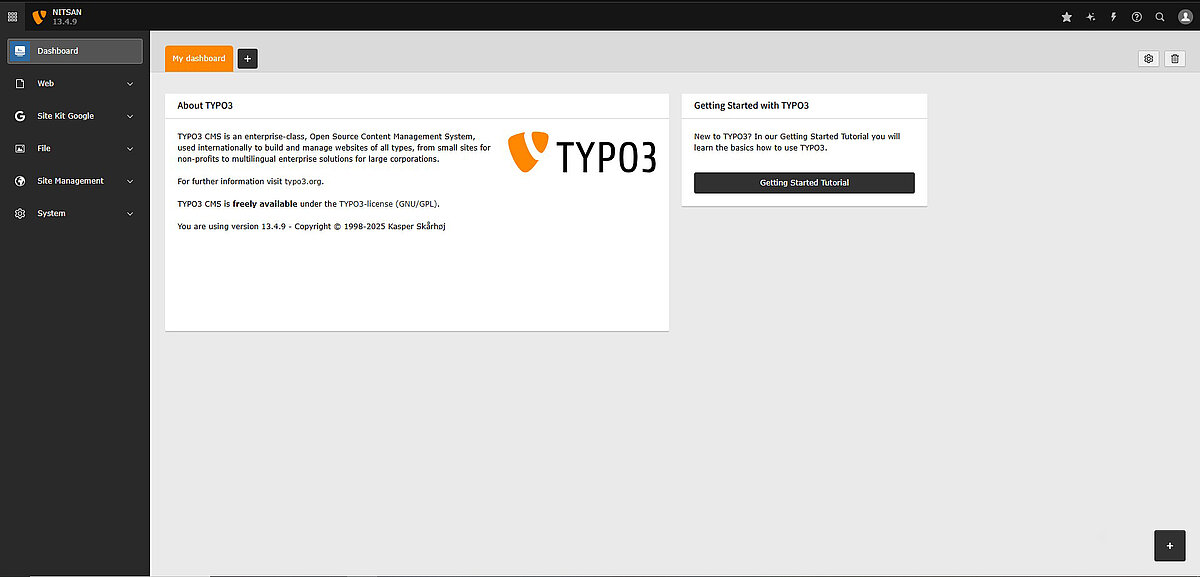
The [**TYPO3 backend**](https://nitsantech.de/en/blog/typo3-backend) is the administrative area where users with the appropriate rights can make changes to the website. It is not visible to normal visitors.
Only authorized persons such as editors, administrators, or content managers can log into the backend.
In the backend, you can:
- Add or change pages
- Upload images or files
- Edit texts on the website
- Change settings
Simply put, the backend is the control center or workspace of the website. This is where the actual work takes place to ensure that the website looks and functions as it should.
Only persons with the appropriate rights are allowed to access it so that no unauthorized changes can be made.
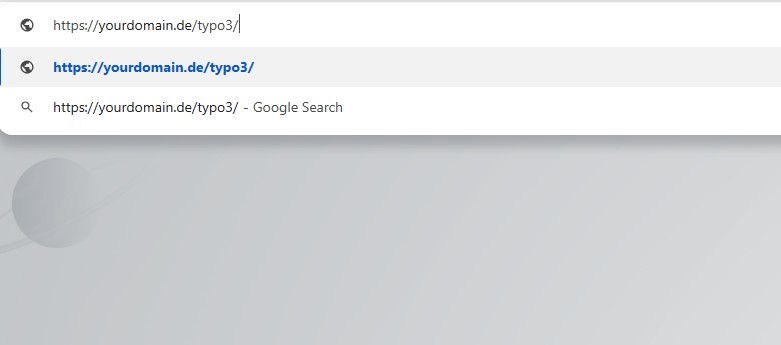
To log in to TYPO3, you need to go to the login page. The URL is usually:
- www.deine-website.com/typo3 (replace "your-website" with the actual name of your website).
Sometimes the website administrator changes this URL for security or convenience reasons. If in doubt, ask.
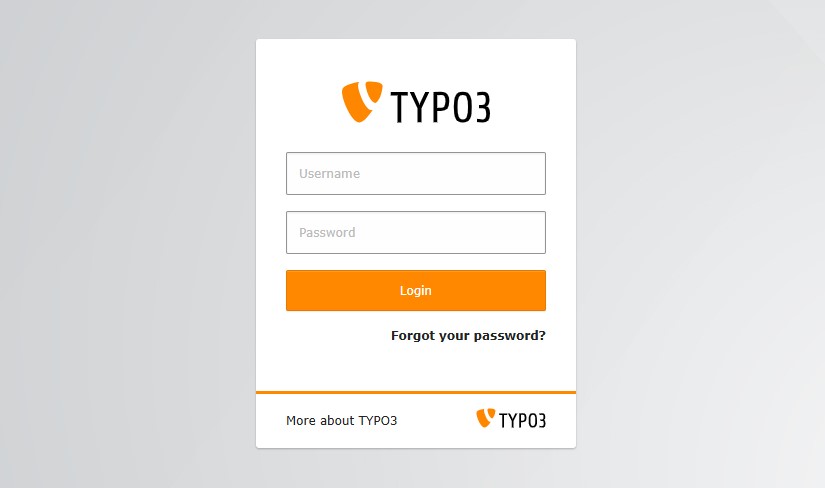
When you visit the login page, you will see:
- **Username and password** fields to enter your login details
- **Possibly a language selector** if the website supports multiple languages
- A **login button** to send the data
Depending on the website settings, you may also see
- **CAPTCHA**: A test to make sure you are not a robot
- **Two-factor authentication**: An additional security step that requires a second confirmation code
This is your access to the TYPO3 backend, from where you can manage the website.
Registering with TYPO3 is very easy. Follow these steps:
**Step 1:** **Go to the TYPO3 login page**
Open your web browser and enter the TYPO3 login URL (for example: www.deine-website.com/typo3).
**Step 2:** **Enter your login details**
Enter your username and password in the appropriate fields.
**Step 3:** **Click on the "Login" button**
Once you have entered your details, click on the login button to continue.
**Step 4:** **Access the TYPO3 backend**
If your login details are correct, you will be redirected to the TYPO3 backend dashboard. There you can start working on your website.
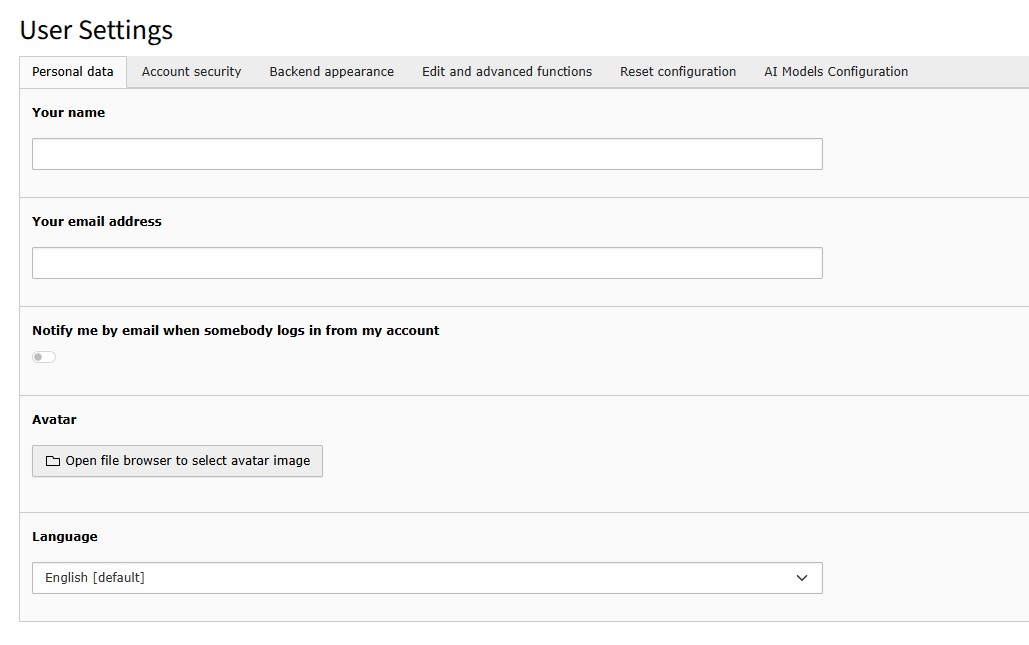
As soon as you are logged into the TYPO3 backend, you can adjust your personal settings via the "User settings" panel.
To do this, click on your user icon or your user name in the top right-hand corner and select "User settings".
In the "User settings" panel you can:
- **Change your password** - Set a new password to protect your account
- **Select your preferred language** - Set the language for the backend interface
- **Change your start module** - Set which area of TYPO3 is displayed first after login
- **Customize editing options** - Set how content creation should work for you (e.g. show hidden fields)
- **Check access rights** - Check which areas of the website you have access to
These settings only affect your own account and have no effect on other users. Here you can customize TYPO3 to your working style.
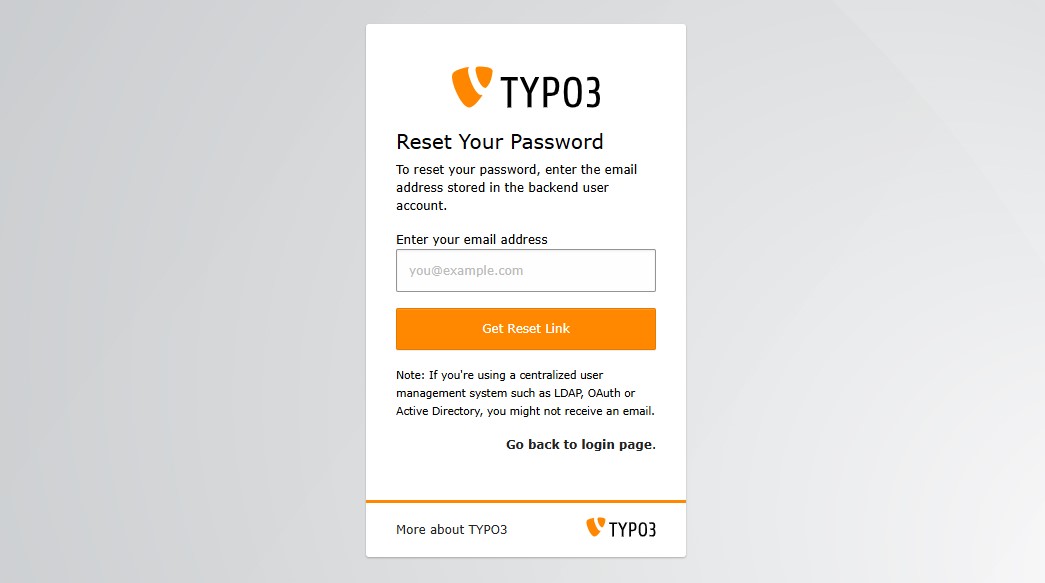
If you can't remember your TYPO3 password, don't worry - you can do that:
- Look for a "Forgot password" link on the login page. If it's there, click on it and follow the steps to reset your password.
- If there is no link or it does not work, contact your website administrator. They can reset your password and give you a new one.
It is best to keep your login details in a safe place.
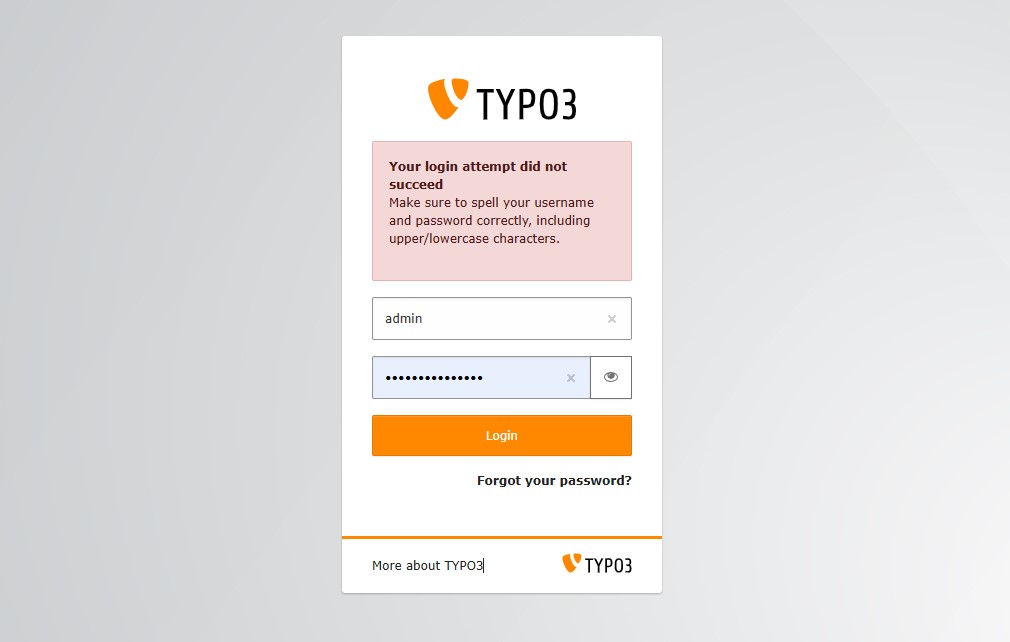
If you cannot log in, check the following:
- **Message "Login failed"?**
Check whether the user name and password are correct. Check for typing errors, such as extra spaces or incorrect letters.
- **Page not found?**
Check the login URL. Make sure you are using the correct web address, for example www.deine-website.com/typo3.
- **Still can't get in?**
If nothing works, it's best to contact the website administrator or support. They can help you or reset your login details.
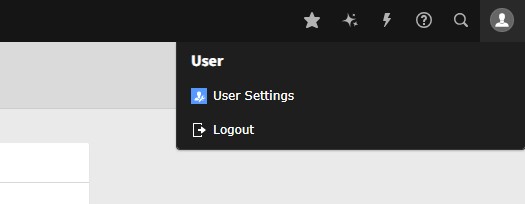
When you have finished your work in TYPO3, you should log out properly.
- To do this, click on the **logout button** at the top right of the screen.
- This will end your session and return you to **the login page**.
Logging out protects your account, especially if you are working on a public or shared computer. This ensures that no one can access the backend without your permission.
Not sure of your TYPO3 version?
Check it now and take action.
-------------------------------------------------------------
Your TYPO3 Version:13.4
Congratulations, your TYPO3 system is up to date with version 13! We would be happy to take over the maintenance and installation of regular system and security updates for you. [Contact us](https://nitsantech.de/en/inquire) now for a non-binding and individual offer!
Your TYPO3 Version:
With **TYPO3 version 12** you still have some time until support ends at the end of **April 2029**. Nevertheless, we recommend upgrading to the latest version 13 to keep your system up to date. You will also benefit from the latest TYPO3 functions. We would be happy to check your system for the possibility of an upgrade. [Contact us](https://nitsantech.de/en/inquire) now for a non-binding and individual offer!
You don't have a TYPO3 system or we can't identify your version.[ Contact us](https://nitsantech.de/en/inquire) for an individual review of your system and a non-binding initial consultation on your TYPO3 upgrade. The upgrade is particularly critical for TYPO3 systems that are older than version 8, as the lack of further development and support can lead to acute security gaps. Let's plan your next upgrade together!
Please enter a valid domain
Logging in to TYPO3 may seem like a small step, but it is very important for managing your website. Once you are in the backend, you can update content, add images, and keep your site up to date. As long as you know the login URL and your access data, you are ready to go.
If you encounter any problems, don't panic! Just follow our tips or ask your administrator for help. And don't forget to log out after you're done, especially on shared devices.
If you need help with TYPO3, an experienced **TYPO3 agency** help with everything. This ranges from login to complete website management.
*With this guide, you're now ready to log in and start working with TYPO3 with confidence!*
*Explore our* [*Installing TYPO3*](https://nitsantech.de/en/blog/installing-typo3) *guide for the installation process!*

Is Your TYPO3 Website Properly Secured?
---------------------------------------
Learn how to review system updates, user permissions, hosting security, and configuration settings.
[ Download guide ](https://nitsantech.de/javascript:;)
FAQ's
-----
Where can I find the TYPO3 login page?
You usually access the TYPO3 login by adding /typo3 to your website URL (e.g. www.your-website.com/typo3). If the URL has been customized, contact your web administrator.
What do I need to log in to TYPO3?
You need a valid **username** and **password** provided by your website administrator. Some setups may also use **2-factor authentication (2FA)** for added security.
What should I do if I forget my password?
If the “Forgot password” feature is not available, contact your system admin. They can reset your password for you.
Why is secure login important?
A secure login protects your site from unauthorized access. Strong passwords and optional security steps like 2FA help keep your website safe.
Can multiple users have access to TYPO3?
Yes. TYPO3 supports multiple users with different roles and permissions, such as editors, admins, or custom roles with limited access.
How can I make sure my login is secure?
Use a strong password, never share your credentials, log out after your session, and enable 2FA if available.
#### Contact for Internet agency and TYPO3 projects
#### Sven Thelemann
Service Partner - Germany
[ st@nitsantech.de ](mailto:st@nitsantech.de) [ +49 351 48196661 ](tel:4935148196661)


### Sven Thelemann
Client Service Lead
- [](https://www.linkedin.com/in/sven-thelemann-0a30867b/ "linkedin")
Sven Thelemann serves as the Client Service Lead at NITSAN, focusing on delivering TYPO3 solutions that meet client goals. With a strong understanding of technology and client expectations, he ensures smooth communication and project execution. Outside of work, Sven enjoys cycling and experimenting with homemade recipes.
Comments and Responses
----------------------
Thank you for your comment. Your Comment Added Successfully.
Thank you for your comment. Your Comment Will Be Visible After Approval.
Oops! Something went wrong, please try again later.
##### **Be the First to Comment**
### Related Blogs
[ 
#### TYPO3 CMS for Public Sector Websites: Requirements and Best Practices
](https://nitsantech.de/en/typo3-public-sector-2026)
[ 
#### TYPO3 SEO: Improve Your TYPO3 Website Ranking
](https://nitsantech.de/en/blog/typo3-seo)