---
title: "Productive TYPO3 Development: LAMP/MAMP/WAMP vs Docker/DDEV/Composer"
url: "https://nitsantech.de/en/blog/productive-typo3-development-lamp-mamp-wamp-vs-docker-ddev-composer"
description: "Want to dig-into-depth with productive TYPO3 development with this comparison: LAMP/MAMP/WAMP vs Docker/DDEV/Composer. Discover the power of DDEV, Composer, and Docker for seamless, efficient workflows. Unleash your coding potential now!"
image: "https://nitsantech.de/fileadmin/_processed_/a/7/csm_Productive_TYPO3_Development_LAMP_MAMP_WAMP_vs_Docker_DDEV_Composer_v2_12b02d7798.jpg"
author: Nitsan
date: 2019-10-04
modified: 2026-01-29
lastUpdated: 2026-02-25
keywords:
- Productive TYPO3 Development
- TYPO3
- TYPO3 Development
- TYPO3 CMS
categories:
- TYPO3 CMS
---
# Productive TYPO3 Development: LAMP/MAMP/WAMP vs Docker/DDEV/Composer
Productive TYPO3 Development: LAMP/MAMP/WAMP vs Docker/DDEV/Composer
====================================================================
23 Jul 2019
[](https://nitsantech.de/en/blog/author/sven-thelemann)
[Sven Thelemann](https://nitsantech.de/en/blog/author/sven-thelemann)
[ TYPO3 CMS ](https://nitsantech.de/en/categories/typo3-cms)
You might have heard about modern development tools like DDEV, Composer, Docker in TYPO3 universe, and would be interested in dig-into-depth for the same? Then, you are at the right place! We would like to guide you from Start to Intermediate level of knowledge to a modern local environment for your TYPO3 projects.
Table of content
Nowadays, I’m sure you are hearing more about modern development tools like DDEV, Composer, Docker in TYPO3 universe, and interested in dig-into-depth for the same? Then, you are at the right place!
Here, I would like to guide you from Start to Intermediate level of knowledge to a modern local environment for your [**TYPO3**](https://nitsantech.de/en/blog/typo3) projects.
No worries, You will not require any basic or start-up level skills, I have tried my best to write a step-by-step guide to install and configure everything.
 Was ist eine traditionelle Entwicklung (LAMP, MAMP, WAMP, etc.)?
So, How are you managing your TYPO3 projects at your local environment? Most probably people still use old-way by separate each software like Apache server, MySQL server, Install PHP, etc.,
Traditional local development environment probably knows as;
- LAMP (Linux Apache MySQL PHP)
- MAMP (Mac Apache MySQL PHP)
- WAMP (Windows Apache MySQL PHP)
- XAMP (X-cross-platform Apache MySQL PHP)
- So on.,
Let’s see, How many steps you will need to perform to set up your TYPO3 project?
**Step 1:** Install & configure Apache, MySQL, PHP
**Step 2:** Test if everything works together well (probably, you will get issues eg., Permission issue to an apache-www user)
**Step 3:** Manually prepare Virtual host using Apache conf (eg., typo3-project.local)
**Step 4:** Download TYPO3
**Step 5:** Test if the server environment is compatible with TYPO3 pre-requisites (probably, you will get issues eg., ImageMagick not installed)
**Step 6:** [Install](https://nitsantech.de/en/blog/how-to-install-and-uninstall-typo3-extensions) and configure TYPO3
**Step 7:** Download and install require [**TYPO3 extensions**](https://t3planet.de/en/typo3-extensions) from (probably, you will get issues eg., If a particular extension is dependent on other extensions)
And much more... As you realize, it’s a waste of time to perform each step to just “setup your TYPO3 project”. Don’t you think so?
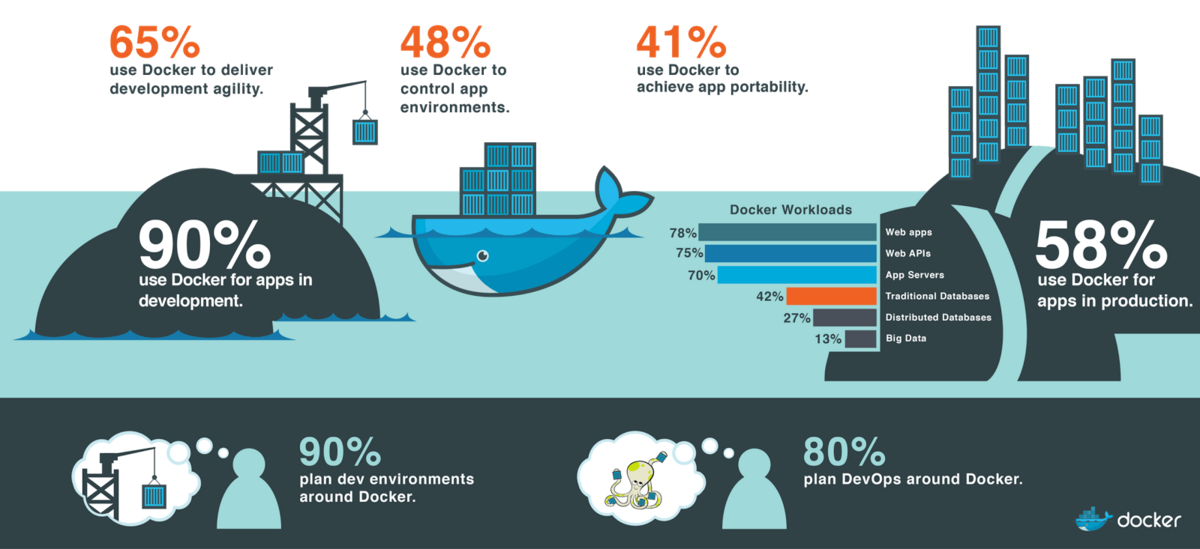 What’s about Modern Local Development Environment?
The modern local development environment is one of the most famous, [Docker + DDEV + Composer.](https://nitsantech.de/en/blog/installing-typo3-with-ddev)
Just imagine, you've got a new TYPO3 project, it will set up & run just few simple commands:
```none
ddev config
ddev composer
ddev start
```
isn't it cool, huh? I’ll guide, how it works ;)
LAMP/MAMP/WAMP/XAMP **vs** Docker/DDEV/Composer
- Traditional Way = Manually Prepare Local Environment + Manually Download TYPO3 and Extensions
- Modern Way = Automatically Prepare Local Environment + Automatically Setup TYPO3 and Extensions
What are the advantages of Modern ways TYPO3 project setup?
- Quickly initiate your TYPO3 project
- Managing dependencies of TYPO3 and Extensions
- Save time and energy to install and configure your TYPO3 project
- Avoid confliction of server’s environment
- More security
- Platform independencies
- Speed-up your development
- Easy deployments
- Hesitate free development
- OpenSource free tools
- And so on.,
I hope you feel the power and importance of Modern way development, now let’s go through to experience it.
**Notes**
- It will be too long to write down a step-by-step guide of each Operating System.
- For the following example, I’m considering Linux Ubuntu 19 which is my favorite. Of course, I’ll keep writing official documentation reference, so you can find your commands/instructions ;)
- One more thing, Please make sure to read an official document of your particular Operating system for “System minimum requirement”.

The first step to setup Docker which is quite easy. Just open a terminal and run following commands.
### Installations
```none
sudo apt-get update
sudo apt-get install apt-transport-https ca-certificates curl gnupg-agent software-properties-common
sudo apt-key fingerprint 0EBFCD88
curl -fsSL https://download.docker.com/linux/ubuntu/gpg | sudo apt-key add -
sudo apt install apt-transport-https ca-certificates curl software-properties-common
sudo add-apt-repository "deb [arch=amd64] https://download.docker.com/linux/ubuntu disco stable"
sudo apt-get update
sudo apt-get install docker-ce docker-ce-cli containerd.io
```
```none
docker-compose --version
```
If you’ve successfully run above commands, then check Docker with following:
```none
docker --version
```
### Reference
Read your particular OS installation instruction of Docker at [https://hub.docker.com/search/?type=edition&offering=community](https://hub.docker.com/search/?type=edition&offering=community)
Compose is a tool for defining and running multi-container Docker applications. With Compose, you use a YAML file to configure your application’s services. Then, with a single command, you create and start all the services from your configuration.
To characterize and run multi-container Docker applications, Compose is just the perfect tool. With Compose, one can utilize their YAML file to arrange their application's administrations. At that point, with a single command, you can begin and create all your service configurations from your design.
### Installations
```none
sudo curl -L "https://github.com/docker/compose/releases/download/1.24.0/docker-compose-$(uname -s)-$(uname -m)" -o /usr/local/bin/docker-compose
sudo chmod +x /usr/local/bin/docker-compose
```
```none
docker-compose --version
```

### Reference
Read your particular OS installation instruction of Docker at
### Check If Docker Works Well
### Test-drive
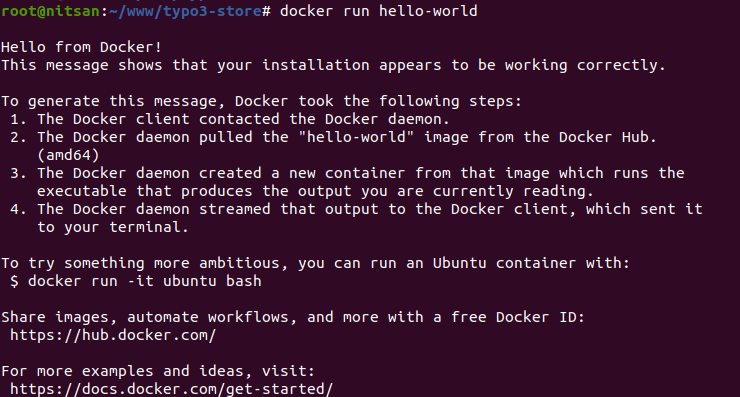
Let’s make sure that you’ve well-setup Docker, Just execute the following command.
```none
docker run hello-world
```
### Expected Output
The docker’s “Hello World” should be like:
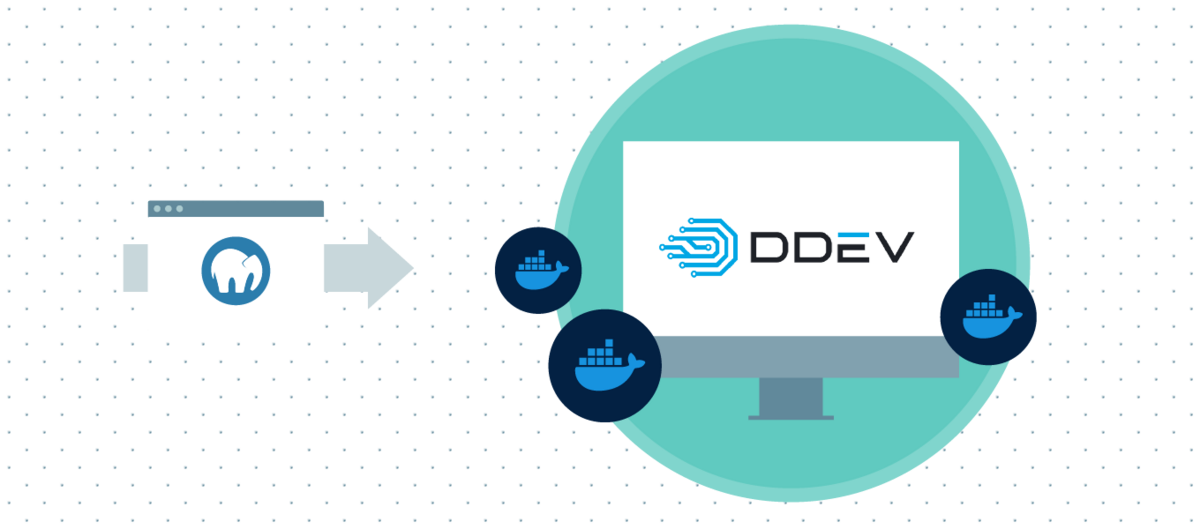
[ddev](https://ddev.readthedocs.io/en/stable/), an open source tool that makes it very easy to get PHP development local environment ready for action in minutes.
It's ground-breaking and adaptable because of its per-venture condition arrangements, which can be expanded, rendition controlled and shared.
Let me put it plainly, ddev goals to permit developers to utilize Docker in their work process without the complexities of bespoke design.
```bash
curl -L https://raw.githubusercontent.com/drud/ddev/master/scripts/install_ddev.sh | bash
```
```none
ddev composer
```
```none
ddev
```
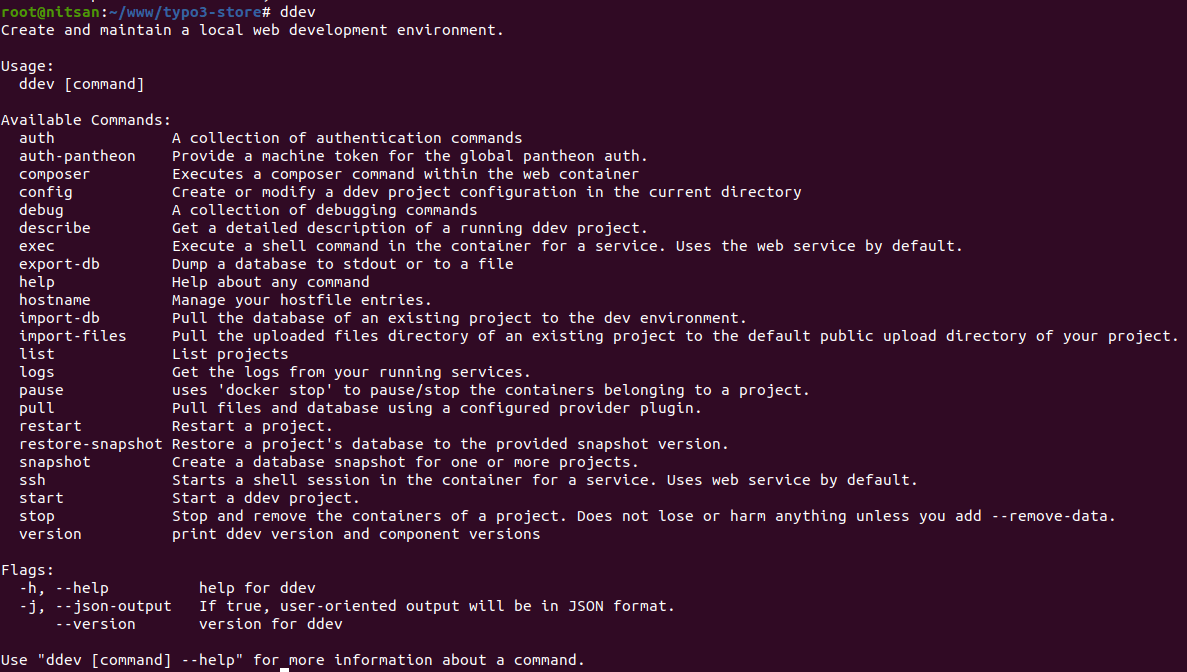
Read your particular OS installation instruction of DDEV at
Hurray! You are ready with Docker, Compose, and DDEV. Now let’s go to quickly set up your first TYPO3 project.
Marc user can watch this video to setup DDEV
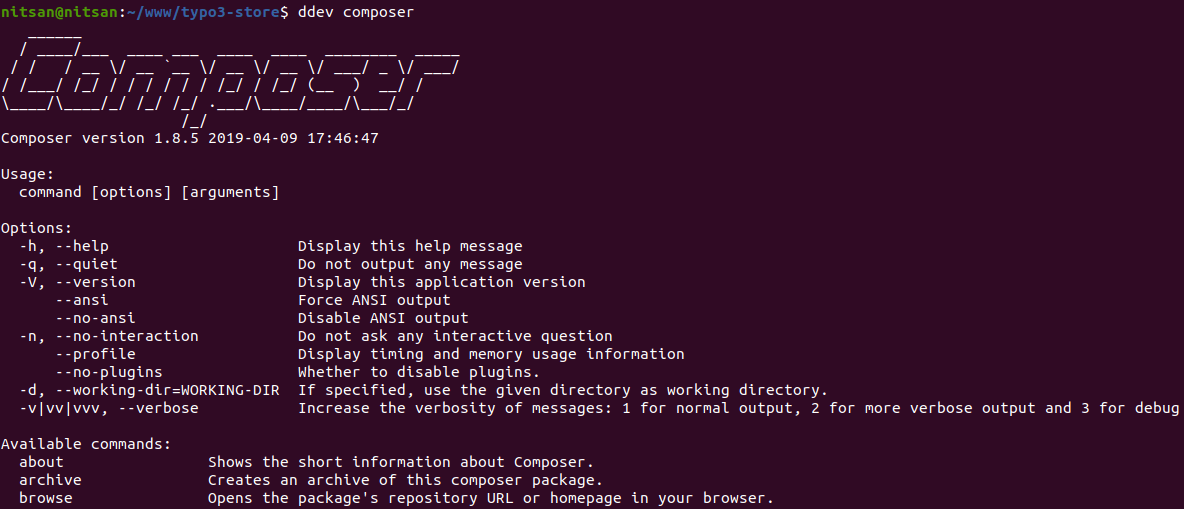
### Test-drive
```
ddev composer
```
### Expected Output
### Reference
Read your particular OS installation instruction of DDEV at
Hurray! You are ready with Docker, Compose, and DDEV. Now let’s go to quickly set up your first TYPO3 project.
Marc user can watch this video to setup DDEV
Oh! Wait wait, but what about the composer? No worries, You don’t need to manually install composer, the great DDEV will take care ;)

Can you believe your TYPO3 project will run in a few commands? Follows the steps:
**Step 1:** Create your project’s folder
```none
mkdir your-typo3-site
cd your-typo3-site
```
**Step 2:** Let’s tell DDEV to configure this project as “TYPO3”
```none
ddev config --project-type typo3
```
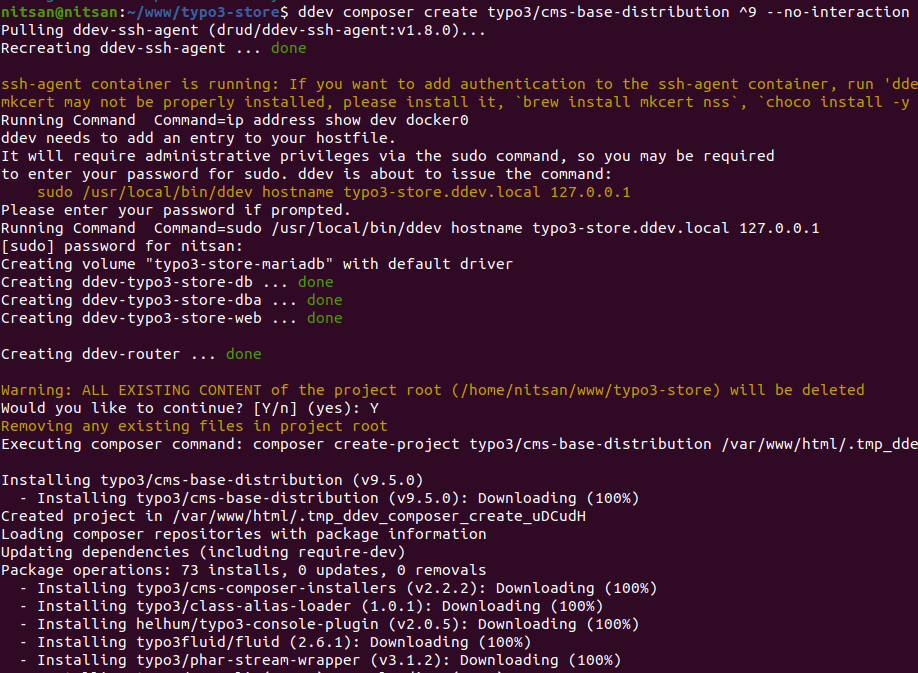
**Step 3:** Download latest [TYPO3 LTS version](https://nitsantech.de/en/blog/typo3-roadmap)
```none
ddev composer create typo3/cms-base-distribution ^9 --no-interaction
```
Or
```none
ddev composer create typo3/minimal ^9 --no-interaction
```
**Tips**
Are you looking for custom TYPO3 setup?
```none
composer require typo3/cms-backend typo3/cms-core typo3/cms-extbase typo3/cms-extensionmanager typo3/cms-filelist typo3/cms-fluid typo3/cms-frontend typo3/cms-install typo3/cms-recordlist
```
Recommend to watch
**Step 4:** Let’s start DDEV
```none
ddev start
```
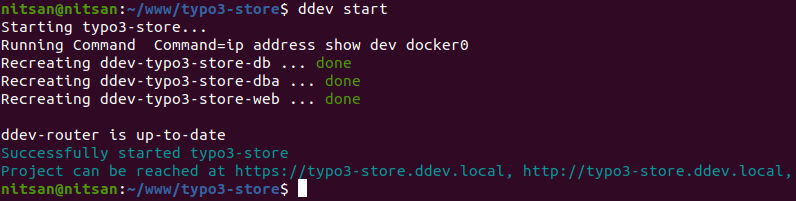
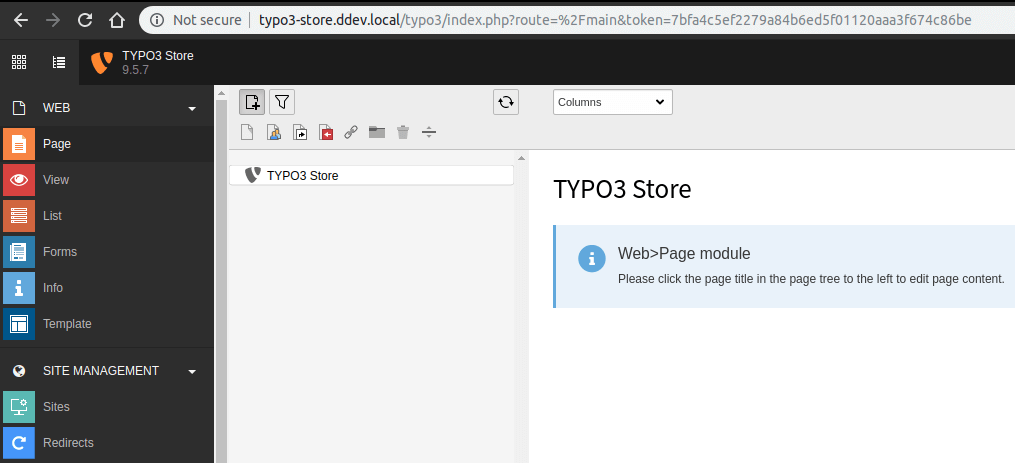
Hoho! Your first TYPO3 project is ready! You can access your project.
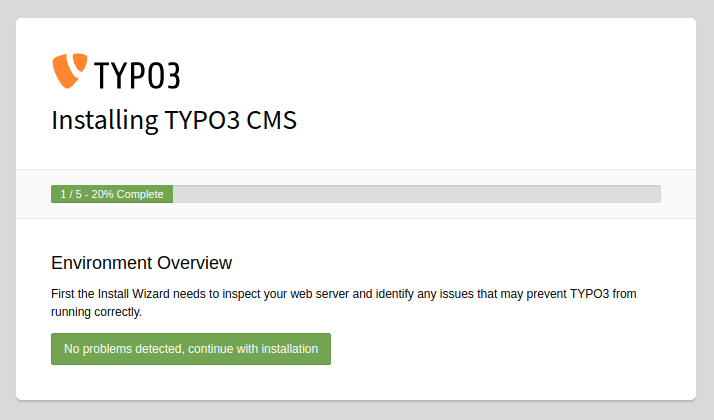
**Step 1:** Check Server Environment
Well, DDEV already pre-configured every pre-requisites of TYPO3 CMS, so no worries!
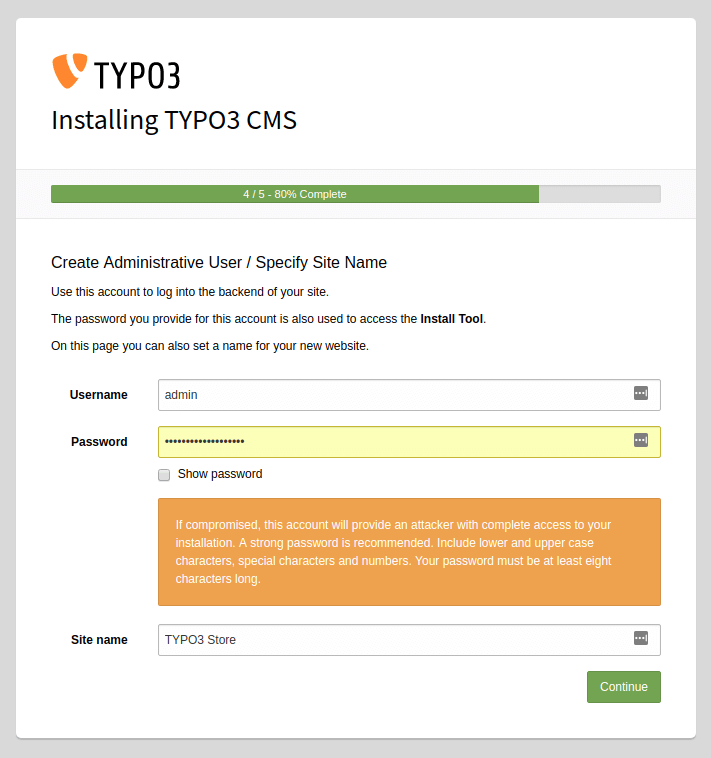
**Step 2:** Create an Administrator & Site-name
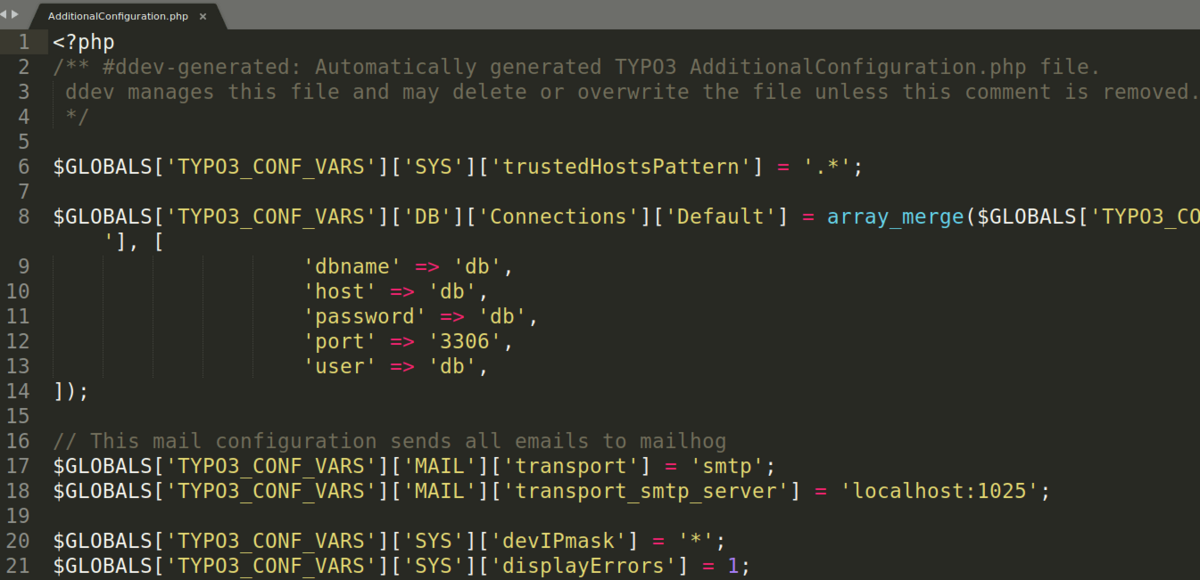
If you’ve noticed, TYPO3 installation has skipped step 3 and 4. Yeah, because DDEV already pre-configured AdditionalLocalConfiguration.php for the Database settings.
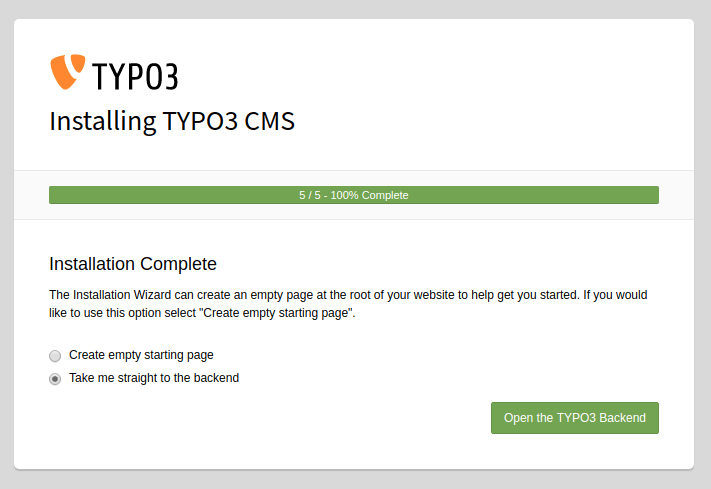
**Step 3:** Done!
Everything is done, Just go to backend and start the development of your TYPO3 project.
### Files and Directories Structure of TYPO3
As we have installed [**TYPO3 CMS**](https://nitsantech.de/en/blog/typo3-perfect-cms-for-everyone) using composer, the folder structure will be bit different and more secure compared to traditional [**TYPO3 Installation**.](https://nitsantech.de/en/blog/installing-typo3)
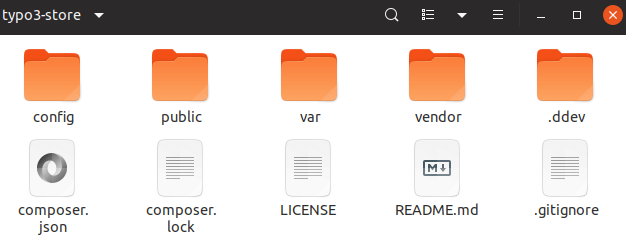
| .ddev | It contains all the configuration of DDEV especially config.yaml contains TYPO3 setup |
|---|---|
| composer.json | Based on your installation require and update composer commands, Automatically generate and maintain composer.json |
| public | Your TYPO3 site has been routed to the public directory which contains typo3conf, fileadmin, typo3 folders, etc., |
| var | It contains cache, log and sessions. |
| vendor | All the vendor packages are located like typo3, typo3fluid, Symfony, etc., |
Now, you don’t need to manually download and install the extension from [TER](https://extensions.typo3.org/)(TYPO3 Extensions Repository) - The free app store of TYPO3.
### Download and Installation
```none
composer require nitsan/ns-all-sliders
composer require nitsan/ns_ext_compatibility
composer require nitsan/ns-news-comments
```
You will easily get it from TER extension detail page.

### Update TYPO3 Extension
Whenever you get a new release for a particular extension, then just [run the composer](https://nitsantech.de/en/blog/typo3-composer) update command.
```none
composer update nitsan/ns-all-sliders
composer update nitsan/ns_ext_compatibility
composer update nitsan/ns-news-comments
```
Explored the beauty of DDEV
---------------------------
Here, I would like to show you variance ddev commands and techniques which will help you during the development and deployment.
### Access to Database
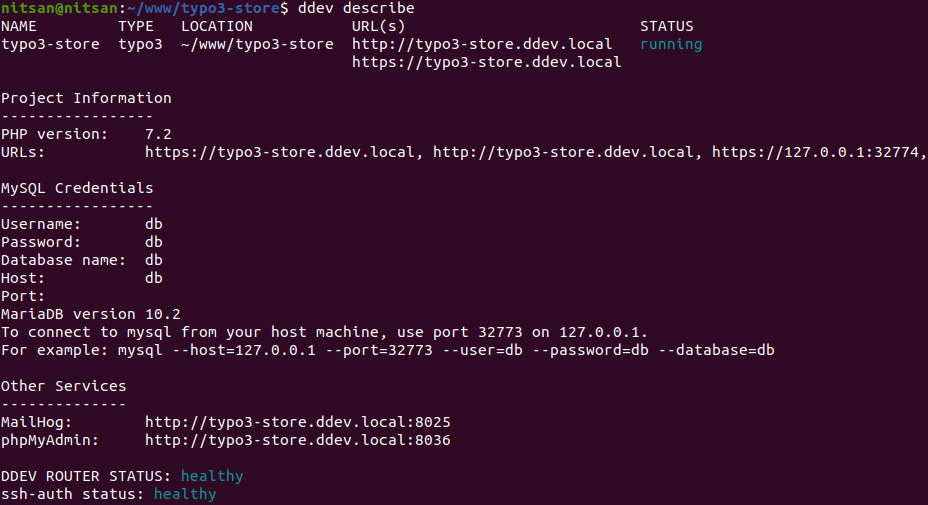
You may think, How can you access your database? You can access it on port 8036.
### Backdrop Quickstart
Do you want to download and set up the TYPO3 project from a different source, like Git?
```none
git clone https://github.com/username/example-typo3-site
cd example-typo3-site
ddev config
ddev start
```
### Import Your Database
Import a database with just one command; DDEV supports all the formats .sql, sql.gz, mysql, mysql.gz, tar, tar.gz, and zip.
```none
ddev import-db --src=dumpfile.sql.gz
```
```none
ddev list
```

### See Details of the TYPO3 project
You can find detail information like MySQL server credentials, PHP version, phpMyAdmin, etc.,
```none
ddev describe
```
 Productive TYPO3 Development
### Email Access
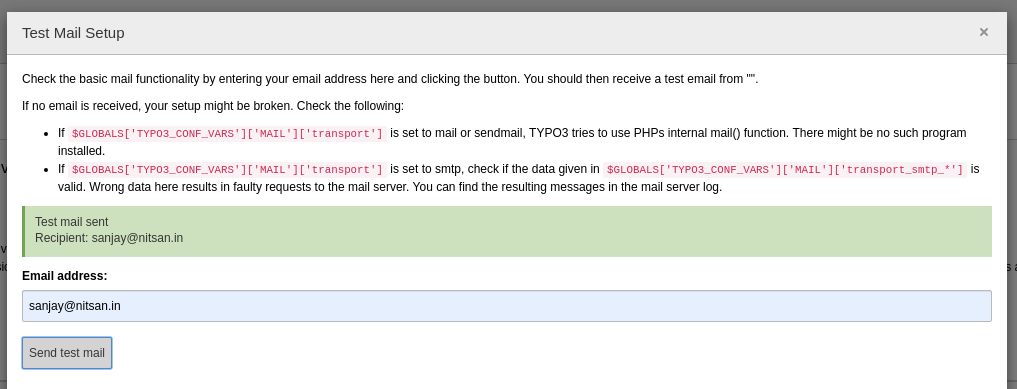
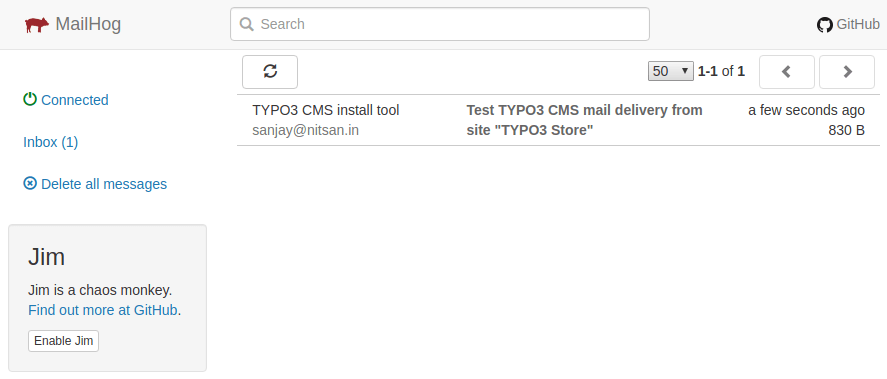
In your traditional local environment, Setup local email server is one the challenge. Magic!! DDEV already does for us by accessing it with port 8025 eg., typo3-site.ddev.local:8025
### Recommend
Highly recommend seeing list of commands and techniques which will useful for productive development eg., Connect with SSH, Export database, Importing assets, etc.,
### Uninstall LAMP (Apache, MySQL, and PHP) Environment
Are you happy with the above modern solution with Docker, DDEV, and Composer? Then probably you want to remove traditional LAMP environment.
```none
sudo service apache2 stop
sudo apt-get purge apache2 apache2-utils apache2.2-bin apache2-common
```
```none
sudo apt-get purge mysql-server mysql-client mysql-common mysql-server-core-* mysql-client-core-*
sudo rm -rf /etc/mysql /var/lib/mysql
sudo apt-get autoremove
sudo apt-get autoclean
```
```none
sudo apt-get purge 'php*'
```
Keep up-to-date your DDEV latest version :)
```none
curl -L https://raw.githubusercontent.com/drud/ddev/master/scripts/install_ddev.sh | bash
```
- Now, You know and feel the power of modern development with Docker, DDEV, and Composer.
- We recommend to remove traditional development environment of LAMP, MAMP, WAMP, XAMP, etc., and Keep going with Docker Containers.
- Of course, whenever you switch to something new, at the initial stage you may face few issues but just overcome it to keep work on world-class development.
- Just set up your TYPO3 project in 2 mins by typing "ddev start", Heaven for the TYPO3 developer, Isn’t it?
Thanks for reading! I would love to receive your feedback. And how do you prefer your TYPO3 local development environment? Feel free to write down your problems and suggestions in the comment box below, and our [**TYPO3 Agency**](https://nitsantech.de/en/typo3-agency) team will be happy to help!
*Have a Happy & Productive TYPO3 Projects!*
#### Contact for Internet agency and TYPO3 projects
#### Sven Thelemann
Service Partner - Germany
[ st@nitsantech.de ](mailto:st@nitsantech.de) [ +49 351 48196661 ](tel:4935148196661)


### Sven Thelemann
Client Service Lead
- [](https://www.linkedin.com/in/sven-thelemann-0a30867b/ "linkedin")
Sven Thelemann serves as the Client Service Lead at NITSAN, focusing on delivering TYPO3 solutions that meet client goals. With a strong understanding of technology and client expectations, he ensures smooth communication and project execution. Outside of work, Sven enjoys cycling and experimenting with homemade recipes.
Comments and Responses
----------------------
Thank you for your comment. Your Comment Added Successfully.
Thank you for your comment. Your Comment Will Be Visible After Approval.
Oops! Something went wrong, please try again later.
##### **Be the First to Comment**
### Related Blogs
[ 
#### TYPO3 CMS for Public Sector Websites: Requirements and Best Practices
](https://nitsantech.de/en/typo3-public-sector-2026)
[ 
#### TYPO3 SEO: Improve Your TYPO3 Website Ranking
](https://nitsantech.de/en/blog/typo3-seo)