---
title: "TYPO3 Installation Guide 2026: Step-by-Step Setup"
url: "https://nitsantech.de/en/blog/installing-typo3"
description: Learn how to install TYPO3 in 2026. Check requirements, upload files, configure the database, set permissions, and complete setup correctly.
image: "https://nitsantech.de/fileadmin/_processed_/d/d/csm_Installing-TYPO3_e40d6dc61b.jpg"
date: 2025-04-24
modified: 2026-03-25
lastUpdated: 2026-03-25
keywords:
- typo3 installation
- typo3 install
- install typo3
- typo3
- typo3 cms
- typo3 cms install
- typo3 cms installation
categories:
- TYPO3 CMS
---
# TYPO3 Installation Guide 2026: Step-by-Step Setup
Installing TYPO3: Complete Installation Guide (2026)
====================================================
24 Apr 2025
[](https://nitsantech.de/en/blog/author/sven-thelemann)
[Sven Thelemann](https://nitsantech.de/en/blog/author/sven-thelemann)
[ TYPO3 CMS ](https://nitsantech.de/en/categories/typo3-cms)
TYPO3 is a powerful enterprise CMS, but installing it correctly requires proper version selection, server configuration, and structured setup.
Table of content
This guide explains how to install [**TYPO3**](https://nitsantech.de/en/blog/typo3) using Composer or the classic method, prepare your environment, configure the database, and access the backend for the first time. Follow the steps carefully to deploy a stable, production-ready TYPO3 instance from day one.
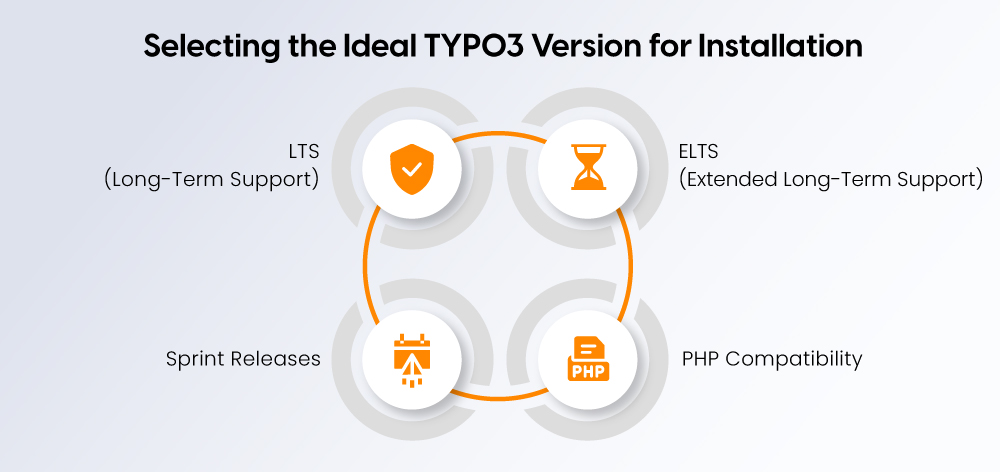
Your PHP compatibility and security support and upgrade strategy will depend on your [**TYPO3 version**](https://nitsantech.de/en/blog/check-typo3-version).
### **LTS (Long-Term Support)**
- The system provides security maintenance support for multiple years.
- The system provides security maintenance support for all new production projects.
- The system maintains stable performance which enables safe system upgrades.
### **ELTS (Extended Long-Term Support)**
- The system offers paid security support for all previous LTS releases.
- The system works best with existing enterprise systems that require long-term support.
- The system works best with existing systems which need no updates.
### **Sprint Releases**
- The system provides a brief time frame for support.
- The system focuses on developing new features.
- The system only functions as a testing tool and early adopter platform.
### **PHP Compatibility**
The system supports specific PHP versions which are associated with each TYPO3 release. Users must check official system requirements to verify system compatibility before starting installation. Using PHP versions which the system does not support will cause the main system and its extensions to stop working.
**Recommendation:**
The organization should use the latest LTS version for all upcoming projects. The organization should use ELTS when they face limitations which prevent them from performing upgrades. Organizations should not use sprint releases for their production environment.
If you are currently running an older TYPO3 version, review the upgrade implications before installing or migrating. Our guide, [**Top Reasons to Upgrade from TYPO3 v12 to v13**](https://nitsantech.de/en/blog/upgrade-typo3-v12-to-v13), explains the benefits, risks, and preparation steps in detail.
The installation of TYPO3 requires different methods which depend on your existing infrastructure and planned maintenance procedures.
The installation method affects all aspects of system operation including upgrade management and security protection and system capacity to grow over time.
### **Composer Installation (Recommended)**
The official installation method provides modern installation capabilities
- TYPO3 operates as a dependency which Composer installation method manages
- The system enables users to update core components and extension files with greater efficiency
- The system allows users to control versioning while implementing continuous integration and deployment processes
- The system provides business advantages which make it suitable for enterprise development work.
### **Classic Source Package**
- The user must obtain files through manual download to perform their installation.
- The installation process needs the user to create their FIRST\_INSTALL file.
- The system provides functions that work in shared hosting environments.
- The system enables users to execute system upgrades through a less organized procedure.
### **Local Development (DDEV / XAMPP)**
The system prepares software for testing and development work before it goes to production.
#### **DDEV (Recommended)**
- The system uses Docker technology which enables it to create production environment simulations.
- The system provides a development environment which enables teams to work together effectively.
#### **XAMPP**
- The system creates an uncomplicated local testing environment.
- The system enables users to perform fundamental testing operations.
- The system does not meet the requirements for testing in commercial business settings.
### **Installation Method Overview**
| **Method** | **When to Use** | **Hosting** | **Maintenance** |
|---|---|---|---|
| Composer | Production and long-term projects | VPS, cloud, dedicated servers | Structured and upgrade-safe |
| Source Package | Shared hosting setups | Limited server access | Manual updates |
| Local (DDEV/XAMPP) | Development and testing | Local machine | Safe upgrade simulation |
**Recommendation:** For modern TYPO3 projects, use Composer for production and DDEV for local development.
Before installing TYPO3, confirm your server meets the official system requirements for your selected version.
### **Server Requirements**
#### **PHP**
- Use a PHP version supported by your TYPO3 release (verify officially).
- For [**TYPO3 v13**](https://nitsantech.de/en/blog/typo3-v130), PHP 8.2+ is required.
- Required extensions typically include:
`curl, fileinfo, mbstring, openssl, intl, pdo, json`.
- Ensure `memory_limit` and execution time for production.
#### **Database**
- MySQL (8.0+)
- MariaDB (10.4+)
- PostgreSQL (10+)
- SQLite (development only)
- Use `utf8mb4` encoding.
#### **Web Server**
- Apache, NGINX, IIS, or Caddy
- Document root must point to `/public`.
#### **Resources**
- Minimum 256MB RAM
- 512MB+ recommended for production
#### **Composer**
- Required for modern installations
- Use Composer 2.x
### **Required Access & Tools**
- **SSH Access (Recommended)** – Required for Composer and CLI operations
- **FTP/SFTP** – Needed for classic source package installations
- **Hosting Control Panel** – For database creation and document root configuration
- **Web Browser** – To access the install tool and backend
Not sure if your infrastructure is suitable? Read our guide on [**choosing the right TYPO3 hosting for your website**](https://nitsantech.de/en/blog/typo3-hosting) to avoid performance and scalability issues.
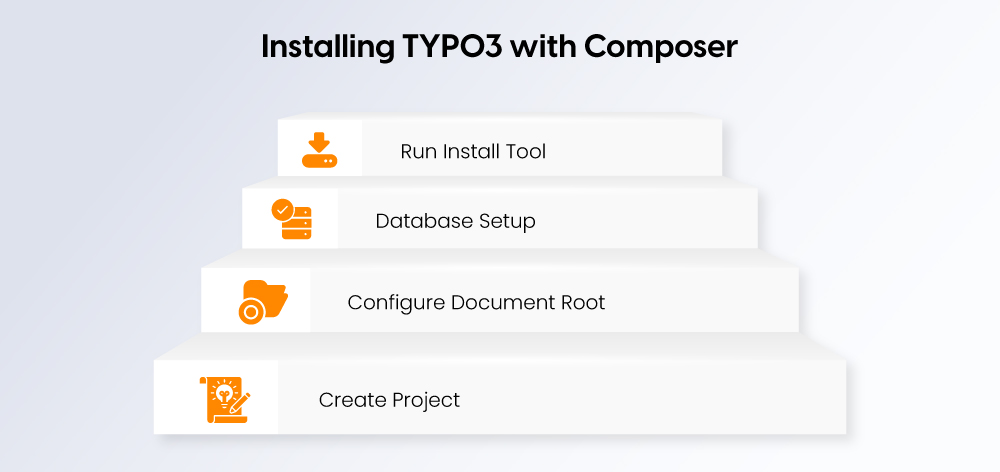
Composer is the recommended method for installing TYPO3 in modern production environments. It ensures clean dependency management, easier updates, and long-term maintainability.
### **Step 1: Create TYPO3 Project via Composer**
Connect to your server via SSH and navigate to the directory where you want to create your project.
Run:
composer create-project typo3/cms-base-distribution my-typo3-site
This command:
- Downloads the latest compatible TYPO3 core
- Sets up the standard project structure
- Installs required dependencies
- Creates the `/public` directory for web access
After installation, navigate into your project folder:
cd my-typo3-site
### **Step 2: Configure Document Root (/public)**
For security reasons, TYPO3 must run from the `/public` directory.
Set your web server document root to:
/path-to-your-project/public
- In Apache or NGINX configuration, ensure the root points to this directory.
- Do not point your domain to the project root, only to `/public`.
If this is misconfigured, TYPO3 will not load correctly and may expose sensitive files.
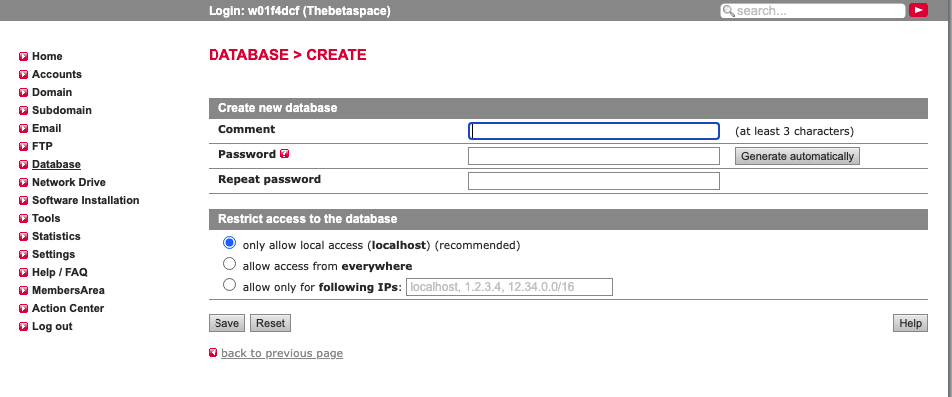
Create a new database before launching the install tool.
- Create a new database (utf8mb4 recommended)
- Create a dedicated database user
- Assign full privileges to that user
- Note the following:
- Database name
- Username
- Password
- Host (usually `localhost`)
You will need these credentials during installation.
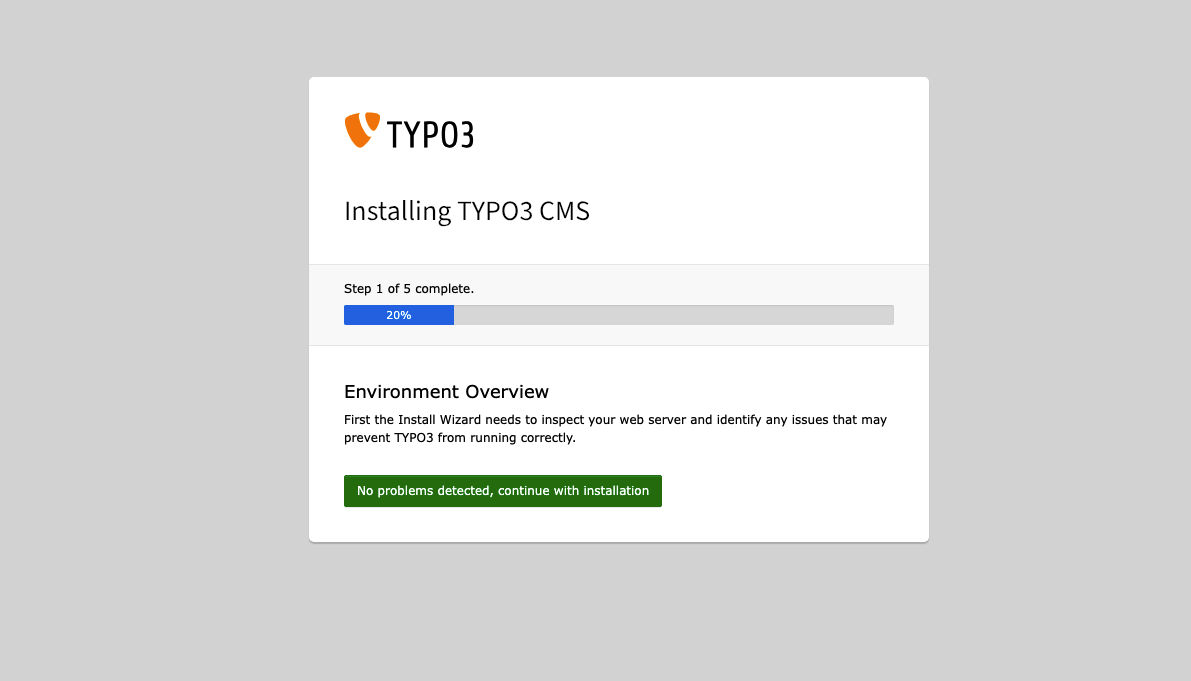
Open your browser and visit your domain:
https:// yourdomain.com
TYPO3 will automatically launch the Install Tool.
During the installation process:
- TYPO3 checks system requirements
- You enter database credentials
- The system creates required database tables
- You create the administrator account
- You configure your site name
Once completed, you can access the backend at:
https:// yourdomain.com/typo3
Your TYPO3 instance is now installed using Composer and ready for configuration.
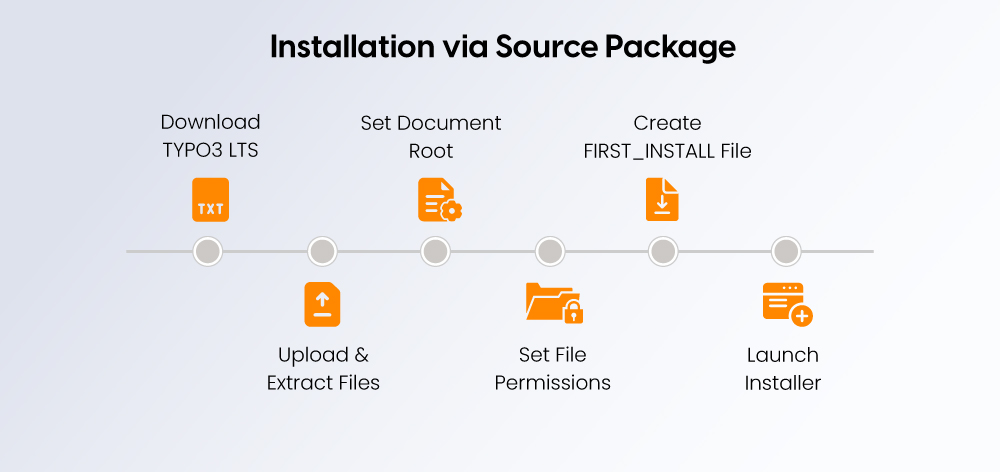
The classic source package installation is suitable for shared hosting environments or setups without SSH/Composer access. This method involves uploading TYPO3 files manually and starting the installation via the browser.
**Note:** The `FIRST_INSTALL` file is required only for the classic source package installation. It is not needed when installing via Composer.
### **Step 1: Download TYPO3 LTS**
- Visit the official TYPO3 download page.
- Select the latest LTS (Long-Term Support) version.
- Download the source package (`.zip` or `.tar.gz`).
Using the LTS version ensures long-term stability and security updates.
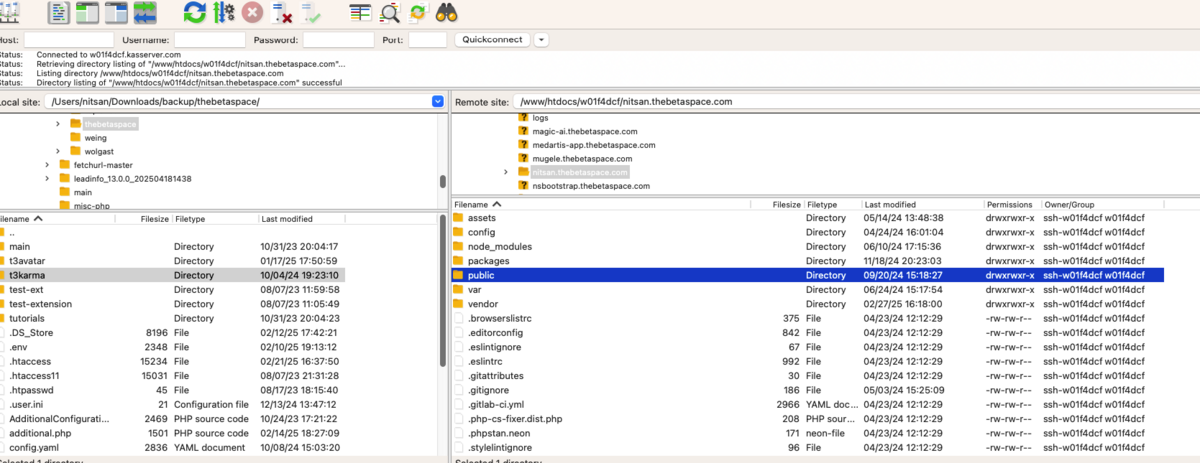
- Upload the downloaded archive to your web server using FTP or your hosting file manager.
- Extract the archive in your desired project directory.
- Ensure all TYPO3 files are correctly placed inside the project folder.
You can install TYPO3 either in the document root or inside a subdirectory, depending on your hosting setup.
### **Step 3: Set Document Root to** `/public`
For security reasons, TYPO3 must run from `/public` directory.
- Configure your hosting control panel or web server settings.
Set the document root to:
/your-project-folder/public
If the document root points to the wrong directory, TYPO3 will not function correctly and sensitive files may become accessible.
### **Step 4: Set File Permissions**
TYPO3 requires write access to specific directories.
Set appropriate permissions for:
- `var/`
- `config/`
- `public/fileadmin/`
Guidelines:
- Avoid using `777`.
- Ensure the web server user (e.g., `www-data` or `apache`) has write access.
- Typical permissions:
- Directories: 775
- Files: 664
Incorrect permissions will cause installation failures or backend errors.
### **Step 5: Create the** `FIRST_INSTALL` **File**
To start the installation process:
Create an empty file named:
FIRST\_INSTALL
- Place it in the project root directory (same level as `composer.json` or `/public`).
This file activates the TYPO3 Install Tool for classic installations. It is not required for Composer-based setups.
After creating the file, open your browser and navigate to your domain to launch the installer.
The installation wizard will guide you through database configuration, system checks, and administrator account setup.
TYPO3 guides you through final configuration steps after you open the installation tool through either Composer or traditional installation method. The current stage establishes a database connection while checking server conditions and setting up backend entry to the system.
### **Enter Database Credentials**
Provide the database details created earlier:
- Host (usually localhost)
- Database name
- Database username
- Database password
TYPO3 will attempt to establish a connection.
The connection fails because one of the following conditions exists:
- Database server is running
- Credentials are correct
- User has full privileges
- Correct character set (utf8mb4 recommended)
TYPO3 automatically generates necessary database tables after establishing a successful connection.
### **System Environment Check**
TYPO3 conducts an automatic system check before allowing any further system operations.
The check includes:
- PHP version validation
- Required PHP extensions
- File and folder permissions
- Database connectivity
- Memory limits
If the system generates warnings or errors:
- Users need to fix critical errors without delay.
- Users should check all warnings before moving to production phase.
The system performance and stability will suffer if users choose to disregard environmental warnings.
### **Create Administrator Account**
Next, the backend administrator credentials require definition which includes two elements:
- Secure username
- Strong password
- Valid email address
The account provides complete system access to the user.
A strong password should be created for backend access which should also limit system entry rights after the system installation process.
### **Choose Installation Type (Introduction vs Blank)**
The initial site setup selection process requires you to make your choice now.
#### **Introduction Package**
- The introduction package installs both demo content and example layouts
- The introduction package provides resources for learning TYPO3
- The introduction package should not be used in actual production settings
#### **Blank Installation**
- The blank installation creates an empty TYPO3 system
- The system will not include any sample content
- The system appears to be most suitable for professional use in production environments
For most real-world projects, choose Blank Installation and build your structure intentionally.
The Blank Installation process should be used for actual projects because it allows users to design their project framework.
After completing these steps, TYPO3 finalizes the configuration and redirects you to the backend login at: `https:// yourdomain.com/typo3`
Your TYPO3 installation is now fully operational and ready for further configuration.
Having TYPO3 on your own machine is a safe way to play around with code and test upgrades, without messing up your live website.
Set up a local environment when you're:
- Building your own extensions
- Trying out [**TYPO3 updates**](https://nitsantech.de/en/blog/typo3-update)
- Getting new websites ready before they go live
- Working with a team using Git (or similar)
Developing locally means fewer problems when you deploy and keeps your live website running smoothly.
### **Install TYPO3 with DDEV**
DDEV is a tool that uses Docker to make development environments. It's perfect for modern TYPO3 workflows.
Here's the basic setup:
- `ddev config --project-type=typo3`
- `ddev start`
- `ddev composer create-project typo3/cms-base-distribution .`
Then, just open the local address it gives you and follow the steps in the TYPO3 install tool.
#### **Why use DDEV?**
- Everyone on your team has the same setup.
- You can switch between PHP versions easily.
- It includes a web server and database.
- It’s similar to how your live website is set up.
### **Install TYPO3 with XAMPP**
XAMPP is a simple package with Apache, PHP, and MySQL all in one.
1. Install XAMPP
2. Start Apache and MySQL
3. Make a new database
4. Put the TYPO3 files in the `htdocs` folder
5. Go to the installer in your browser
This is okay for learning or quick tests, but DDEV is better for bigger or more complex projects.
**Pro tip:** Use Composer and DDEV for organized development.
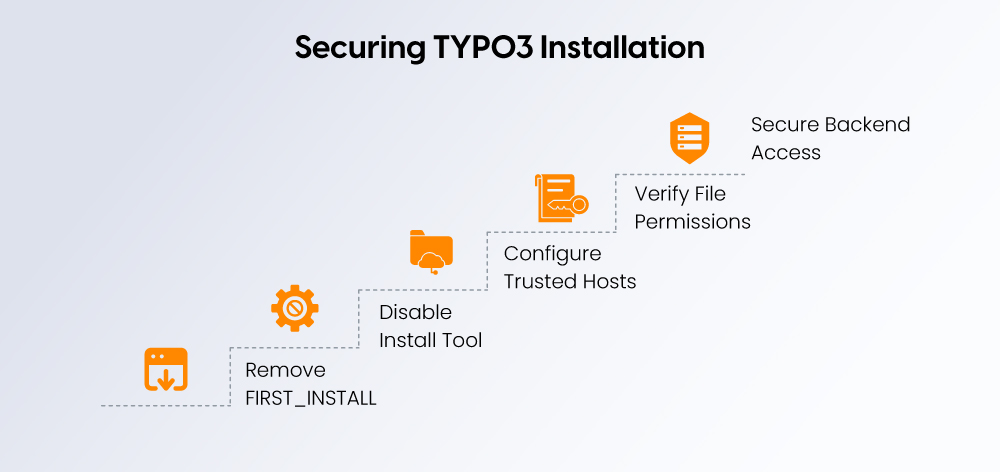
A fresh TYPO3 installation must be secured before going live.
### **Remove** `FIRST_INSTALL` **(Classic Only)**
- Delete immediately after installation
- Not required for Composer setups
### **Disable or Protect Install Tool**
- Ensure it is password-protected
- Restrict access in production
- Remove unnecessary installation access
### **Configure Trusted Hosts**
Define allowed domains via `trustedHostsPattern` to prevent host header attacks.
Example:
^(www\\.)?yourdomain\\.com$
Avoid wildcard patterns in production.
### **Verify File Permissions**
Only required directories should be writable:
- `var/`
- `public/fileadmin/`
- `config/`
Never use 777 permissions.
### **Secure Backend Access**
Backend URL: `/typo3`
- Enforce HTTPS
- Use strong credentials
- Restrict access via IP if possible
- Enable two-factor authentication
Clean URLs and correct site configuration are mandatory for production. Without proper routing, TYPO3 will generate URLs like `index.php?id=1`, which are not search-friendly.
### **Apache Configuration**
- Ensure `mod_rewrite` is enabled
- Document root must point to `/public`
- Default `.htaccess` inside `/public`must remain active
- If clean URLs fail, verify `AllowOverride All` is enabled
If you see `index.php?id=1`, rewrite rules are misconfigured.
### **NGINX Configuration**
NGINX requires explicit rewrite rules.
Ensure:
- Root points to `/public`
- `try_files` forwards requests to `index.php`
Example:
location / {
try\_files $uri $uri/ /index.php$is\_args$args;
}
Reload NGINX after changes.
### **Configure Site in TYPO3**
In the backend:
**Site Management - Sites**
Define:
- Base URL (must match production domain exactly)
- Default language
- Error handling
Without site configuration, routing and clean URLs will not work.
### **Enable XML Sitemap**
- Ensure SEO system extension is active
- Configure sitemap in site settings
- Access at:
https:// yourdomain.com/sitemap.xml
Verify canonical URLs and page inclusion.
Clean URLs and sitemap configuration are part of core setup, not post-launch optimization.
Most installation issues relate to server configuration or permissions.
| **Error** | **Cause** | **Fix** |
|---|---|---|
| 500 Internal Server Error | Wrong document root, rewrite failure, missing PHP extension | Point root to `/public`, enable `mod_rewrite`, check server logs |
| Database Connection Failed | Incorrect credentials or privileges | Verify DB name, user, password, and permissions |
| White Screen | PHP fatal error or memory limit | Check logs, increase `memory_limit`, verify PHP compatibility |
| Clean URLs Not Working | Rewrite rules or missing site config | Verify Apache/NGINX rules and site configuration |
| Permission Denied | Incorrect file permissions | Ensure `var/`, `public/fileadmin/`, `config/` are writable by web server |
Always review PHP and server logs before troubleshooting further.
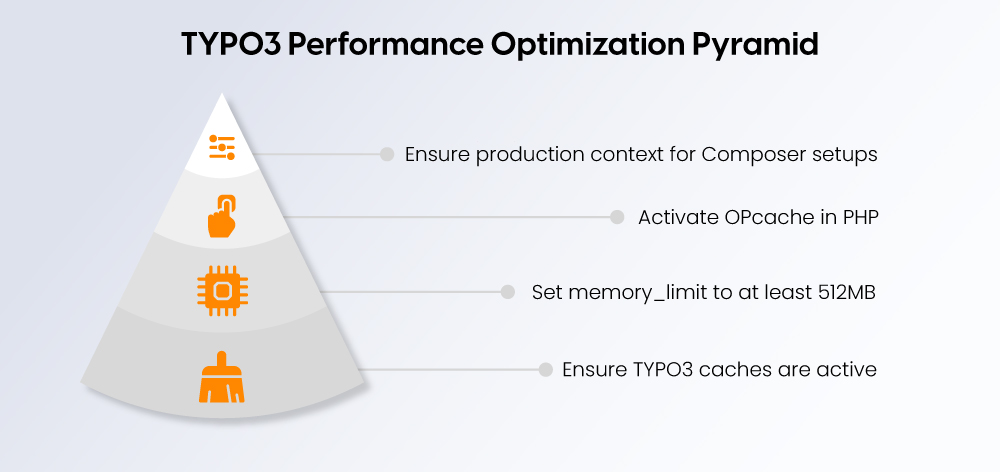
A default installation is functional but not optimized. Establish production settings before launch.
### **Enable Caching**
- Ensure TYPO3 caches are active
- Disable development settings
- Configure reverse proxy caching if used
Avoid unnecessary cache flushing in production.
### **Configure PHP Memory**
For production:
- `memory_limit` ≥ 512MB
- Appropriate `max_execution_time`
- Proper `upload_max_filesize`
Insufficient memory is a common cause of backend instability.
### **Enable OPcache**
- Activate OPcache in PHP
- Allocate sufficient memory
- Improves response time and reduces CPU load
### **Set Production Context**
For Composer setups, ensure production context:
Example:
APP\_ENV=Production
or
TYPO3\_CONTEXT=Production
Disable debug output and detailed error messages in live environments.
A properly configured performance baseline ensures TYPO3 is stable, secure, and ready for production workloads.
Installation is only the first step. Long-term stability depends on structured maintenance. Review our [**TYPO3 Website Maintenance Checklist**](https://nitsantech.de/en/blog/typo3-website-maintenance) to ensure your system remains secure and upgrade-ready.
Use this condensed checklist to verify your TYPO3 installation is complete, secure, and production-ready.
1. **Select the Correct TYPO3 Version**
1. Latest LTS for new projects
2. Verify PHP compatibility
2. **Confirm Server Requirements**
1. Supported PHP version
2. Required extensions enabled
3. Database available (utf8mb4 recommended)
3. **Choose Installation Method**
1. Composer (recommended)
2. Source package (shared hosting)
3. Local setup for development
4. **Set Document Root to** `/public`
1. Mandatory for security
2. Verify Apache/NGINX configuration
5. **Create and Configure Database**
1. Dedicated user with full privileges
2. Confirm connection during install tool
6. **Complete Install Tool Setup**
1. Pass system environment checks
2. Create secure administrator account
3. Choose Blank installation for production
7. **Remove** `FIRST_INSTALL` **(Classic Install Only)**
1. Delete immediately after installation
8. **Secure Your Installation**
1. Configure trusted hosts
2. Verify file permissions
3. Protect backend access with HTTPS
9. **Enable Clean URLs & Site Configuration**
1. Confirm rewrite rules
2. Configure base URL
3. Activate XML sitemap
10. **Set Performance Baseline**
1. Enable caching
2. Configure PHP memory
3. Ensure OPcache is active
4. Confirm production mode
If all ten steps are complete, your TYPO3 installation is structured correctly and ready for further development or deployment.
Not sure of your TYPO3 version?
Check it now and take action.
-------------------------------------------------------------
Your TYPO3 Version:13.4
Congratulations, your TYPO3 system is up to date with version 13! We would be happy to take care of the maintenance and installation of regular system and security updates for you. [Contact us](https://nitsantech.de/en/inquire) now for a non-binding, customized quote!
Your TYPO3 Version:
With TYPO3 version 12, you still have some time before support expires at the end of April 2029. Nevertheless, we recommend upgrading to the latest version 13 to keep your system up to date. You will also benefit from the latest TYPO3 features. We would be happy to check your system for upgrade possibilities. [Contact us](https://nitsantech.de/en/inquire) now for a non-binding, customized quote!
You do not have a TYPO3 system, or we are unable to identify your version. Please contact us for an individual review of your system and a non-binding initial consultation regarding your TYPO3 upgrade. The upgrade is particularly critical for TYPO3 systems older than version 8, as the lack of further development and support can lead to acute security vulnerabilities. Let us plan your next [TYPO3 upgrade](https://nitsantech.de/en/services/typo3-upgrade-service) together!
Please enter a valid domain
Installing TYPO3 correctly is more than completing the setup wizard. It starts with selecting the right version, choosing the appropriate installation method, and configuring your server, security, and performance settings from the beginning.
For standard projects, the steps in this guide are sufficient to establish a stable and production-ready TYPO3 instance. However, if you are dealing with enterprise integrations, multi-site architectures, or upgrade and migration scenarios, careful architectural planning becomes critical.
In such cases, structured expertise can prevent long-term technical debt and upgrade complications.
Next step:
Review your current TYPO3 version, confirm hosting compatibility, and define your upgrade and maintenance strategy.
If you are planning a version upgrade, explore the [**TYPO3 upgrade**](https://nitsantech.de/en/services/typo3-upgrade-service) guide. If infrastructure is unclear, validate your hosting setup. For long-term stability, establish a structured [**TYPO3 maintenance**](https://nitsantech.de/en/services/typo3-support-and-maintenance) plan.

A Structured Start for TYPO3 Projects
-------------------------------------
Use this guide to avoid common mistakes and lay a solid foundation for your TYPO3 project from the beginning.
[ Download guide ](https://nitsantech.de/javascript:;)
FAQs
----
How do I install TYPO3?
You can install TYPO3 either via Composer (recommended) or by uploading the source package manually. Composer is preferred for professional and long-term projects because it simplifies updates and dependency management.
Is Composer required to install TYPO3?
Composer is not mandatory, but it is strongly recommended. Classic source package installation is possible, especially on shared hosting, but Composer provides better upgrade control and maintainability.
What are the minimum requirements to install TYPO3?
TYPO3 requires a supported PHP version, a compatible database (MySQL, MariaDB, PostgreSQL, or SQLite), and a web server such as Apache or NGINX. The document root must point to the `/public` directory.
Can TYPO3 run on shared hosting?
Yes, TYPO3 can run on shared hosting using the source package method. However, for larger or enterprise projects, VPS or dedicated hosting is recommended for better performance and scalability.
How long does it take to install TYPO3?
A standard installation typically takes 15–30 minutes if the server environment is prepared. Complex setups, including security hardening and optimization, may require additional time.
What is the FIRST\_INSTALL file in TYPO3?
`FIRST_INSTALL` is a temporary file required only for classic source package installations. It activates the install tool and must be removed immediately after setup for security reasons.
Should I choose the Introduction Package or Blank Installation?
For production projects, choose Blank Installation. The Introduction Package is intended for testing and learning purposes only.
#### Contact for Internet agency and TYPO3 projects
#### Sven Thelemann
Service Partner - Germany
[ st@nitsantech.de ](mailto:st@nitsantech.de) [ +49 351 48196661 ](tel:4935148196661)


### Sven Thelemann
Client Service Lead
- [](https://www.linkedin.com/in/sven-thelemann-0a30867b/ "linkedin")
Sven Thelemann serves as the Client Service Lead at NITSAN, focusing on delivering TYPO3 solutions that meet client goals. With a strong understanding of technology and client expectations, he ensures smooth communication and project execution. Outside of work, Sven enjoys cycling and experimenting with homemade recipes.
Comments and Responses
----------------------
Thank you for your comment. Your Comment Added Successfully.
Thank you for your comment. Your Comment Will Be Visible After Approval.
Oops! Something went wrong, please try again later.
##### **Be the First to Comment**
### Related Blogs
[ 
#### TYPO3 CMS for Public Sector Websites: Requirements and Best Practices
](https://nitsantech.de/en/typo3-public-sector-2026)
[ 
#### TYPO3 SEO: Improve Your TYPO3 Website Ranking
](https://nitsantech.de/en/blog/typo3-seo)